
Autodesk Fusion
Cloud-based 3D CAD/CAM tool that connects design teams and helps manage product development processes on a unified platform.
What is Autodesk Fusion?
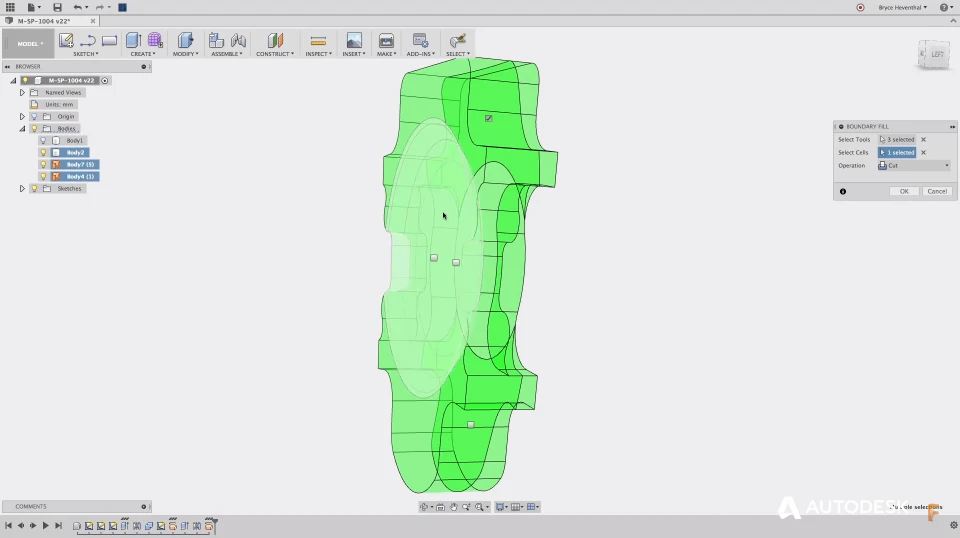
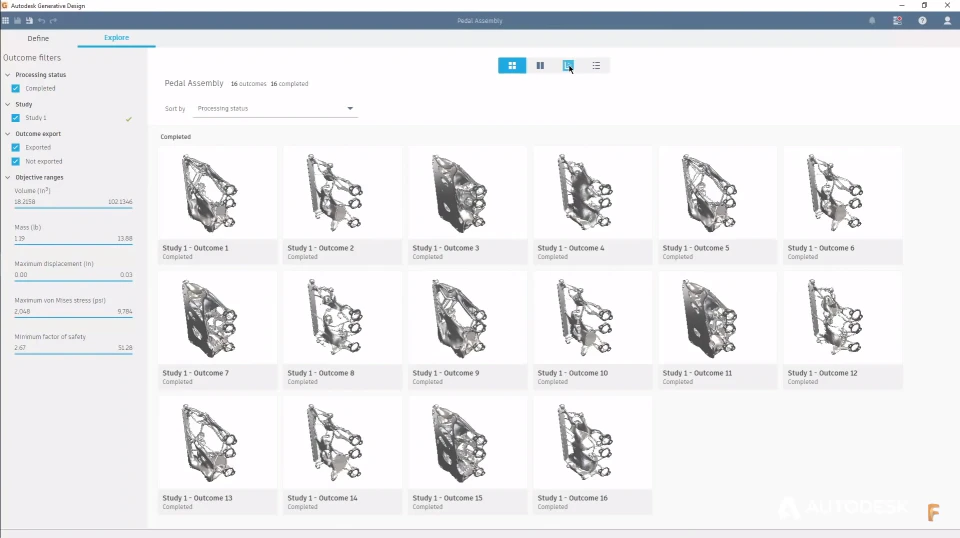
Autodesk Fusion is a cloud-connected 3D CAD, CAM, CAE and PCB application that brings the full product development process into one platform. Where traditional workflows require separate tools for modelling, simulation, electronics and machining — each with its own file formats and translation headaches — Fusion keeps design intent, manufacturing data and collaboration history in a single connected model. Modelling supports parametric, direct, freeform, surface, sheet metal and mesh workflows, so engineers can work the way a given problem demands rather than being locked into one paradigm. Assemblies, joints and motion studies handle mechanism design, while integrated generative design explores geometry options against defined constraints and manufacturing methods. Simulation covers static stress, thermal, modal and other studies for validating a part before it is cut, and the built-in electronics environment adds schematic capture and PCB layout tied to the mechanical enclosure.
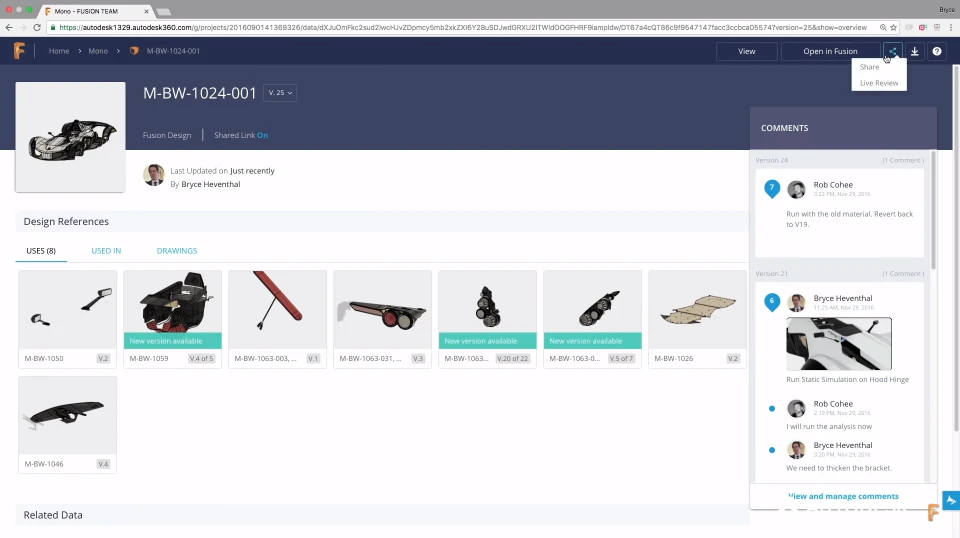
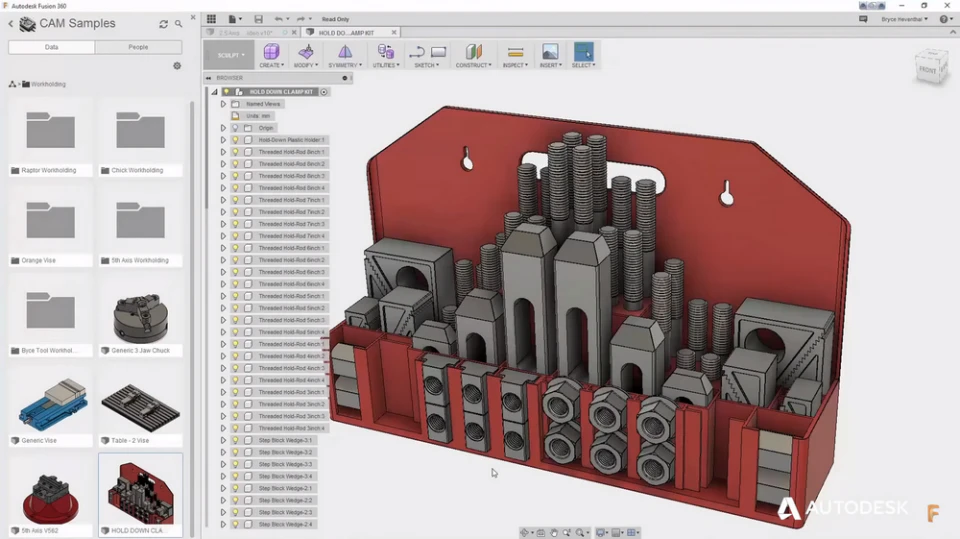
The manufacturing side is a substantial part of the value. Integrated CAM generates toolpaths for 2.5-axis through 5-axis milling, turning, mill-turn, waterjet, laser and plasma cutting, and additive processes, with post-processors for a broad range of machines. Because CAM lives in the same document as the model, design changes propagate to toolpaths rather than requiring a re-import. Cloud infrastructure underpins collaboration: projects, version history and comments are held centrally so distributed teams, contract manufacturers and clients can review work without emailing files, and the data management layer tracks who changed what and when. Fusion runs on Windows and macOS with browser and mobile access for viewing and markup. It is widely used by product designers, mechanical engineers, machine shops, hardware startups, educators and makers, and is credited with putting capability previously restricted to expensive enterprise suites within reach of small teams. Subscription pricing is flexible, with entry-level access available very cheaply and additional capability unlocked through extensions for areas such as advanced manufacturing, simulation and generative design. There is no permanently free commercial tier and no free trial flagged in this listing, though Autodesk offers education and hobbyist access separately.
Screenshots
Video
Categories
Features
FAQ
The official website of Autodesk Fusion is https://www.autodesk.com/products/fusion-360/
Autodesk Fusion belongs to the 3D Rendering, Electrical Design, Engineering CAD, Simulation, 3D CAD, Collaboration, Manufacturing category.
Autodesk Fusion offers features such as 3D Modeling, CAD Tools, Component Library, Data Import/Export, Drag & Drop, Real-Time Updates, Collaboration Tools, Document Generation, Parts Management, Reusable Designs, 2D Drawing, Design Management, Manufacturing Design Data, Reporting/Analytics, 3D Design & Modeling, Annotations, Sketching and Annotation Tools, Access Controls/Permissions, Document Management, Mobile Access, Secure Data Storage, Compliance Management, Quality Control.
No, Autodesk Fusion does not offer a free trial.
Need help choosing this software?
Have questions about features, pricing, integrations, or implementation? Send an enquiry to the vendor and get the information you need.
Pricing
Starting at:
$1/per month
Free Trial Available