
Lithnet Access Manager
Lithnet Access Manager is cross-platform software for managing privileged access and passwords across Windows, Linux and macOS systems.
What is Lithnet Access Manager?
Lithnet Access Manager is a privileged access management and endpoint security software solution designed to help organizations securely control access to local administrator passwords, BitLocker recovery keys, computers, and privileged roles. The platform provides a web-based interface through which authorized users can request sensitive administrative access without requiring broad, permanent permissions across the IT environment.
Organizations frequently provide IT administrators, help desk employees, system engineers, and support teams with standing administrative rights so they can troubleshoot devices and resolve technical issues. Although convenient, permanent administrator access creates significant cybersecurity risks. If a privileged account is compromised, attackers may use those credentials to move between devices, access sensitive systems, disable security controls, or deploy ransomware across the network.
Lithnet Access Manager helps reduce this risk by supporting unique local administrator passwords, temporary just-in-time administrative access, detailed authorization rules, strong authentication, and comprehensive auditing. Instead of allowing administrators to retain unrestricted privileges, organizations can provide access only when it is required and automatically remove that access after an approved period.
The software supports access to Windows Local Administrator Password Solution passwords, encrypted Lithnet LAPS passwords, BitLocker recovery keys, temporary computer administration, and just-in-time role membership. Lithnet Access Manager also extends local administrator password management to Windows, macOS, and Linux devices through the Lithnet Access Manager Agent.
The platform is primarily designed for IT departments, cybersecurity teams, identity and access management professionals, help desk teams, managed service providers, government organizations, educational institutions, healthcare providers, financial organizations, and enterprises operating Microsoft Active Directory or Microsoft Entra ID environments.
As ransomware, credential theft, and lateral movement attacks continue to create serious risks for organizations, Lithnet Access Manager provides a focused approach to reducing permanent administrative access and improving the protection of sensitive endpoint credentials.
About Lithnet Access Manager Software
Lithnet Access Manager is an administrative access delegation platform developed by Lithnet, an identity management and cybersecurity software provider. The solution enables organizations to provide secure, controlled, and auditable access to local administrator passwords and other privileged resources.
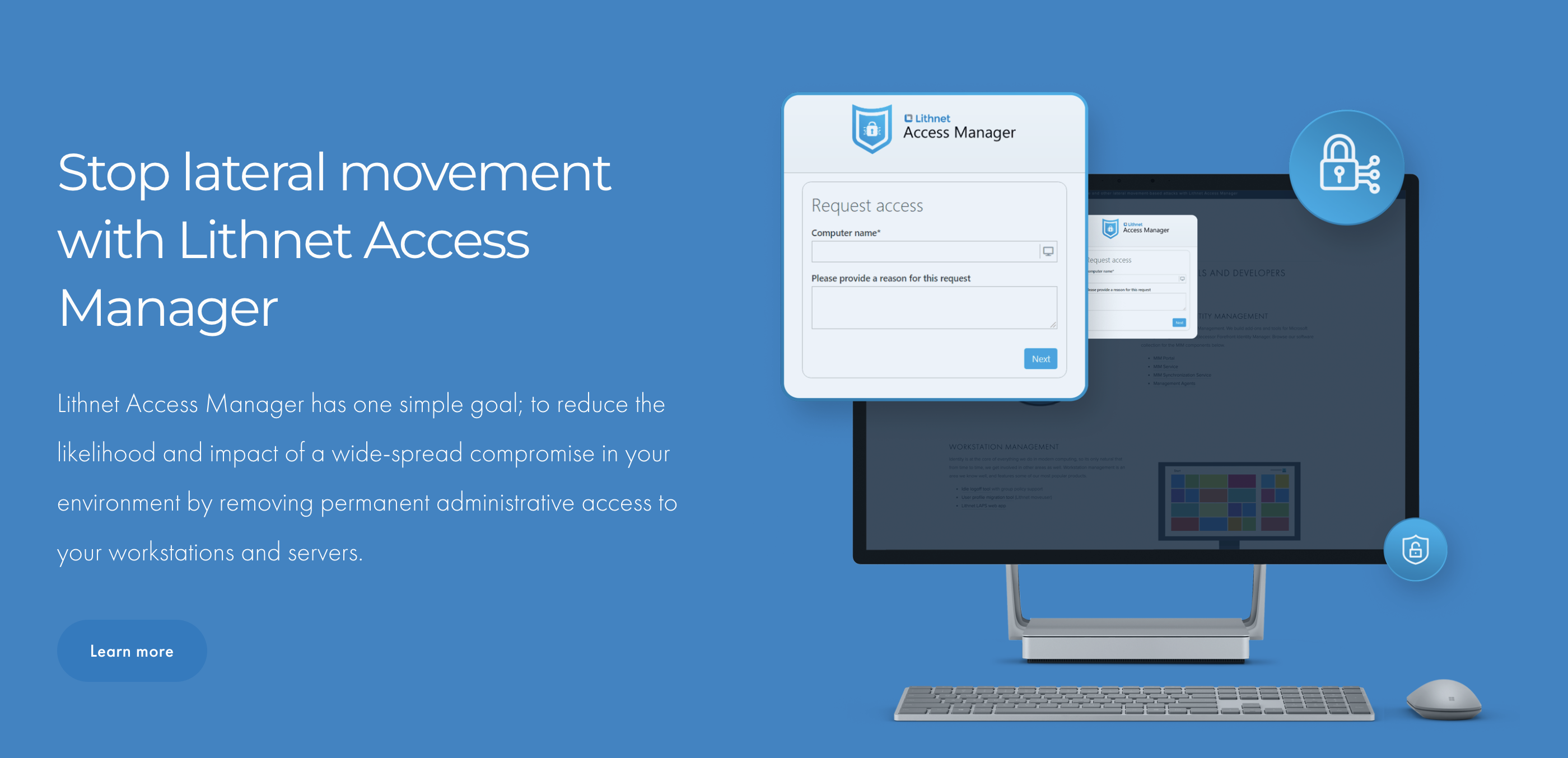
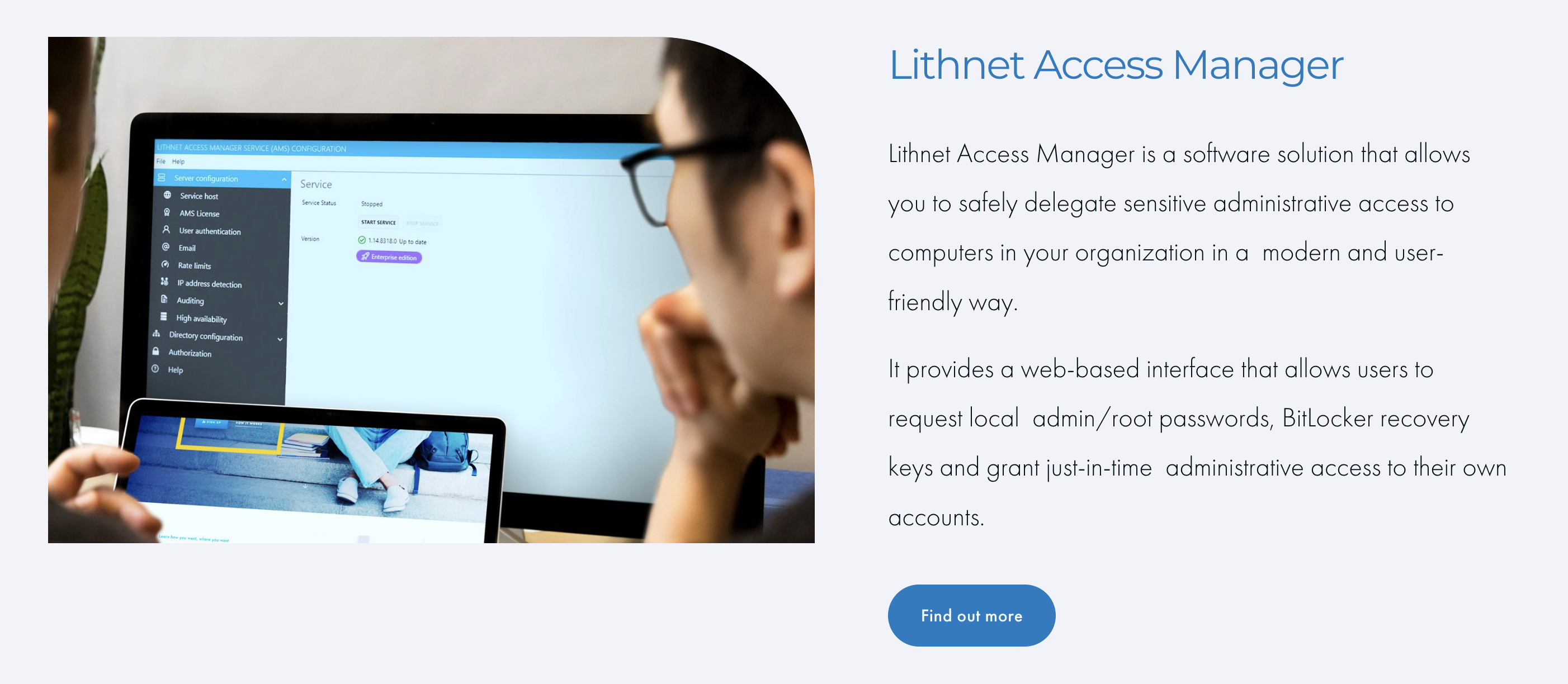
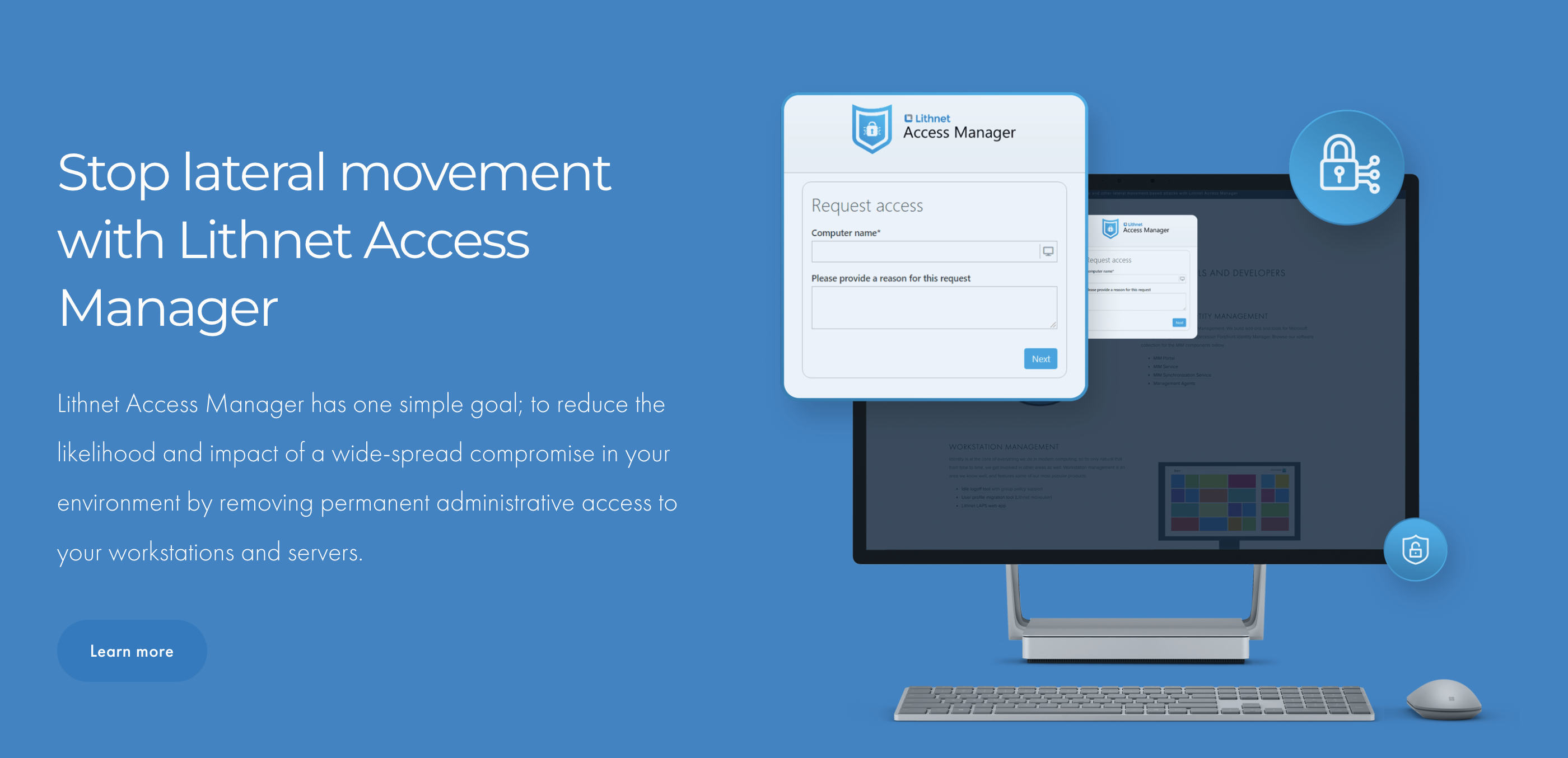
The software includes a web-based Access Manager Service through which users can request different types of access. Authorized employees can retrieve a local administrator password, obtain a BitLocker recovery key, request temporary administrative access to a computer, or request membership in a privileged role.
Lithnet Access Manager is compatible with Microsoft LAPS and Windows LAPS. Organizations can continue using Microsoft’s password management technology while providing administrators with a more user-friendly web interface for requesting passwords. Businesses can also deploy the Lithnet Access Manager Agent, which supports encrypted local administrator passwords, historical password storage, and password management across Windows, macOS, and Linux devices.
Modern authentication is an important part of the platform. Lithnet Access Manager supports identity providers and authentication technologies such as Microsoft Entra ID, Okta, OpenID Connect, Active Directory Federation Services, smart cards, and integrated Windows authentication. These capabilities allow organizations to apply multi-factor authentication, passkeys, conditional access policies, and other identity controls before users can access privileged credentials.
The platform also includes authorization rules, audit logging, rate limiting, password expiration controls, PowerShell extensibility, Splunk integration, and high-availability capabilities in supported editions.
By combining local administrator password management, privileged access delegation, just-in-time access, endpoint credential protection, and identity-based authorization, Lithnet Access Manager helps organizations reduce excessive administrative privileges and strengthen their defense against ransomware and lateral movement.
Key Objectives of Lithnet Access Manager Software
Reduce Permanent Administrative Access
Lithnet Access Manager helps organizations remove unnecessary standing administrator permissions and replace them with controlled, temporary access.
Protect Local Administrator Credentials
The platform provides a secure method for retrieving local administrator passwords while supporting password encryption, rotation, expiration, and access auditing.
Prevent Lateral Movement
Unique local administrator passwords and temporary privileges make it more difficult for attackers to reuse stolen credentials across multiple computers.
Improve Help Desk Productivity
Authorized support employees can request the administrative access they require through a web-based interface without using complex Active Directory tools.
Strengthen Identity Verification
The software supports modern authentication and multi-factor authentication to help ensure that privileged access is provided only to properly verified users.
Centralize Privileged Access Requests
Organizations can manage local administrator passwords, BitLocker recovery keys, computer access, and privileged role requests through a unified interface.
Maintain Detailed Audit Records
Lithnet Access Manager records privileged access activity, helping security teams understand who accessed a credential, when access occurred, and why it was requested.
Support Cross-Platform Endpoint Management
The Lithnet Access Manager Agent extends local administrator password management capabilities to Windows, macOS, and Linux devices.
Lithnet Access Manager Software Categories
Primary Category
Lithnet Access Manager primarily belongs to the Privileged Access Management Software category. The platform helps organizations control, approve, monitor, and audit access to sensitive administrative credentials and privileged system resources.
Primary Category:
- Privileged Access Management Software
Secondary Categories
Lithnet Access Manager also provides password management, identity security, endpoint administration, access governance, and ransomware protection capabilities.
Secondary Categories:
- Identity and Access Management Software
- Password Management Software
- Privileged Account Management Software
- Endpoint Security Software
- Access Governance Software
- Active Directory Management Software
- Authentication Software
- Cybersecurity Software
- IT Security Software
- Zero Trust Security Software
Key Features of Lithnet Access Manager
Web-Based Administrative Access
Lithnet Access Manager provides a browser-based and mobile-friendly interface that allows authorized users to request access to administrative credentials and protected resources.
Web-Based Access Features Include:
- Browser-based access
- Mobile-friendly interface
- Local administrator password requests
- BitLocker recovery key requests
- Just-in-time access requests
- Computer search
- Role access requests
- Centralized request workflow
This approach removes the need for many users to install specialized administrative tools or access sensitive Active Directory management consoles.
Local Administrator Password Access
The platform allows authorized users to retrieve local administrator passwords for supported devices.
Local Administrator Password Features Include:
- Microsoft LAPS password access
- Windows LAPS compatibility
- Lithnet LAPS password access
- Password request authorization
- Password visibility controls
- Password expiry enforcement
- Password access auditing
- Secure password presentation
Lithnet Access Manager works with Microsoft LAPS and the newer Windows LAPS implementation. Organizations can also use the Lithnet agent for additional password management capabilities.
Cross-Platform LAPS Management
The Lithnet Access Manager Agent extends local administrator password management beyond Windows devices.
Cross-Platform Management Features Include:
- Windows endpoint support
- macOS endpoint support
- Linux endpoint support
- Centralized password access
- Consistent administrative workflow
- Shared auditing process
- Password rotation
- Encrypted password storage
The current Access Manager agent supports Windows, macOS, and multiple Linux distributions, allowing organizations to manage diverse endpoint environments through one platform.
Lithnet Access Manager Agent
The Access Manager Agent provides enhanced password management and device access functionality.
Agent Features Include:
- Local administrator password management
- Encrypted password storage
- Password history
- Cross-platform device support
- RapidLAPS functionality
- Endpoint registration
- Password rotation
- Server communication
The agent is available for supported Windows, macOS, and Linux operating systems. Organizations can deploy it across their device fleet according to their endpoint and security requirements.
Just-in-Time Computer Administration
Lithnet Access Manager allows users to request temporary administrative access to specific computers.
Just-in-Time Computer Access Features Include:
- Temporary local administrator access
- User-based access requests
- Computer-specific authorization
- Automatic access expiration
- Time-limited group membership
- Approval-based access
- Access duration controls
- Audit trail creation
The platform can temporarily add a user to a group that provides local administrator rights to a computer. That access is automatically removed after the authorized period expires.
Just-in-Time Role Access
Organizations can use Lithnet Access Manager to provide temporary membership in administrative or operational roles.
Just-in-Time Role Features Include:
- Temporary role membership
- Privileged group access
- Time-limited permissions
- Role-based authorization
- Access approval
- Automatic membership removal
- Custom role configuration
- Privileged activity auditing
This capability helps organizations reduce standing access to sensitive groups and provide privileged permissions only when employees have a legitimate operational requirement.
BitLocker Recovery Key Access
Lithnet Access Manager provides a controlled interface for accessing Windows BitLocker recovery keys.
BitLocker Access Features Include:
- Recovery key search
- Authorized key retrieval
- Computer-based key lookup
- Identity verification
- Access justification
- Recovery key auditing
- Permission-based access
- Centralized recovery workflow
This feature can help help desk employees assist users with encrypted devices while maintaining visibility into who accessed each recovery key.
Password History
Organizations using the Lithnet Access Manager Agent can retain previous local administrator passwords.
Password History Features Include:
- Historical password storage
- Encrypted password records
- Previous password retrieval
- Restored computer access
- Snapshot recovery support
- Backup restoration support
- Permission-controlled access
- Password history auditing
Historical passwords can be valuable when a virtual machine or computer is restored from an older backup or reverted to a previous snapshot. In those cases, the current local administrator password may no longer match the credential stored on the restored device.
Password Rotation and Expiration
Lithnet Access Manager can help ensure that sensitive passwords do not remain valid indefinitely after being viewed.
Password Rotation Features Include:
- Forced password expiration
- Post-access password rotation
- Password lifecycle controls
- Expiry time configuration
- Unique endpoint passwords
- Automated password changes
- Access-based rotation
- Credential reuse reduction
Administrators can configure the platform to force a password to expire after it has been accessed, reducing the period during which a retrieved credential remains valid.
Human-Readable Passphrases
Lithnet Access Manager can generate human-readable passphrases instead of relying entirely on complex random character strings.
Passphrase Features Include:
- Custom wordlists
- Configurable word count
- Language selection
- Generation rules
- Readable password formats
- Policy-based passphrases
- Easier verbal communication
- Improved manual entry
The passphrase capability can simplify situations where administrators need to read, communicate, or manually enter local administrator credentials.
Password Accessibility Tools
The platform includes user experience features designed to make complex passwords easier to read and enter.
Password Accessibility Features Include:
- Clear password display
- Distinguishable character fonts
- NATO phonetic alphabet breakdown
- Spoken password support
- Mobile-friendly viewing
- Copy controls
- Password component explanation
- Manual entry assistance
These capabilities can help reduce typing errors when administrators enter credentials into device login screens or communicate passwords to authorized colleagues.
Modern Authentication
Lithnet Access Manager supports modern identity providers and authentication standards.
Authentication Features Include:
- OpenID Connect
- Microsoft Entra ID authentication
- Okta authentication
- Active Directory Federation Services
- Smart card authentication
- Integrated Windows authentication
- Multi-factor authentication support
- Passkey support
Strong authentication can reduce the risk of attackers accessing privileged passwords using stolen usernames and passwords alone.
Conditional Access Support
Organizations using compatible identity providers can apply conditional access policies before allowing access to Lithnet Access Manager.
Conditional Access Capabilities Include:
- Device compliance requirements
- Location-based access rules
- Risk-based authentication
- Multi-factor authentication enforcement
- Identity provider policies
- Session controls
- User risk evaluation
- Access restrictions
These controls help organizations align privileged password access with broader identity security and zero trust policies.
Granular Authorization Rules
Lithnet Access Manager provides a detailed permission model for determining which users can access specific devices, passwords, keys, or roles.
Authorization Features Include:
- User-based permissions
- Group-based permissions
- Device-based authorization
- Resource-specific access
- Role-based rules
- Script-based authorization
- Conditional access decisions
- Delegated administration
Granular permissions allow businesses to give help desk employees access to the computers they support without exposing credentials for unrelated systems.
Rate Limiting
The platform can restrict the number of password requests made by individual users or IP addresses.
Rate Limiting Features Include:
- Per-user request limits
- Per-IP request limits
- Password harvesting prevention
- Automated abuse reduction
- Suspicious activity controls
- Request threshold configuration
- Credential extraction protection
- Security event generation
Rate limiting helps reduce the potential impact of a compromised privileged account by preventing an attacker from rapidly collecting large numbers of local administrator passwords.
Detailed Auditing
Lithnet Access Manager records sensitive access activity to provide accountability and security visibility.
Auditing Features Include:
- Password access records
- BitLocker key access records
- Just-in-time access events
- User identity tracking
- Access timestamps
- Request reasons
- Authorization results
- Administrative activity history
Audit information can support security investigations, compliance reviews, privileged access monitoring, and internal governance processes.
PowerShell Extensibility
The platform supports PowerShell-based management and customization in applicable editions.
PowerShell Features Include:
- Administrative automation
- Authorization extensions
- Custom auditing
- Notification scripts
- Rule management
- Configuration management
- Access workflow customization
- Security process integration
PowerShell extensibility can help experienced IT teams connect Access Manager with existing administrative and security workflows.
Splunk Integration
Lithnet Access Manager Enterprise Edition can send audit events to Splunk.
Splunk Integration Features Include:
- Audit event forwarding
- Security monitoring
- Centralized log analysis
- Privileged access alerting
- Event correlation
- Dashboard creation
- Investigation support
- Security information management
Sending Access Manager events to a security information and event management platform can help organizations identify unusual privileged access behavior.
Benefits of Using Lithnet Access Manager Software
Reduced Risk of Credential Theft
Unique local administrator passwords and controlled access reduce the value of stolen credentials and limit password reuse across endpoints.
Stronger Ransomware Defense
Removing permanent administrative rights and limiting lateral movement can reduce the ability of ransomware to spread throughout an environment.
Improved Privileged Access Control
Organizations can determine who is permitted to access specific passwords, keys, computers, and roles.
Better Help Desk Efficiency
Support teams can retrieve authorized credentials through a simple web interface without requiring broad Active Directory permissions.
Improved Accountability
Detailed audit records provide visibility into privileged access requests and administrative activity.
Cross-Platform Administration
One access workflow can be used for supported Windows, macOS, and Linux endpoints.
Reduced Standing Privileges
Just-in-time access allows organizations to provide temporary administrative permissions instead of permanent membership in privileged groups.
Support for Zero Trust Security
Strong authentication, conditional access, limited privileges, rate limiting, and detailed auditing support zero trust security principles.
Lithnet Access Manager Editions and Pricing
Lithnet Access Manager is available in Community and Enterprise editions. The Community edition provides essential privileged access capabilities without subscription fees, while the Enterprise edition adds advanced security, management, scalability, integration, and support features.
Community Edition
Lithnet Access Manager Community Edition is designed for organizations that want to strengthen local administrator password security without making an initial software investment.
The Community edition is free for organizations of any size and allows the Lithnet Access Manager Agent to be deployed on up to 100 devices. It includes web-based access to LAPS passwords stored in Active Directory or Microsoft Entra ID, just-in-time administration for Windows computers, modern authentication, request rate limiting, auditing, RapidLAPS, and passphrase functionality. Formal support from Lithnet is not included.
Community Edition Features Include:
- Free usage without a time limit
- Support for up to 100 managed devices
- Web-based Microsoft LAPS password access
- Active Directory password retrieval
- Microsoft Entra ID password retrieval
- Just-in-time Windows administration
- Up to three custom just-in-time roles
- Global request rate limiting
- OpenID Connect authentication
- WS-Federation support
- Smart card authentication
- RapidLAPS support
- Human-readable passphrases
- Full access audit logging
- Community-based support
The Community edition may be suitable for small businesses, educational institutions, nonprofit organizations, IT laboratories, technology teams, and companies evaluating privileged access management software.
Enterprise Edition
Lithnet Access Manager Enterprise Edition is designed for businesses requiring unrestricted agent deployment, advanced authorization, high availability, formal technical support, and deeper security integrations.
The published price for organizations managing up to 500 devices starts at US$7.50 per device per year, with a minimum purchase of 100 devices. Volume discounts are available for deployments exceeding 500 devices, and published pricing may decrease to as little as US$1 per device for sufficiently large implementations. Final pricing depends on deployment size and should be confirmed directly with Lithnet.
Enterprise Edition Features Include:
- Everything available in Community Edition
- Agent deployment across licensed devices
- Formal support from Lithnet
- Unlimited custom just-in-time roles
- Local administrator password history
- Splunk audit event integration
- Load balancing support
- High-availability deployment
- PowerShell administration
- Custom authorization through PowerShell
- Custom auditing through PowerShell
- Advanced interface branding
- RapidLAPS passwordless login
- RapidLAPS passwordless elevation
- BitLocker recovery key backup
- Windows endpoint support
- macOS endpoint support
- Linux endpoint support
- Domain-joined device support
- Entra-joined device support
- Standalone Windows device support
Organizations can also request a trial or customized quotation before purchasing the Enterprise edition.
Integrations of Lithnet Access Manager Software
Lithnet Access Manager integrates primarily with identity providers, directory services, endpoint management technologies, security monitoring platforms, and administrative scripting tools.
Microsoft Active Directory Integration
Lithnet Access Manager works with Microsoft Active Directory to retrieve and manage local administrator passwords and apply authorization rules.
Active Directory Integration Features Include:
- Microsoft LAPS password retrieval
- Directory-based computer searches
- User and group authorization
- Privileged group management
- Just-in-time group membership
- BitLocker recovery key access
- Device-based permissions
- Directory auditing
Microsoft Entra ID Integration
The platform supports Microsoft Entra ID for authentication and access to supported Windows LAPS passwords.
Microsoft Entra ID Features Include:
- OpenID Connect authentication
- Multi-factor authentication
- Conditional access policies
- Passkey authentication
- Passwordless sign-in
- Entra-joined device support
- Windows LAPS password retrieval
- Identity-based authorization
Lithnet states that Access Manager works with Windows LAPS passwords stored in both Active Directory and Microsoft Entra ID.
Okta Integration
Organizations can configure Okta as an OpenID Connect identity provider for Lithnet Access Manager.
Okta Integration Features Include:
- Centralized authentication
- Multi-factor authentication
- User assignment
- OpenID Connect support
- Identity claim mapping
- Secure sign-in policies
- Conditional authentication
- Application access management
Lithnet provides a documented Okta application configuration process for connecting users to Access Manager securely.
Windows LAPS Integration
Lithnet Access Manager works with both legacy Microsoft LAPS and the newer Windows LAPS technology.
Windows LAPS Integration Features Include:
- Active Directory password access
- Entra ID password access
- Secure web-based retrieval
- Password expiration
- Access auditing
- Rate limiting
- RapidLAPS compatibility
- Just-in-time administration
Splunk Integration
Enterprise customers can send Lithnet Access Manager audit events directly to Splunk.
Splunk Integration Features Include:
- Privileged access event forwarding
- Centralized log monitoring
- Password request analysis
- Security alert creation
- User activity correlation
- Investigation support
- Compliance reporting
- SIEM dashboard creation
PowerShell Integration
Lithnet provides a PowerShell module and scripting capabilities for advanced management and customization.
PowerShell Integration Features Include:
- Configuration automation
- Authorization scripting
- Custom audit processing
- Administrative management
- Notification automation
- Access rule configuration
- Security workflow integration
- Bulk system administration
PowerShell management and authorization extensibility are available as Enterprise capabilities.
Pros and Cons of Lithnet Access Manager Software
Pros | Cons |
Free Community edition for up to 100 managed devices | Formal vendor support is not included with Community Edition |
Web-based access to LAPS passwords | Initial installation requires Active Directory and security knowledge |
Supports Windows, macOS, and Linux endpoints | Several advanced functions require Enterprise Edition |
Compatible with Active Directory and Microsoft Entra ID | Pricing is based on the number of managed devices |
Provides just-in-time administrative access | Smaller organizations may not need every Enterprise capability |
Supports modern identity providers such as Entra ID and Okta | PowerShell customization requires technical expertise |
Includes rate limiting to reduce password harvesting | Incorrect authorization rules may create access problems |
Offers detailed privileged access auditing | Cross-platform agent deployment requires endpoint planning |
Supports BitLocker recovery key access | The platform focuses on specific privileged access scenarios rather than full identity governance |
RapidLAPS can reduce direct password handling | Some organizations may require additional PAM tools for servers, databases, and cloud applications |
Enterprise Edition supports high availability | Deployment should be tested carefully before production use |
Provides strong ransomware and lateral movement protection | Dependence on identity and directory infrastructure requires careful availability planning |
Who Should Use Lithnet Access Manager?
Small and Medium-Sized Businesses
Small and medium-sized businesses can use the Community edition to improve endpoint administrator password security without immediately purchasing an enterprise PAM platform.
The free 100-device agent allowance may be sufficient for organizations with a relatively small endpoint environment.
Enterprises
Enterprises can use the platform to standardize local administrator password access across Windows, macOS, and Linux devices.
High availability, unlimited roles, Splunk integration, password history, PowerShell management, and formal support make the Enterprise edition more appropriate for large deployments.
IT Help Desk Teams
Help desk employees frequently need local administrator access to troubleshoot endpoints.
Lithnet Access Manager allows them to request authorized access without giving every support employee permanent administrative permissions across the entire network.
Cybersecurity Teams
Security teams can use auditing, rate limiting, strong authentication, password rotation, and just-in-time access to reduce privileged credential exposure.
Managed Service Providers
Managed service providers can use Lithnet Access Manager to establish more controlled administrator access processes for supported endpoint environments.
Each deployment should be configured with clear customer boundaries, authorization rules, and audit requirements.
Educational Institutions
Schools, colleges, and universities often manage large numbers of shared Windows devices.
Lithnet Access Manager can help IT departments protect local administrator credentials while allowing authorized technicians to support classrooms, laboratories, and staff computers.
Government and Regulated Organizations
Government, healthcare, finance, and other regulated organizations may benefit from detailed privileged access records, strong identity verification, temporary permissions, and centralized auditing.
Lithnet Access Manager Use Cases
Help Desk Password Retrieval
A support technician needs to install a driver on an employee’s computer.
The technician signs in to Lithnet Access Manager, searches for the computer, provides a reason for the request, and retrieves the authorized local administrator credential.
The request is recorded for future auditing.
Temporary Administrator Access
An engineer requires elevated rights on a computer for two hours.
Lithnet Access Manager grants temporary access and automatically removes the permission when the approved period expires.
BitLocker Device Recovery
An employee cannot access an encrypted Windows device after a security or hardware change.
An authorized support employee retrieves the BitLocker recovery key through Lithnet Access Manager without receiving broad access to all directory recovery information.
Preventing Lateral Movement
An organization configures every endpoint with a unique local administrator password.
If one password is compromised, the attacker cannot reuse it to access every other computer in the environment.
Recovering a Restored Computer
A virtual machine is restored from an older backup and no longer recognizes the latest local administrator password.
An authorized administrator retrieves an earlier password from the password history available in Enterprise Edition.
Passwordless Privileged Login
An administrator uses RapidLAPS to authenticate through a PIN or QR-based process instead of viewing and manually typing the local administrator password.
RapidLAPS can work with passwords created by legacy Microsoft LAPS, Windows LAPS, or the Lithnet Access Manager Agent.
Top Lithnet Access Manager Alternatives
Microsoft Intune Endpoint Privilege Management
Microsoft Intune Endpoint Privilege Management helps organizations manage application elevation and reduce permanent administrator rights on Windows endpoints.
CyberArk Endpoint Privilege Manager
CyberArk Endpoint Privilege Manager provides application control, privilege removal, credential protection, and endpoint threat prevention for enterprise environments.
BeyondTrust Privilege Management for Windows and Mac
BeyondTrust provides endpoint privilege management, application control, policy enforcement, and auditing across Windows and macOS environments.
Delinea Privilege Manager
Delinea Privilege Manager helps organizations discover, remove, and control local administrative privileges while supporting application elevation and policy management.
Admin By Request
Admin By Request provides temporary administrator access, endpoint privilege management, application elevation, auditing, and approval workflows.
Securden Endpoint Privilege Manager
Securden helps businesses remove local administrator rights, manage application elevation, enforce policies, and monitor privileged endpoint activity.
ManageEngine Endpoint Central
ManageEngine Endpoint Central combines endpoint administration, software deployment, patch management, remote support, and security configuration capabilities.
Lithnet Access Manager vs Competitors
Feature | Lithnet Access Manager | CyberArk EPM | BeyondTrust | Admin By Request |
LAPS Password Access | Yes | Limited | Limited | Limited |
Just-in-Time Computer Access | Yes | Yes | Yes | Yes |
BitLocker Key Access | Yes | Limited | Limited | Limited |
Windows Support | Yes | Yes | Yes | Yes |
macOS Support | Yes | Yes | Yes | Yes |
Linux Password Management | Yes | Limited | Limited | Limited |
Modern Identity Provider Support | Yes | Yes | Yes | Yes |
Password History | Enterprise | Available | Available | Limited |
Splunk Integration | Enterprise | Yes | Yes | Available |
Free Edition | Up to 100 devices | No | No | Limited free tier |
High Availability | Enterprise | Yes | Yes | Cloud managed |
Best For | LAPS, JIT access and local administrator credential management | Enterprise endpoint security | Large regulated environments | Simple temporary endpoint elevation |
Why Choose Lithnet Access Manager?
Lithnet Access Manager is a focused privileged access management solution for organizations that need better control over local administrator passwords, BitLocker recovery keys, and temporary endpoint privileges.
Its compatibility with legacy Microsoft LAPS and Windows LAPS allows businesses to improve password access without replacing their entire endpoint security architecture.
The platform’s web interface makes privileged credential access easier for authorized help desk and IT employees. At the same time, strong authentication, granular authorization, rate limiting, password expiration, and auditing help protect those credentials from misuse.
Cross-platform support is another important advantage. Organizations can deploy the Lithnet Access Manager Agent to supported Windows, macOS, and Linux devices and maintain a more consistent local administrator password process.
The free Community edition provides meaningful functionality for up to 100 managed devices, while the Enterprise edition adds scalability, formal support, high availability, PowerShell management, Splunk integration, password history, and unrestricted deployment across licensed devices.
Frequently Asked Questions
What Is Lithnet Access Manager?
Lithnet Access Manager is privileged access management software that provides controlled access to local administrator passwords, BitLocker recovery keys, computers, and temporary privileged roles.
Is Lithnet Access Manager Free?
Yes. The Community edition is free and supports Access Manager Agent deployment on up to 100 devices. Enterprise licensing is required for larger deployments and advanced features.
How Much Does Lithnet Access Manager Cost?
Enterprise pricing currently starts at US$7.50 per device per year for deployments of up to 500 devices, with a minimum order of 100 devices. Volume discounts are available for larger organizations.
Does Lithnet Access Manager Work with Windows LAPS?
Yes. The software supports both legacy Microsoft LAPS and Windows LAPS, including passwords stored in Active Directory and Microsoft Entra ID.
Does Lithnet Access Manager Support macOS and Linux?
Yes. The Lithnet Access Manager Agent supports compatible Windows, macOS, and Linux endpoints.
Can Lithnet Access Manager Provide Temporary Admin Rights?
Yes. Just-in-time access can temporarily grant administrative access to a computer or privileged role and remove that access after the approved duration.
Does Lithnet Access Manager Support Multi-Factor Authentication?
Yes. The software supports OpenID Connect providers such as Microsoft Entra ID and Okta, enabling MFA, passkeys, and conditional access policies.
Can Lithnet Access Manager Retrieve BitLocker Recovery Keys?
Yes. Authorized users can request supported BitLocker recovery keys through the same web interface used for privileged password access.
Is Lithnet Access Manager Suitable for Enterprises?
Yes. Enterprise Edition includes high availability, unlimited custom roles, Splunk integration, PowerShell management, password history, and formal Lithnet support.
Where Can I Compare Lithnet Access Manager Alternatives?
Krowdbase enables businesses to research Lithnet Access Manager alongside other privileged access management, endpoint security, password management, authentication, and identity management software.
Conclusion
Lithnet Access Manager is a specialized privileged access management platform designed to protect local administrator credentials and reduce permanent administrative permissions across endpoint environments.
The software combines web-based LAPS password access, BitLocker recovery key retrieval, just-in-time computer administration, temporary role access, modern authentication, request rate limiting, detailed auditing, and cross-platform password management.
Its support for Microsoft Active Directory, Microsoft Entra ID, Windows LAPS, Okta, Splunk, and PowerShell makes it suitable for organizations building a structured and auditable privileged access process.
The Community edition provides a practical entry point for businesses managing up to 100 devices. Enterprises requiring larger deployments, formal support, high availability, advanced authorization, password history, and security monitoring integrations can select the paid Enterprise edition.
Lithnet Access Manager is particularly valuable for IT support teams, cybersecurity departments, managed service providers, educational institutions, regulated businesses, and enterprises seeking to reduce ransomware exposure and prevent credential-based lateral movement.
While broader alternatives such as CyberArk, BeyondTrust, Delinea, Admin By Request, and Securden may provide more extensive application control or enterprise PAM capabilities, Lithnet Access Manager offers a focused solution for LAPS access, endpoint administrator credentials, temporary privileges, and BitLocker recovery.
Businesses can use Krowdbase to compare Lithnet Access Manager with other privileged access management and endpoint security platforms based on pricing, operating system support, authentication, deployment requirements, integrations, and security capabilities.
Screenshots
Categories
FAQ
The official website of Lithnet Access Manager is http://lithnet.io/
Lithnet Access Manager belongs to the Identity Management category.
No, Lithnet Access Manager does not offer a free trial.
Need help choosing this software?
Have questions about features, pricing, integrations, or implementation? Send an enquiry to the vendor and get the information you need.