
Arina|Oct 24, 2026
Do you want to get notified when new software or services are added to Krowdbase? Sign up for our newsletter and stay ahead with the latest tools, providers, features, and updates.
Sep 17, 2026
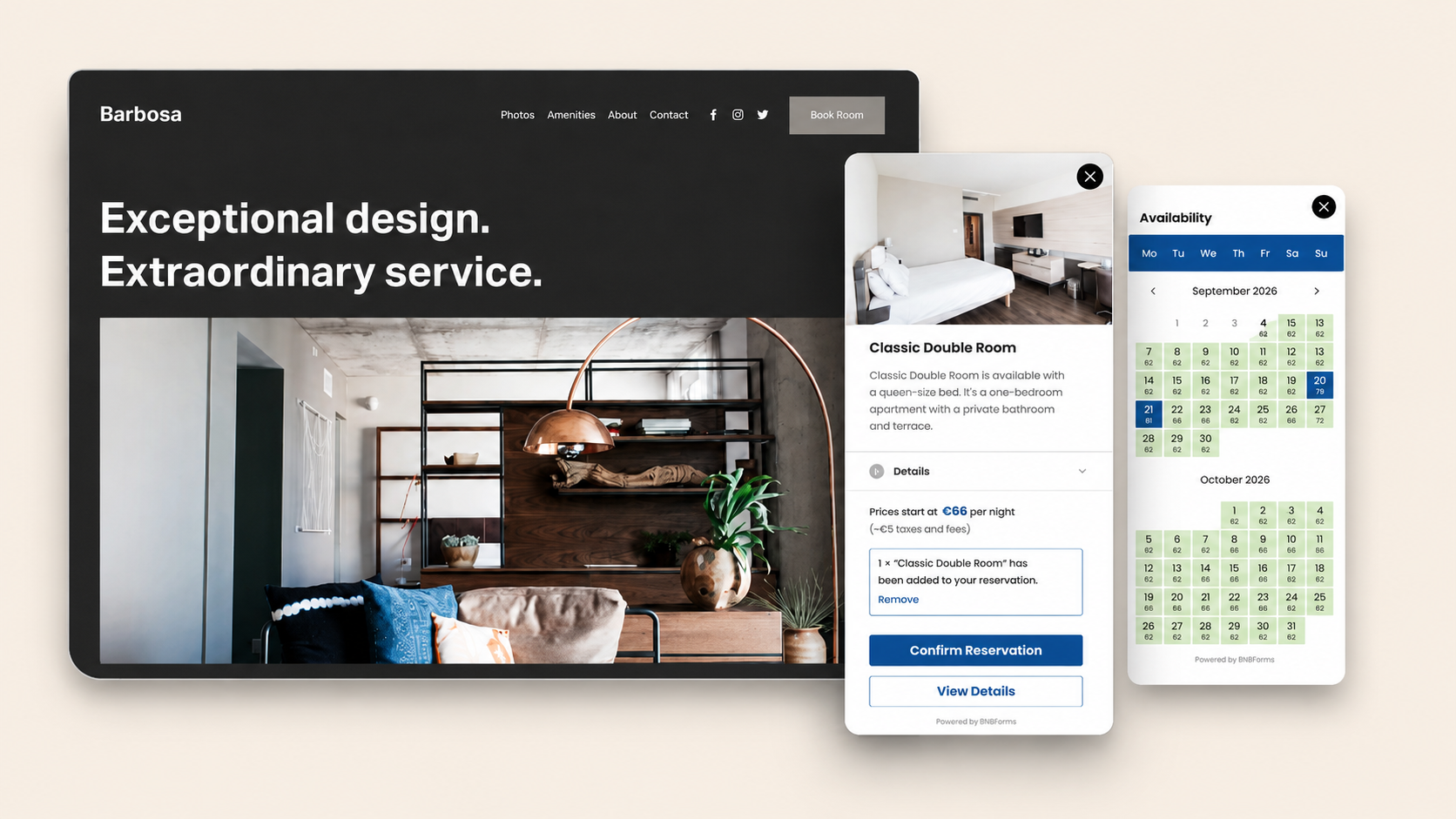
If you own a vacation rental, villa, B&B, cabin, apartment, or small hotel and your website is built with Squarespace, you might need to take direct bookings to save on OTA commissions.
You’ve probably noticed that times change and many vacation rental businesses are treating OTAs like Airbnb and Booking.com as marketing channels rather than their only source of reservations.
So, we’ve written this tutorial for those asking - ‘Can I accept bookings directly from my Squarespace website instead of sending guests to Airbnb or Booking.com?’.
The short answer is yes! A Squarespace hotel booking system can deal with that.
And here is a teaser of what you may achieve:
Squarespace is absolutely a solid platform for building a direct booking website, especially if your priorities are a polished design, ease of use, and getting online quickly. It comes with nice professional hotel templates but doesn't include advanced vacation rental management features out of the box.
If you are one of those many hosts today who build their own direct booking website alongside their OTA listings, it’s a good time to do so because a direct booking Squarespace site means…
You don't have to abandon Airbnb or Booking.com either. In fact, many successful hosts use both approaches together: they continue attracting new guests through OTAs while encouraging returning guests to book directly next time.
Squarespace is a great platform for creating a beautiful vacation rental website. The only thing it doesn't provide out of the box is a complete booking engine, which is exactly what we'll add in this Squarespace hotel booking system tutorial.
Squarespace does not have a native property booking system tailored specifically for hotels or STRs. However, there isn't just one way to do it and a Squarespace hotel website is relatively easy.
Most booking systems support one of these approaches.
Option 1. Send visitors to an external booking page
Some booking software hosts your reservation page on its own website. Your Squarespace site simply includes a Book Now button that redirects guests there.
This works for many but it also means visitors leave your website during the booking process. Some say it’s a high risk to reduce conversions and make the experience feel less seamless.
Option 2. Embed the booking engine directly into Squarespace
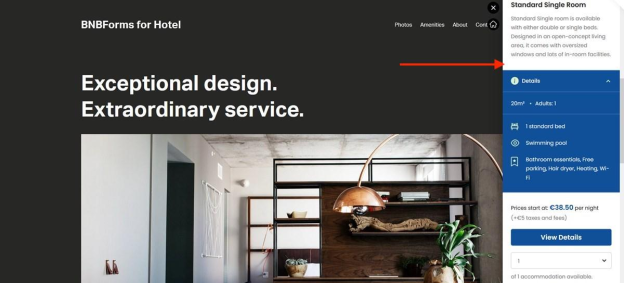
The second approach is embedding the booking widget directly into your website.
In this scenario, you are not redirecting guests elsewhere, your booking form becomes part of your Squarespace pages. Visitors stay on your website throughout the reservation process.
The setup is like this:
There is no native hotel booking form for Squarespace. In this tutorial we'll use BNBForms, one of the simplest and most affordable direct booking tools for vacation rentals.
BNBForms is an all-in-one short-term rental booking system built specifically for vacation rentals, holiday homes, hotels, apartments, and similar accommodation that need direct bookings.
Unlike many booking platforms, it doesn't charge commissions on your reservations - you simply pay your subscription and keep your bookings.
Some of its biggest advantages include:
Once everything is configured, all you need to do is copy your booking widget and place it into your Squarespace website. That’s exactly what we explain further.
Let’s now take you step by step with the Squarespace hotel booking system.
One important thing to know before starting:
Squarespace only allows custom code embedding on Business and Commerce plans.
If you're using a Personal (or free trial) plan, you won't be able to embed booking widgets or other custom code snippets until you upgrade your Squarespace subscription.
Start by creating your BNBForms account to create an embeddable Squarespace booking widget.
Now you're ready to configure your booking system.
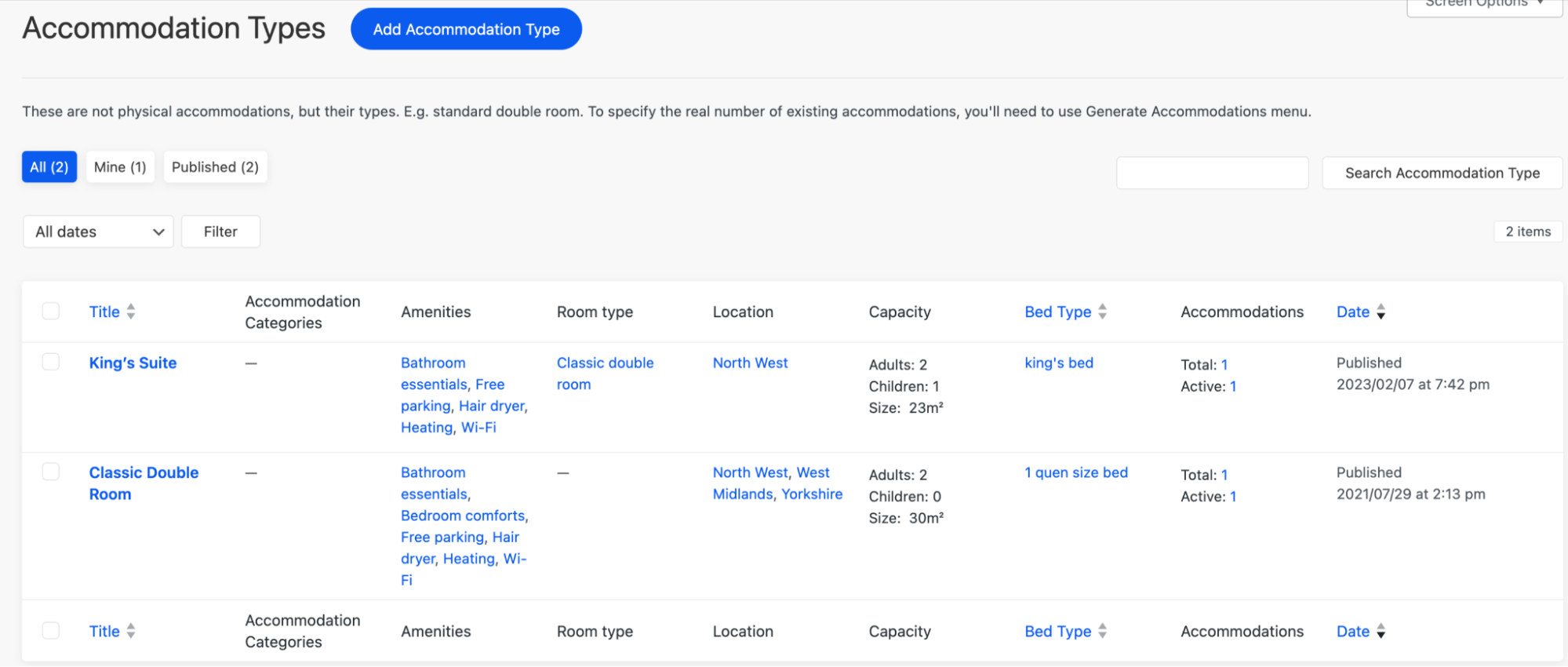
Begin by creating your accommodations (villas, cabins, etc.) for Squarespace hotel booking. For each property, you can add:
The goal is to recreate your real accommodation inventory so guests can book exactly what you offer.
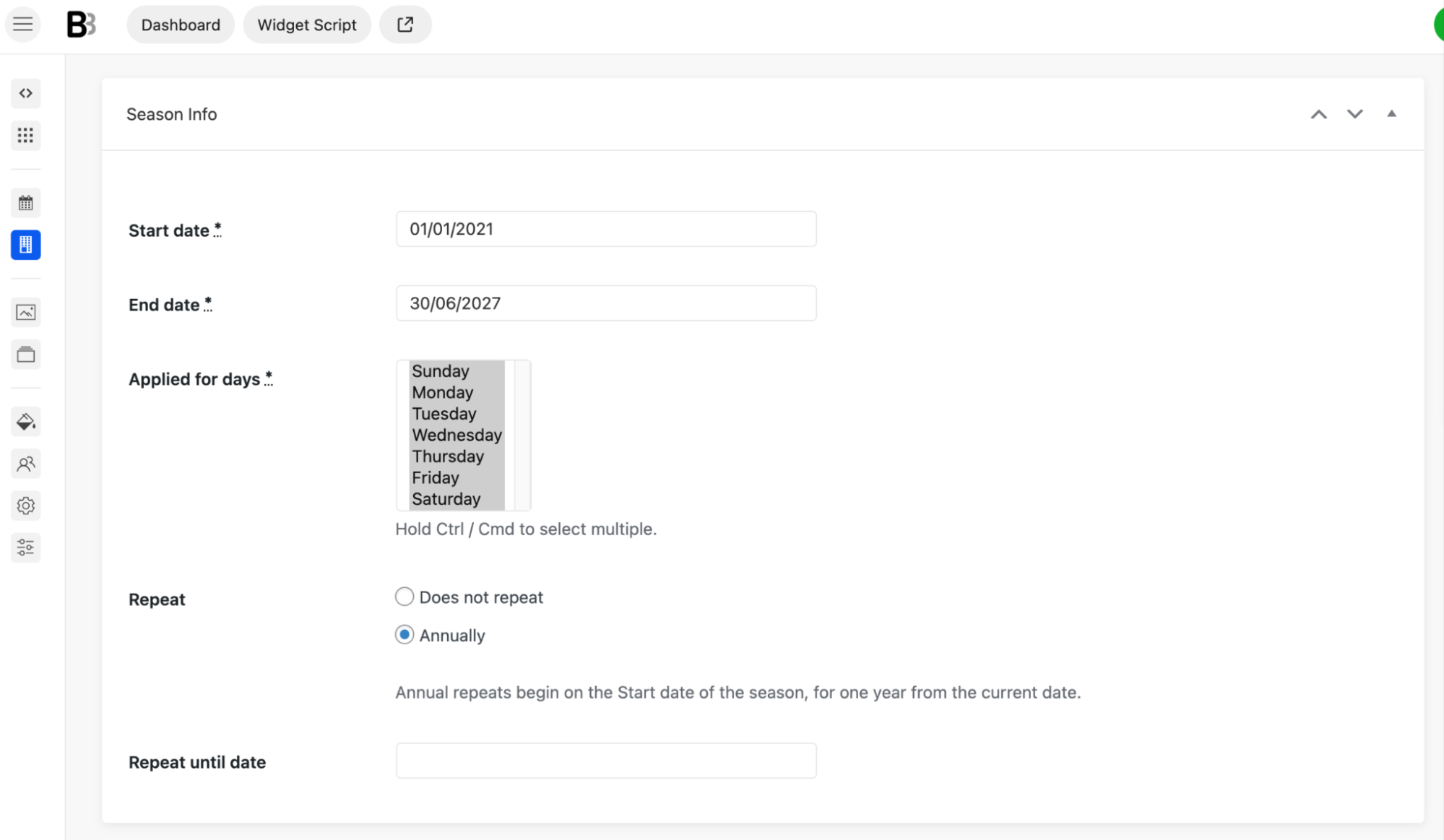
Organize your pricing into seasons so that you have specific periods when prices can change.
For example:
Each season can have its own pricing rules, making it much easier to manage rates throughout the year.
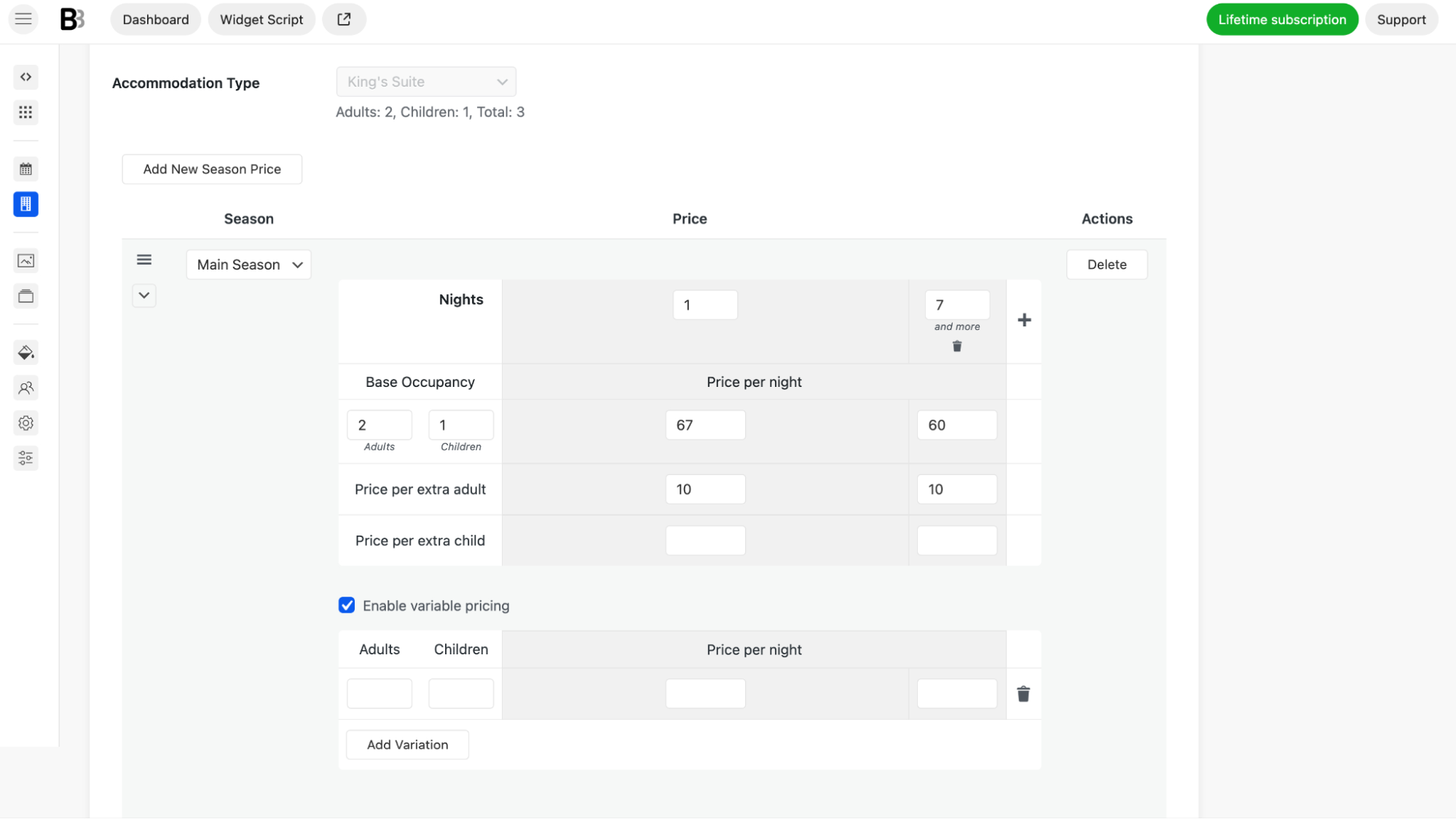
Now assign prices to each property based on seasons, accommodation type, number of guests or length of stay.
You can also create promotional discounts and coupon codes for special offers.
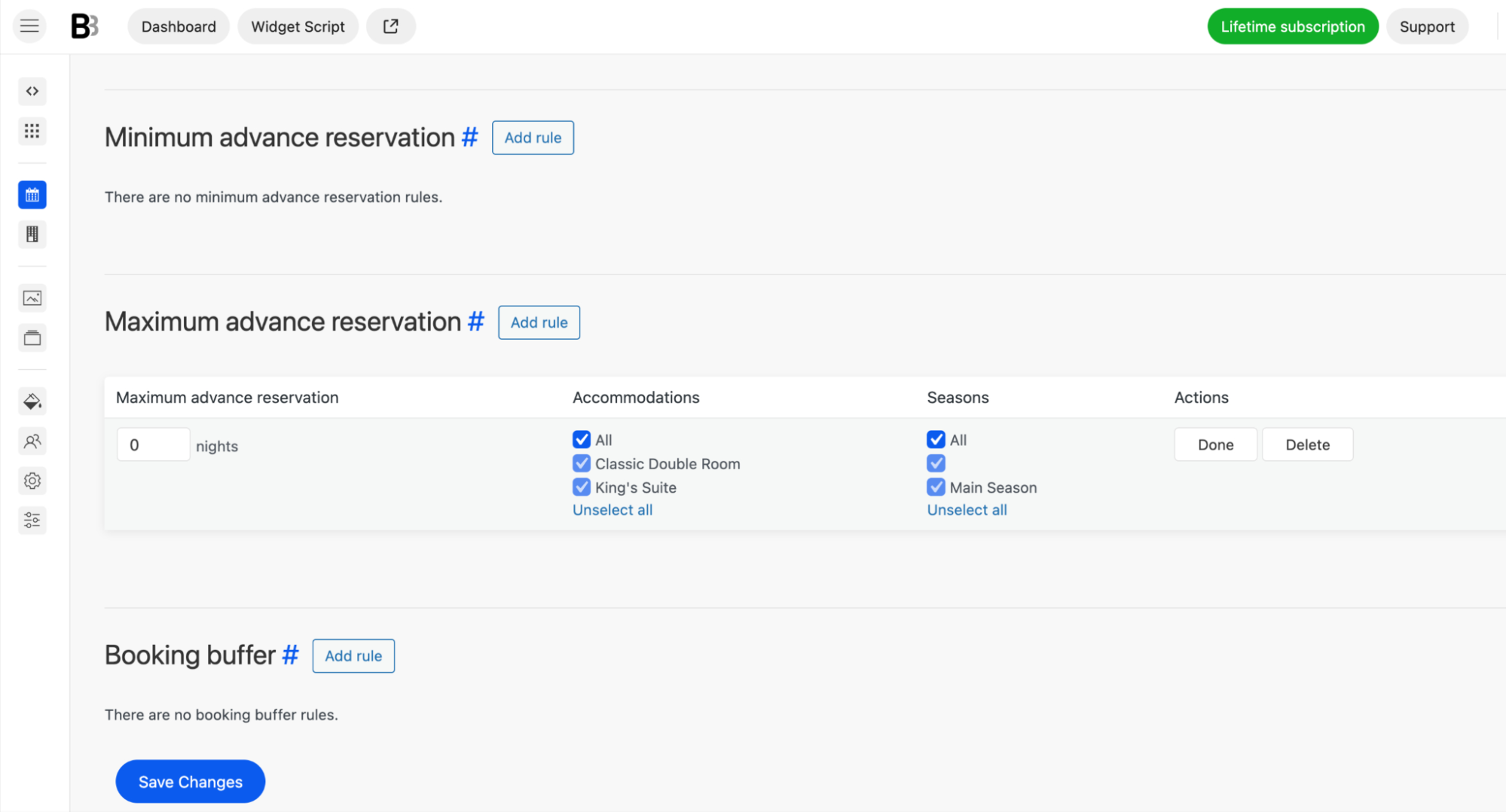
Your rules help you define how guests can book your properties. For example, you can configure minimum and maximum stay, available check-in and check-out days, advance booking limits, booking windows, blocked dates, or cleaning buffer times between reservations.
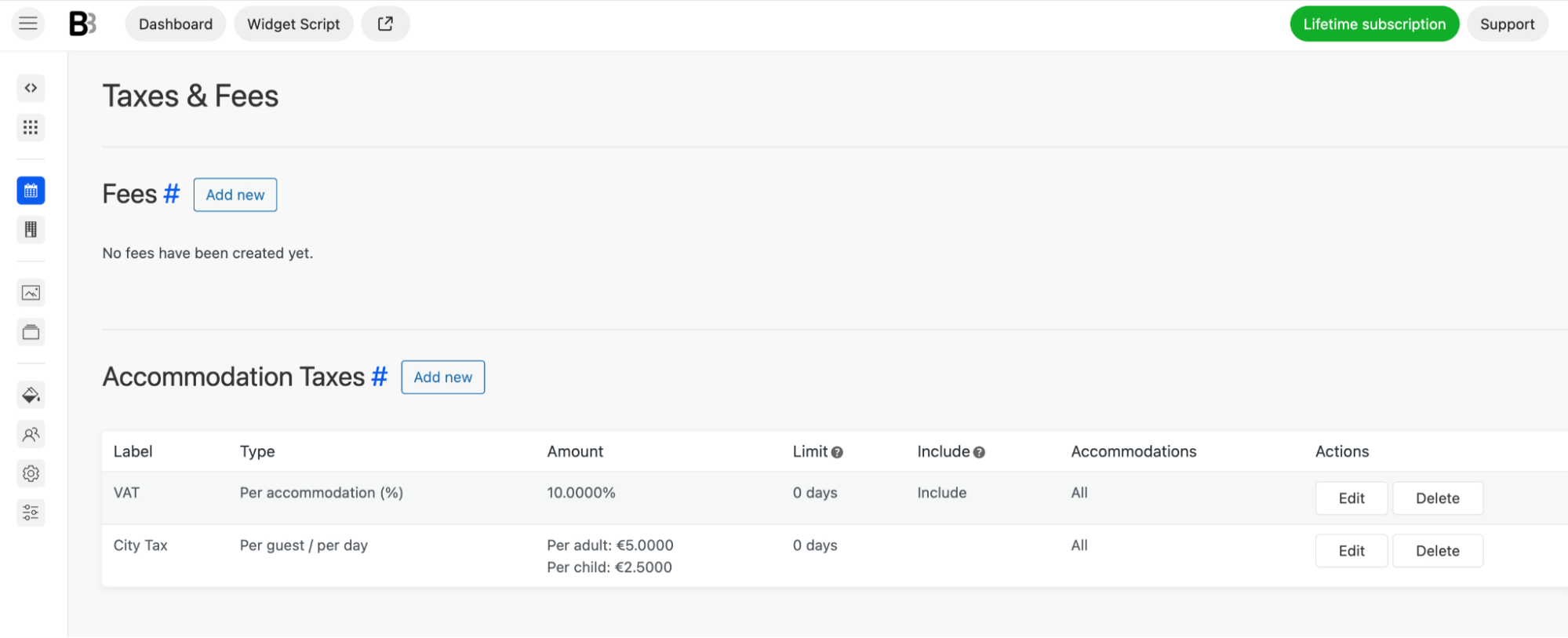
If your business charges extra fees, you can configure them using accommodation taxes, cleaning fees, service charges, local tourist taxes, or other custom taxes.
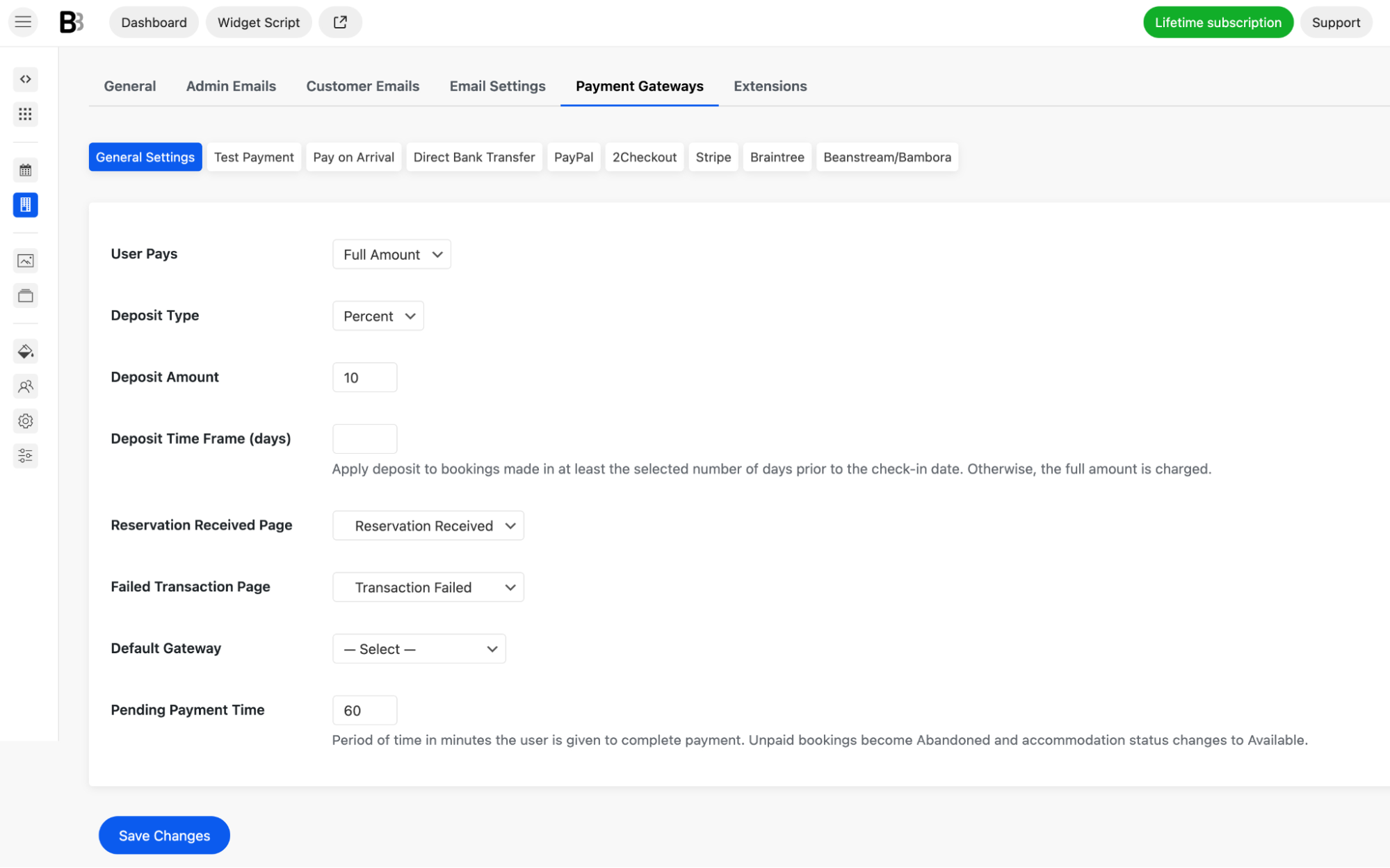
If you want guests to pay online on your site via secure payment gateways, you can choose to enable Stripe, PayPal, after-arrival payments, direct bank transfer, etc. Even digital wallets like Google Pay and Apple pay.
You can request full payment, deposits, or payment upon arrival (payment requests before arrivals are possible) with this Squarespace hotel booking system.
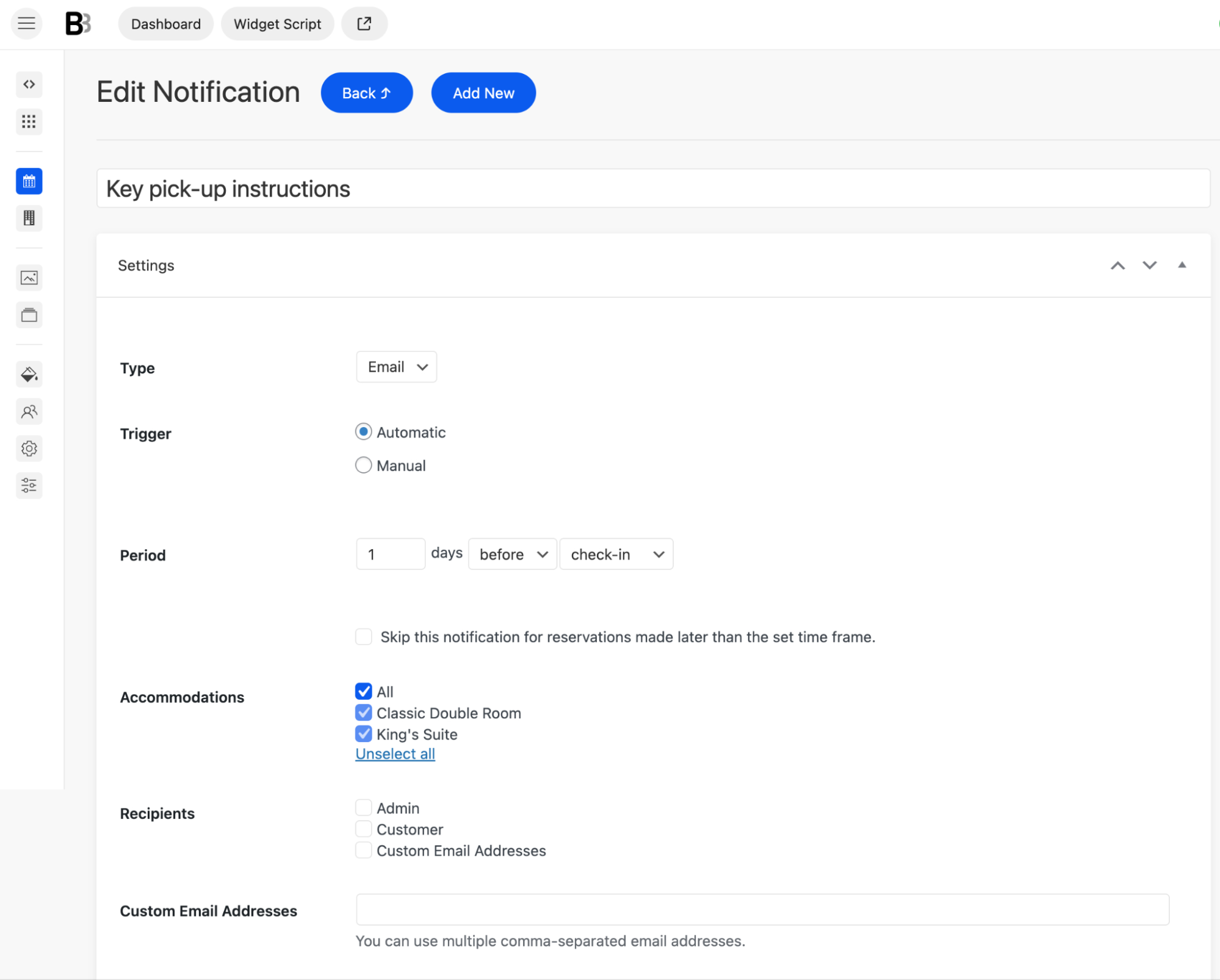
Now personalize the booking experience. You can customize:
If you're already listed on OTA platforms, connect their calendars to BNBForms. Calendar synchronization helps keep availability consistent across all booking channels and significantly reduces the risk of double bookings.
Once your booking system is fully configured, go to:
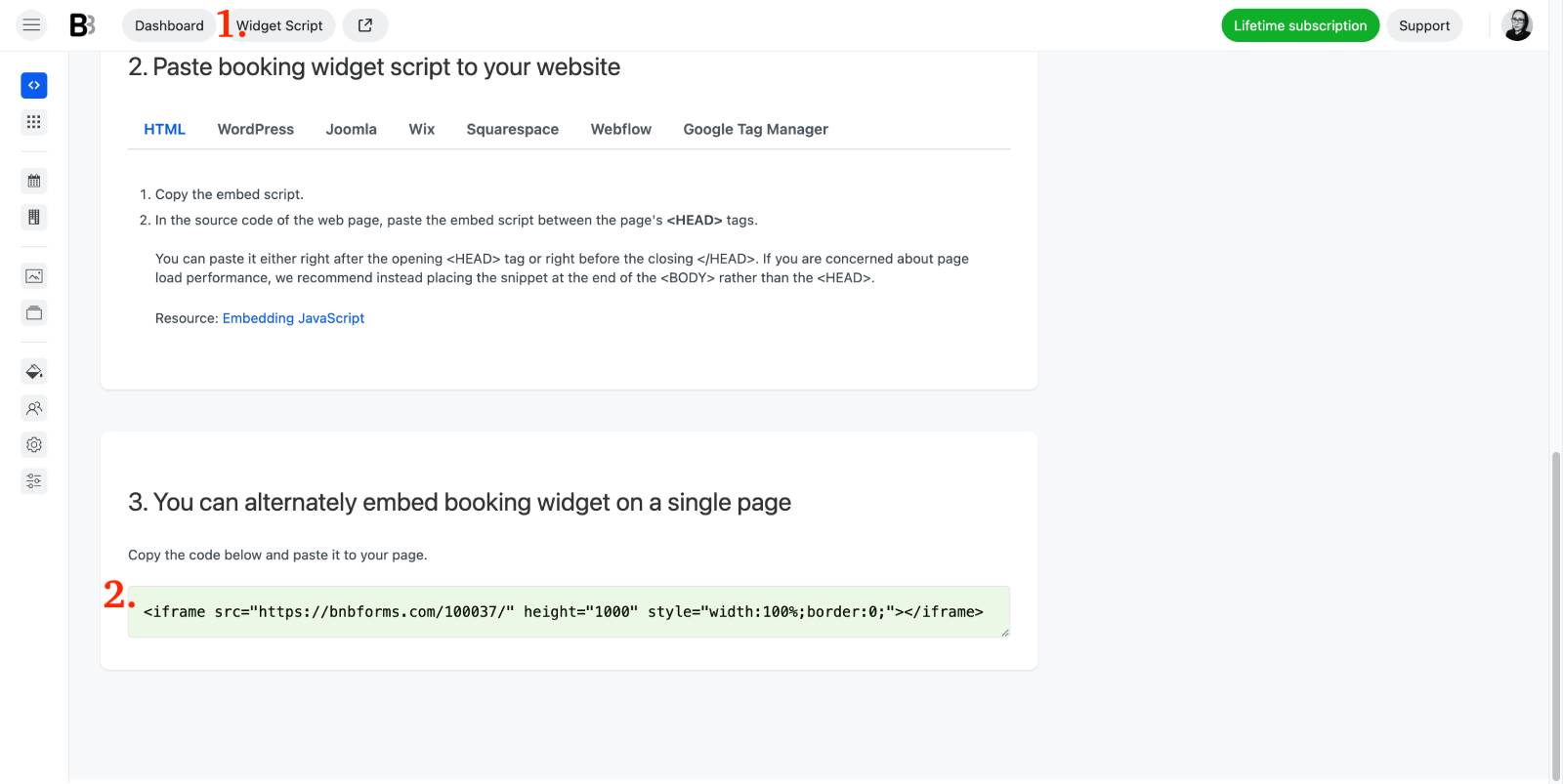
You'll paste it into Squarespace in the next step.
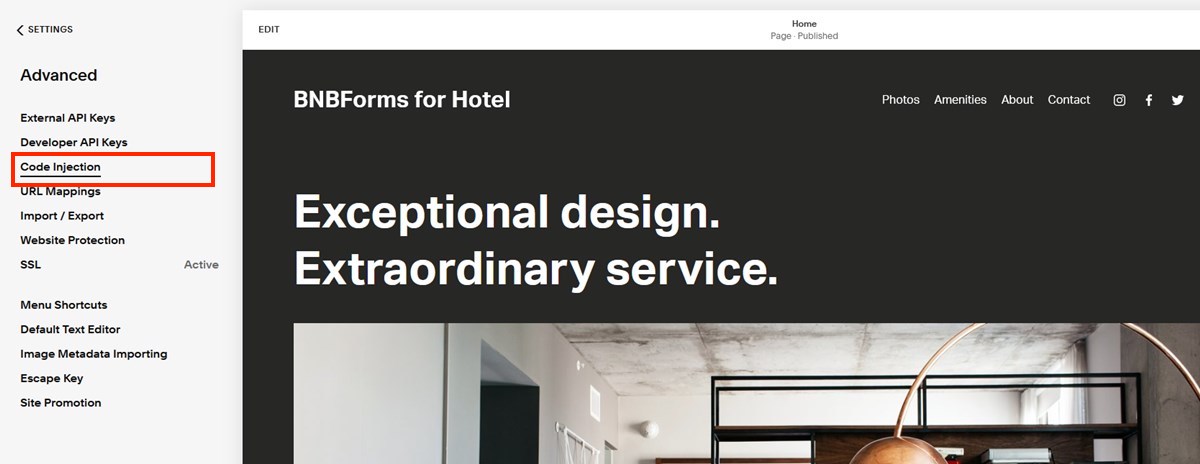
If you'd like the booking functionality available site-wide (for example, through a floating Book Now button), you can add the widget using Squarespace's Code Injection settings.
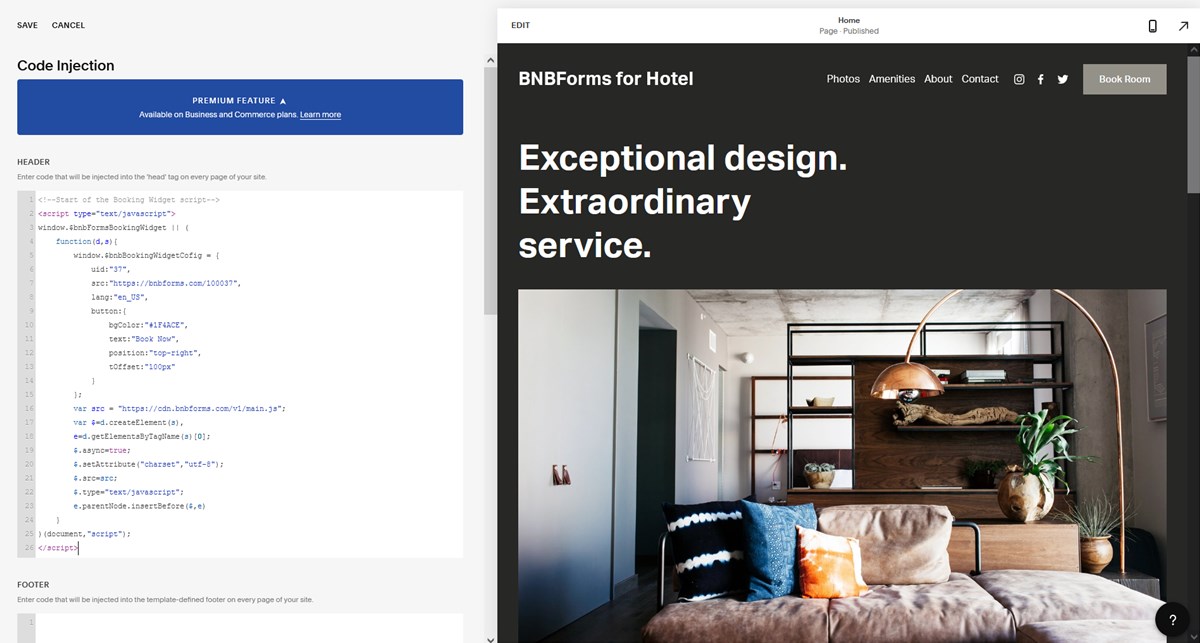 Save your changes.
Visit your website, and you should now see the booking button on the frontend. Click it to make sure everything loads correctly.
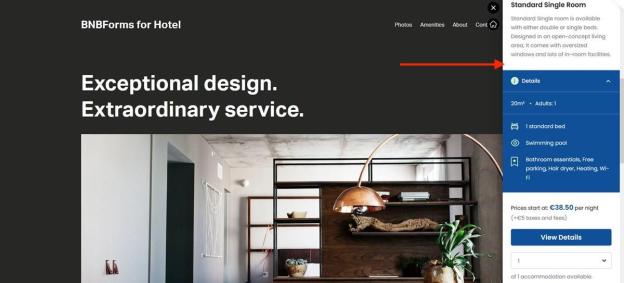
If you prefer having a dedicated booking page, Squarespace also lets you embed the widget inside any page with these steps:
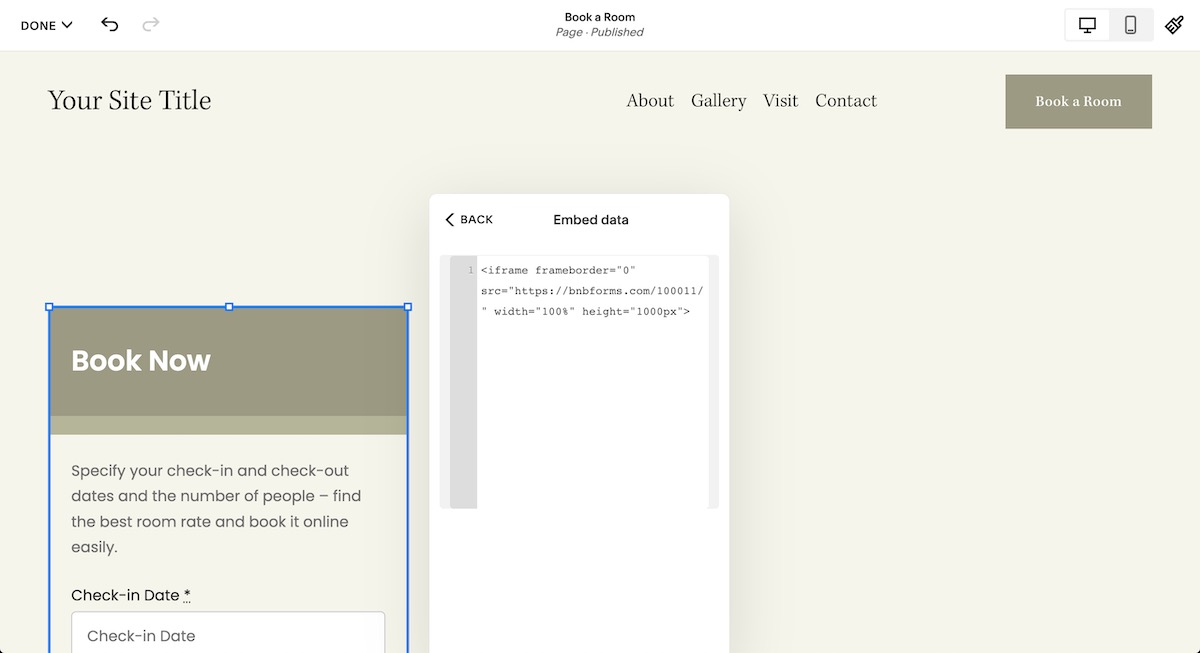
Your booking form is now embedded directly into that page.
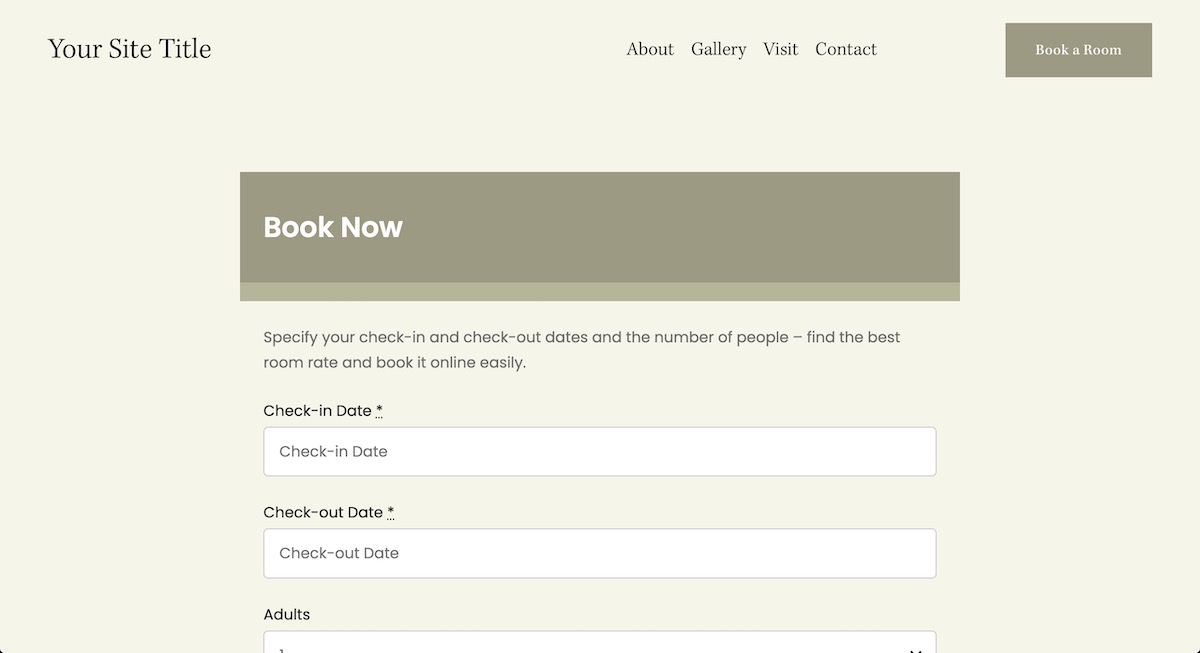
If you want the embedded booking form to match your Squarespace design even better, you can make its background transparent. In your BNBForms account, go to: Appearance → Customize → Additional CSS
Add:
body {
    background: transparent;
}
This allows your Squarespace page background to show through the booking widget, creating a cleaner, more integrated look.
Before publishing your website, go through the complete booking process yourself. For example:
It's always worth making one or two test bookings before accepting reservations from real guests.
Adding direct bookings to a Squarespace website is much easier than many hosts expect. It’s a solid, well-designed platform for your brand design, where bookings can be easily connected.
What does it take? You simply connect a dedicated booking platform and embed it into your existing website.
With the BNBForms Squarespace hotel booking system, you get much more than just an online reservation form. You can manage your properties, seasonal pricing, booking rules, guest communication, payments, taxes, and OTA calendar synchronization from one dashboard - and then let guests book directly from your own Squarespace website.
At the end of the day, having your own direct booking website gives you greater control over your business, helps reduce commission costs, and creates a more professional experience for your guests.