.jpg)
Arina|Oct 27, 2026
Do you want to get notified when new software or services are added to Krowdbase? Sign up for our newsletter and stay ahead with the latest tools, providers, features, and updates.

Oct 26, 2026
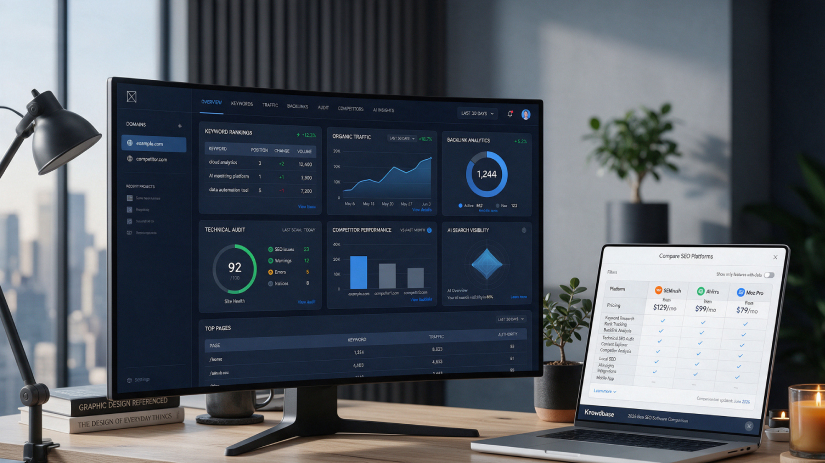
Choosing the right SEO software is one of the most important marketing decisions for any business that depends on organic search. Whether you run an online store, manage a local service business, publish content or grow a SaaS product, your SEO platform shapes how you find keywords, fix technical issues, track rankings and measure results.
In 2026, businesses across the United States have more SEO tools to choose from than ever. Keyword research and rank tracking are now only part of the picture. Google's AI Overviews, ChatGPT and Perplexity answer many questions before a click happens, so marketers also need to see how their brand appears in AI-generated answers.
However, not every SEO tool is designed for the same type of business.
Some platforms prioritise ease of use and affordable pricing, making them suitable for small businesses and freelancers. Others offer deep backlink data, large-scale technical crawling, enterprise reporting and AI search visibility tracking for agencies and large marketing teams.
The challenge is finding an SEO solution that covers your real needs without paying for features your team will never use.
This guide compares 10 SEO software platforms available to US businesses in 2026. We examine their features, pricing, data and integrations, limitations and ideal use cases to help you make an informed decision.
If you are evaluating multiple solutions, Krowdbase also lists the best SEO software with features, pricing, screenshots and demos, so you can compare platforms side by side.
SEO software helps businesses improve their visibility in search engines by researching keywords, auditing websites, tracking rankings and analysing competitors.
When a potential customer searches on Google, many factors decide which pages appear first. SEO tools collect data on search demand, competing pages, backlinks and site health, then turn it into recommendations a marketing team can act on.
Modern SEO platforms often combine several of these jobs in one dashboard, so businesses do not need a separate tool for every task.
For example, a local law firm using SEO software can find the terms prospective clients search for, spot broken pages on its site, track its position for "personal injury lawyer near me" and see which competitors outrank it.
Beyond rankings, many solutions now provide content optimisation, local SEO management, reporting dashboards and tracking of brand mentions in AI search answers.
A typical SEO workflow follows several stages:
Although data refreshes daily or weekly, SEO results build over months, so consistent tracking matters more than any single report.
A dependable SEO platform does more than report rankings.
It helps businesses focus on keywords that drive revenue, catch technical problems before they cost traffic, understand competitors and prove the return on content investment.
For small businesses, ease of use and predictable pricing may be the highest priorities. Larger companies and agencies may require bigger databases, multiple user seats, white-label reporting, API access and AI search visibility tracking.
The right solution depends on your team size, your website's complexity and how much of your growth relies on organic search.
The following platforms represent different SEO approaches, from free webmaster tools and WordPress plugins to all-in-one suites and enterprise platforms.
SEO software | Best for | Pricing structure | Primary strength |
Semrush | Marketing teams and agencies | Monthly or annual plans | All-in-one SEO and AI visibility |
Ahrefs | SEO specialists and link builders | Plan-based plus paid seats | Backlink data |
Moz Pro | Beginners and small businesses | Monthly or annual plans | Ease of use and Domain Authority |
SE Ranking | Freelancers and small agencies | Plan-based, multi-seat | Value and white-label reporting |
Screaming Frog | Technical SEOs and developers | Free version or annual licence | Deep site crawling |
Surfer | Content teams and bloggers | Monthly or annual plans | On-page content optimisation |
SpyFu | Budget-conscious competitor research | Low-cost monthly plans | Competitor SEO and PPC history |
BrightEdge | Large enterprises | Custom quote | Enterprise reporting and AI search insights |
Yoast SEO | WordPress websites | Free plugin or annual plan | On-page SEO inside WordPress |
Google Search Console | Every website owner | Free | First-party Google search data |
Semrush is one of the most widely used SEO platforms for marketing teams and agencies.
Its toolkit covers keyword research, competitor analysis, site audits, rank tracking, content planning and local SEO. Since April 2026 Semrush has been an Adobe company, and its Semrush One plans add tracking of how brands appear in ChatGPT, Perplexity and Google AI Overviews.
Semrush is particularly suitable for businesses that want SEO, content and paid search data in a single platform.
A US e-commerce brand, for example, can use Semrush to find product keywords, audit category pages, track rankings by state and see whether AI assistants recommend its products.
Semrush's SEO Classic plans start at $139.95 per month for Pro, with Guru at $249.95 and Business at $499.95.
Semrush One plans, which add AI visibility, range from $199 to $549 per month. Annual billing reduces the effective monthly cost.
A limited free plan is available. Extra users, Local SEO and market-intelligence add-ons increase the total cost.
Semrush draws on one of the largest keyword and domain databases in the industry, with country-specific data for the US market.
It integrates with Google Analytics, Google Search Console, Looker Studio and, through its API and MCP access, AI assistants on supported plans.
Advantages: Broad all-in-one toolkit, large US keyword database, AI visibility tracking and strong reporting.
Limitations: Pricing is high for small businesses, plans include one user, and the interface can feel crowded for beginners.
Best Use Cases: Marketing teams, digital agencies, e-commerce brands and businesses running SEO and paid search together.
Ahrefs is best known for one of the largest and freshest backlink indexes available.
Its Site Explorer, Keywords Explorer and Content Explorer make it a favourite among SEO specialists, link builders and content strategists.
Ahrefs is particularly suitable for businesses that compete on authority and need to understand exactly where competitors earn their links.
A B2B software company, for example, can use Ahrefs to find which industry sites link to rival products, uncover content gaps and pitch similar publications.
Site Explorer for backlinks, referring domains and top pages.
Ahrefs lists Lite at $129 per month, Standard at $249 and Advanced at $449, with about 17% off for annual billing.
A lower-cost Starter plan at $29 per month was introduced in early 2026. Enterprise pricing is custom.
Additional user seats cost $40 to $100 per month depending on the plan, which can raise team costs significantly.
Ahrefs runs its own large-scale web crawler and keyword database covering Google, YouTube, Amazon and Bing data.
It connects with Google Search Console and Looker Studio, and offers API access on higher plans.
Advantages: Excellent backlink data, clean interface, strong competitor research and a useful free tier for site owners.
Limitations: Premium pricing, paid extra seats, no traditional free trial and longer historical data reserved for higher plans.
Best Use Cases: SEO specialists, link-building teams, content marketers and agencies focused on competitive research.
Moz Pro is the Seattle-based platform behind Domain Authority, one of the most widely referenced site-strength metrics in SEO.
It offers keyword research, rank tracking, site crawls and link analysis in an interface that is easier to learn than larger suites.
Moz Pro is particularly attractive to small businesses and in-house marketers who are building their first SEO programme.
A regional home-services company, for example, can use Moz Pro to choose target keywords, track monthly ranking progress and benchmark its Domain Authority against local competitors.
Keyword Explorer with priority scoring.
Moz Pro offers four plans priced from $49 to $299 per month (Starter, Standard, Medium and Large), with discounts for annual billing.
Moz Local is priced separately, per business location. A free trial is available on Moz Pro.
Moz maintains its own link index and keyword database, and its Domain Authority metric is widely used across the SEO industry.
It integrates with Google Analytics and Search Console, and offers a separate API for data access.
Advantages: Beginner-friendly design, recognised authority metrics, free MozBar and solid local SEO options.
Limitations: Smaller keyword and backlink data than Semrush or Ahrefs, a tightly limited Starter plan and Moz Local billed per location.
Best Use Cases: Small businesses, in-house marketing teams, consultants and businesses new to SEO.
Businesses managing several physical locations can also explore Local SEO Tools Software on Krowdbase.
SE Ranking packs rank tracking, site audits, keyword research, backlink monitoring and white-label reporting into a noticeably more affordable package than the largest suites.
Multi-seat access on mid-tier plans makes it one of the most popular cloud-based SEO software options for small agencies.
SE Ranking is particularly suitable for teams that need professional-grade features while keeping monthly costs under control.
A small digital agency, for example, can use SE Ranking to track rankings for each client, run monthly audits and send branded reports without paying for several separate tools.
Daily rank tracking across Google, Bing and AI Overviews.
SE Ranking's plans run about $65 (Essential), $119 (Pro) and $259 (Business) per month, with 20% off for annual billing.
SE Ranking began restructuring its plan tiers in 2026, so businesses should confirm current plan names and limits before buying. A 14-day free trial is available.
SE Ranking maintains its own keyword and backlink databases with location-level rank tracking.
It connects with Google Analytics, Google Search Console and Looker Studio, with API access on higher plans.
Advantages: Strong value, multiple user seats, white-label reporting and AI search tracking.
Limitations: Its backlink database is smaller than those of larger rivals, and plan names are changing during 2026.
Best Use Cases: Freelancers, small agencies, in-house teams and budget-conscious small and mid-sized businesses.
Screaming Frog SEO Spider is a desktop crawler that inspects every URL on a website the way a search engine would.
Technical SEOs rely on it to find broken links, redirects, duplicate content, missing metadata, hreflang problems and JavaScript rendering issues.
Unlike cloud-based suites, Screaming Frog runs on your own computer, which makes it fast and flexible for detailed audits and site migrations.
A growing online retailer, for example, can crawl its full catalogue before a platform migration to catch broken redirects and missing product page titles.
Full-site crawling with JavaScript rendering.
The free version crawls up to 500 URLs, while a paid licence removes the limit and lasts one year.
The list price is £199 per licence per year, with volume discounts down to £169, roughly $259 per year in the US.
Screaming Frog collects data directly from your website rather than from a third-party database.
The paid licence connects with Google Analytics, Search Console, PageSpeed Insights and link-metric tools to enrich each crawl.
Advantages: Industry-standard technical audits, low flat annual price and highly configurable crawling.
Limitations: Desktop only, a steep learning curve for non-technical users and no keyword or backlink database of its own.
Best Use Cases: Technical SEOs, developers, agencies and businesses planning site migrations or redesigns.
Surfer scores your content against top-ranking pages and tells writers which topics, headings and length to target.
It also tracks prompts in AI search and works inside Google Docs and WordPress, where many teams already write.
Surfer is particularly suitable for businesses that publish content regularly and want every article optimised before it goes live.
A SaaS marketing team, for example, can use Surfer to brief freelance writers, score each draft and refresh older blog posts that have slipped in rankings.
Content Editor with a real-time optimisation score.
Surfer starts at around $49 per month on its Discovery plan billed annually.
Plans have been renamed several times between 2024 and 2026, so businesses should check the live pricing page before purchasing.
Surfer analyses live search results for each target keyword to build its content recommendations.
It integrates with Google Docs, WordPress and Google Search Console.
Advantages: Writer-friendly scoring, strong integrations and AI drafting for faster production.
Limitations: No technical SEO or backlink tracking, and frequent plan changes make costs harder to predict.
Best Use Cases: Content teams, bloggers, content agencies and SaaS companies running content-led growth.
SpyFu is a competitive intelligence tool that shows which keywords competitors rank for and which search ads they have run.
Its focus on US and UK search data, together with years of historical records, makes it a practical choice for American businesses studying local competitors.
SpyFu is particularly suitable for small businesses that want competitor insight for both SEO and Google Ads at a low monthly cost.
A local dental practice, for example, can use SpyFu to see which keywords rival practices rank and bid on, then target overlooked search terms.
SpyFu's plans cost $39 (Basic), $119 (Pro + AI) and $249 (Team/Agency) per month, or $29, $89 and $187 per month when billed annually.
All plans come with a 30-day money-back guarantee.
SpyFu's search data covers only the US and UK, which suits American businesses but limits international use.
It offers data exports, reporting and an API for connecting results to other tools.
Advantages: Low pricing, deep competitor history and combined SEO and PPC insights.
Limitations: Limited country coverage, less real-time tracking and an interface that feels dated next to newer tools.
Best Use Cases: Small businesses, local service providers, PPC managers and marketers researching US competitors.
BrightEdge is an enterprise SEO and content performance platform used by large organisations with complex websites and many stakeholders.
It combines keyword intelligence, content recommendations, performance reporting and AI search insights in a single platform built for scale.
BrightEdge is particularly suitable for companies that manage thousands of pages across several brands, regions or product lines.
A national retailer, for example, can use BrightEdge to track category performance across many sites, report organic revenue to leadership and monitor visibility in AI Overviews.
BrightEdge does not publish pricing and sells through custom quotes after a demo.
Pricing typically reflects the number of sites, keywords, users and features required, and contracts are usually annual.
BrightEdge connects with analytics platforms, Google Search Console, content management systems and Looker Studio, and lists SOC 2 and ISO security claims plus SAML single sign-on.
These enterprise controls matter for businesses with strict IT and procurement requirements.
Advantages: Built for enterprise scale, strong reporting for leadership and dedicated AI-powered SEO insights.
Limitations: No public pricing, high total cost and a complex platform that suits dedicated SEO teams rather than small businesses.
Best Use Cases: Large enterprises, multi-brand organisations, national retailers and companies with in-house SEO departments.
Yoast SEO is one of the most widely installed SEO plugins for WordPress, the content management system behind a large share of US business websites.
Instead of working in a separate dashboard, Yoast adds SEO guidance directly to the WordPress editor while you write.
Yoast SEO is particularly suitable for small businesses and bloggers who manage their own WordPress sites and want on-page SEO handled in one place.
A local bakery, for example, can use Yoast to write better page titles and meta descriptions, generate an XML sitemap and add structured data without touching code.
The core Yoast SEO plugin is free. Yoast SEO Premium costs about $99 per year after an introductory discount, and the AI+ plan, which adds Local, Video, News and WooCommerce SEO, costs about $349 per year.
Businesses should confirm the current price at checkout, as introductory offers change frequently.
Yoast works inside WordPress and analyses your own page content rather than third-party search data.
Premium adds a Google Docs integration, and the plugin works alongside Google Search Console for performance data.
Advantages: Free core plugin, easy guidance inside WordPress and affordable Premium upgrade.
Limitations: Works only with WordPress and provides no keyword volume, rank tracking or backlink data.
Best Use Cases: WordPress-based small businesses, bloggers, local businesses and WooCommerce stores.
Google Search Console is Google's own free dashboard for website owners.
It shows the actual queries, clicks, impressions and average positions your pages earn in Google Search, along with indexing and page experience reports.
Every business with a website should set up Search Console before paying for any other SEO tool, because it is the only source of first-party Google search data.
A new startup, for example, can use Search Console to confirm its pages are indexed, submit a sitemap and see which searches already bring visitors.
Google Search Console is completely free for all verified website owners.
Search Console provides first-party data directly from Google, which most paid SEO tools import to improve their own reports.
Performance data covers the last 16 months and connects with Google Analytics and Looker Studio.
Advantages: Free, accurate first-party data, essential indexing tools and important security alerts.
Limitations: Covers only your own site in Google, with no competitor, backlink-index or keyword-discovery data.
Best Use Cases: Every website owner, from startups and local businesses to large enterprises.
Start with the problem you need to solve, then match the tool to your team size and budget.
There is no single best SEO tool for every business.
Semrush and Ahrefs lead for depth, Moz Pro and SE Ranking win on ease and value, Screaming Frog owns technical audits, Surfer sharpens content, SpyFu offers affordable competitor insight, BrightEdge serves large enterprises, Yoast simplifies WordPress SEO, and Google Search Console is the free foundation for everyone.
Shortlist two or three tools that fit your biggest gap, test them on your own website, and compare more options in Krowdbase's full list of the best SEO software before you commit.
SE Ranking and Moz Pro offer the best balance of features and price for most small businesses. WordPress sites can add the free Yoast SEO plugin, and every business should use Google Search Console.
Semrush is broader, covering SEO, PPC, content, local and AI visibility in one place. Ahrefs is stronger for backlink research and has a cleaner interface. Many agencies use both.
Yes. Google Search Console is fully free, the core Yoast SEO plugin is free, Ahrefs Webmaster Tools is free for verified site owners, Screaming Frog crawls up to 500 URLs free, and Semrush has a limited free plan.
Most all-in-one SEO tools cost $50 to $500 per month for small and mid-sized teams. Budget tools such as SpyFu start below $50 per month, while enterprise platforms such as BrightEdge are priced by custom quote.
Often, yes. A common stack is Google Search Console, one all-in-one suite and Screaming Frog for technical audits, with Surfer added for content-heavy teams.
Increasingly, yes. Semrush, Ahrefs, SE Ranking, Surfer and BrightEdge now offer some form of AI Overview or chatbot visibility tracking, though coverage and pricing vary by plan.
Not necessarily. Several leading tools are based outside the US but serve American customers with strong US search data. What matters more is the depth of the US keyword database, local rank tracking by city or ZIP code, and support during US business hours.

.jpg)