Arina|Oct 24, 2026
Do you want to get notified when new software or services are added to Krowdbase? Sign up for our newsletter and stay ahead with the latest tools, providers, features, and updates.
Sep 28, 2026
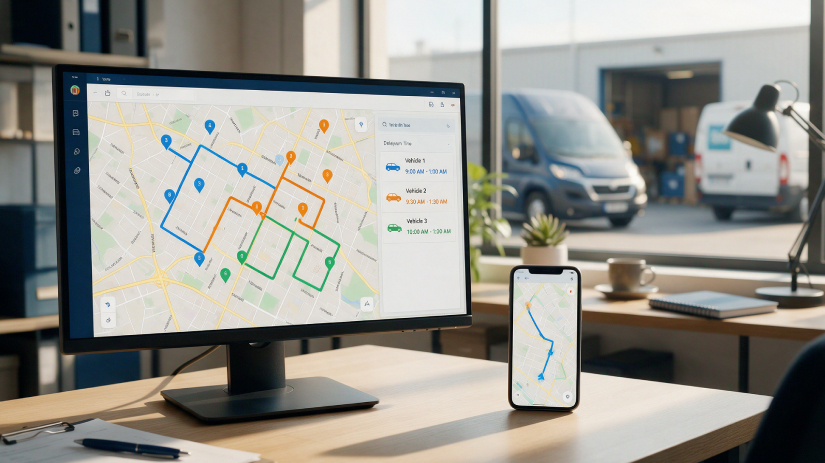
Route planning software can save time, reduce mileage, and make delivery schedules easier to manage, but only if the system fits the way your business actually operates.
A platform that works well for ten local stops may not be suitable for a fleet handling hundreds of deliveries with time windows, vehicle restrictions, and multiple drivers. The right choice depends on route complexity, order volume, dispatch needs, customer expectations, and the systems already used by the business.
Before comparing software, define the problems you want it to solve.
Map how routes are created today.
Write down where orders come from, who assigns stops, how drivers receive instructions, and what happens when the schedule changes.
This shows where software can remove manual work.
For example, if your team spends most of the morning rearranging addresses in spreadsheets, route creation is the obvious bottleneck. If routes are already efficient but customers frequently call for updates, communication features may matter more.
A free route planner tool can also be useful for testing basic routing workflows before committing to a more complex system.
The objective is to understand which capabilities actually improve your process rather than selecting software based on the longest feature list.
Basic route planners may only reorder stops according to distance.
Business routing usually requires more.
The software should be able to consider the operational rules that affect whether a route can actually be completed.
● Delivery time windows
● Driver working hours
● Vehicle capacity
● Maximum route duration
● Stop priority
● Service time
● Pickup and delivery dependencies
● Vehicle restrictions
● Start and end locations
Test these features with real routes.
A system may claim to support time windows, for example, but the important question is whether it handles overlapping windows and multiple vehicles in a practical way.
Automated optimization should not remove human control.
Dispatchers often know things the software does not.
A particular street may become congested after school dismissal. A building may require deliveries through a rear entrance. One customer may take much longer than the standard service time.
Look for software that allows manual route adjustments without forcing the entire plan to be rebuilt.
You should also be able to lock certain stops in place before running another optimization.
That gives dispatchers flexibility while still benefiting from automated planning.
Bad address data can undermine even a strong optimization engine.
Check how the software handles incomplete, duplicated, or incorrectly formatted addresses.
Geocoding should identify the correct delivery point as accurately as possible.
For operations serving apartment complexes, industrial estates, campuses, or rural properties, street-level accuracy may not be enough.
Test known difficult addresses during the evaluation period.
If the system consistently places pins at the wrong entrance, drivers will lose time even when the route sequence looks efficient.
Route planning becomes less useful if employees have to copy every order manually.
Determine how delivery data enters the system.
CSV uploads may be sufficient for a small operation. Larger businesses may need integrations with ecommerce platforms, order management systems, CRMs, ERPs, or APIs.
● Customer name
● Address
● Phone number
● Delivery window
● Order number
● Package information
● Service time
● Driver notes
Also check what information can be exported afterward.
Completed delivery status, mileage, timestamps, and route performance may need to return to another system.
A good route plan is only useful if drivers can follow it easily.
Review the mobile experience separately from the dispatcher dashboard.
Drivers should be able to see stop order, navigation, customer details, delivery notes, and schedule changes without searching through multiple screens.
If proof of delivery is required, check whether the app supports photographs, signatures, notes, or timestamps.
Test the app on the devices drivers actually use.
A desktop demonstration will not reveal problems with small buttons, weak mobile connectivity, or confusing navigation in the field.
Routes rarely stay exactly as planned.
Customers cancel, vehicles break down, urgent orders arrive, and traffic conditions change.
If these events are common in your operation, evaluate how quickly the software can adjust.
Can a dispatcher move several stops from one driver to another?
Can an urgent order be inserted without rebuilding every route?
Can drivers receive updated instructions immediately?
Real-time flexibility matters more for same-day and on-demand delivery operations than for routes that rarely change after departure.
Route software should help you improve future routes, not only plan today's work.
Look for reporting that compares planned performance with actual results.
Useful metrics include route duration, distance, stops per hour, service time, failed deliveries, and driver completion times.
The reports should make operational problems easier to identify.
If one route consistently runs 45 minutes late, you should be able to investigate whether the cause is traffic, unrealistic service times, loading delays, or poor route design.
Avoid systems that generate large dashboards without giving you actionable detail.
Think about the number of routes you expect to manage in 12 to 24 months.
Software that is easy for three drivers may become restrictive at 30.
Check user limits, vehicle limits, route limits, pricing tiers, API capacity, and administrative permissions.
Also consider whether different dispatchers can work at the same time without interfering with one another.
Do not overbuy based on hypothetical future growth, but avoid selecting a system that will need to be replaced as soon as volume increases.
Monthly price is only one part of the cost.
Include implementation time, integrations, driver training, additional users, premium features, and administrative work.
Then compare that cost with the savings the software is expected to generate.
Estimate whether it can reduce planning time, mileage, overtime, failed deliveries, or the need for additional dispatch staff.
A more expensive platform can be better value if it removes enough manual work.
Likewise, a feature-heavy system can be wasteful if most of its capabilities are never used.
Do not evaluate route planning software using only sales demonstrations.
Run your own orders through the system.
Use a busy delivery day with realistic time windows, difficult addresses, multiple vehicles, and at least one last-minute change.
Then compare the planned routes with what your team would normally create.
Check whether drivers can actually follow the routes, whether dispatchers can make changes easily, and whether the resulting data is useful.
The best route planning software is not necessarily the system with the most advanced optimization engine. It is the one that improves your actual workflow, reduces unnecessary manual work, and gives your team enough control to deal with real-world delivery conditions.