
TrustVare OST to MBOX Converter
Professional Solution to Convert OST files to MBOX format
What is TrustVare OST to MBOX Converter ?
TrustVare OST to MBOX Converter is a specialized email migration tool designed to help users convert Outlook OST (Offline Storage Table) files into the MBOX format used by many popular email clients. OST files are typically created by Microsoft Outlook when working with Exchange, Office 365, or IMAP accounts, allowing users to access their mailbox data offline. However, OST files are not easily accessible outside Outlook, which can make data migration or recovery difficult. TrustVare OST to MBOX Converter addresses this problem by enabling users to safely convert their Outlook data into the widely supported MBOX format so it can be used with applications such as Thunderbird, Apple Mail, and other MBOX-based email platforms.
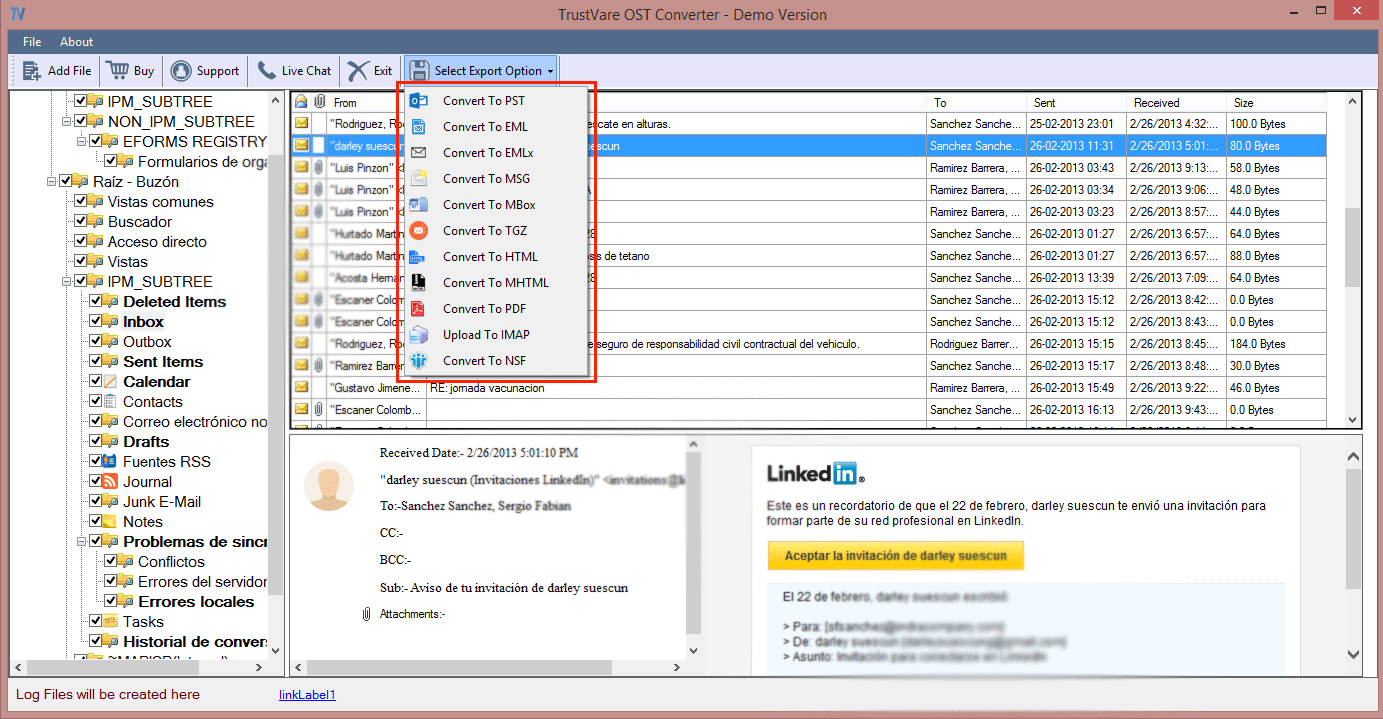
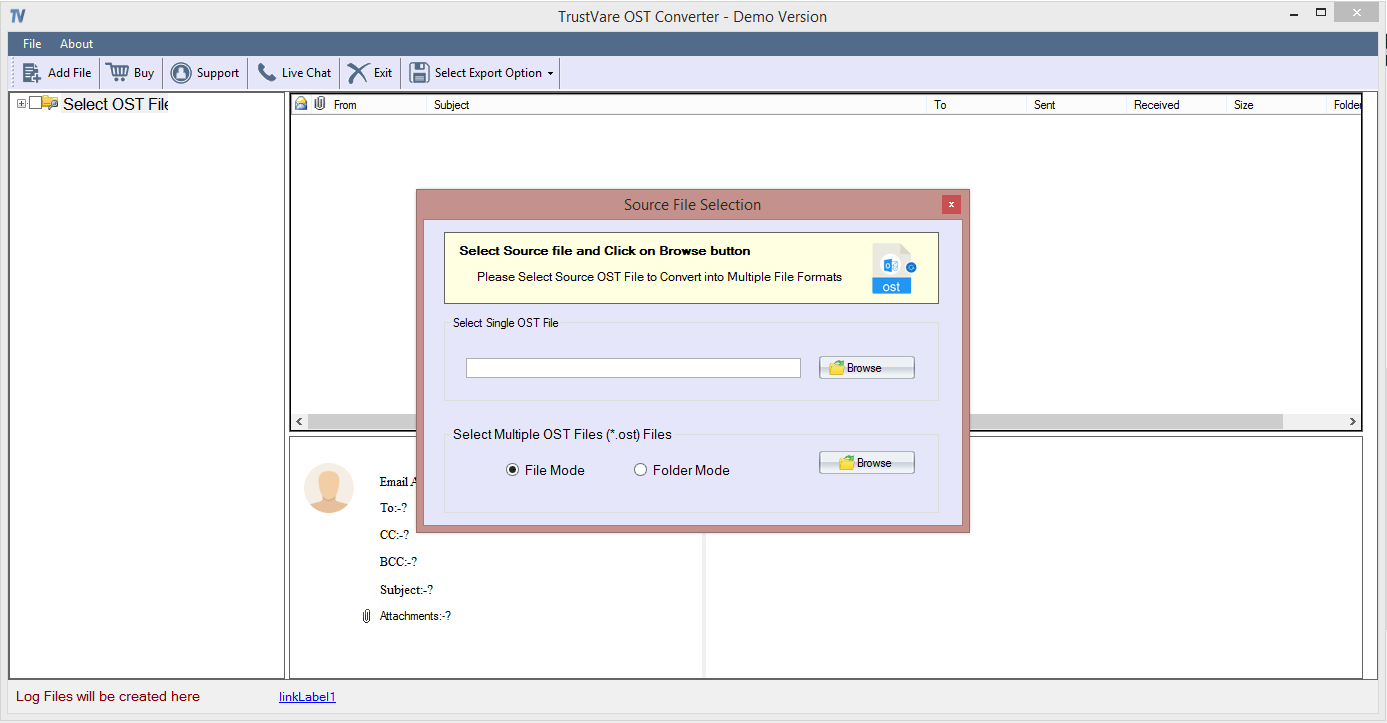
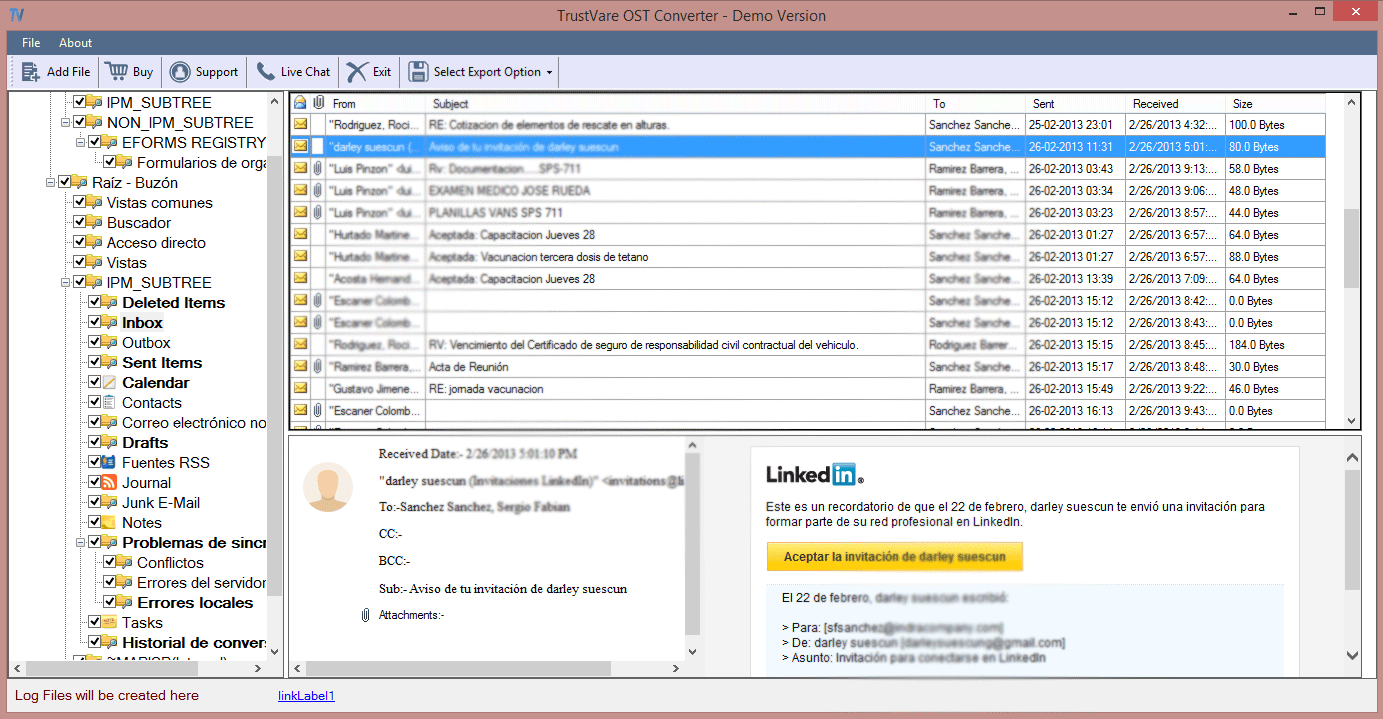
The software works by scanning the selected OST file and extracting mailbox components such as emails, attachments, contacts, and other message data. It then converts this information into MBOX files while maintaining the original folder structure and message integrity. This ensures that users can access their emails in the same organized way after the conversion process. The interface is designed to be simple and easy to navigate, allowing users to select OST files, preview mailbox content, and start the conversion process with minimal effort. Because the process is automated, users do not need technical expertise to complete the conversion.
One of the key advantages of TrustVare OST to MBOX Converter is its ability to handle large OST files without data loss. Many users face challenges when migrating email archives because large files can become corrupted or incomplete during manual transfers. The software reduces this risk by using a structured conversion process that preserves message formatting, attachments, and metadata such as sender information, timestamps, and subject lines. As a result, users can maintain the authenticity and usability of their email records.
The tool is particularly useful for IT administrators, businesses, and individual users who need to move their email data from Outlook to other platforms. For example, organizations switching from Microsoft Outlook to Mozilla Thunderbird may need to convert multiple mailbox files quickly and reliably. Similarly, individuals who have lost access to Outlook but still have their OST files can use the software to recover and view their emails in a compatible MBOX-based email client. This flexibility makes the software helpful in both migration and data recovery scenarios.
TrustVare OST to MBOX Converter can also support data management tasks by making archived emails easier to access across different platforms. Instead of being locked within a specific email environment, users can convert and store their data in a format that is supported by multiple applications. This improves accessibility and ensures long-term usability of important email information.
Overall, TrustVare OST to MBOX Converter provides a practical solution for users who need to convert Outlook OST files into the MBOX format safely and efficiently. By simplifying the migration process and preserving important email data, the software helps users maintain access to their communication records while transitioning between different email platforms.
Screenshots
FAQ
The official website of TrustVare OST to MBOX Converter is https://www.trustvare.com/ost/mbox/
<p>TrustVare OST to MBOX Converter is a specialized email migration tool designed to help users convert Outlook OST (Offline Storage Table) files into the MBOX format used by many popular email clients. OST files are typically created by Microsoft Outlook when working with Exchange, Office 365, or IMAP accounts, allowing users to access their mailbox data offline. However, OST files are not easily accessible outside Outlook, which can make data migration or recovery difficult. TrustVare OST to MBOX Converter addresses this problem by enabling users to safely convert their Outlook data into the widely supported MBOX format so it can be used with applications such as Thunderbird, Apple Mail, and other MBOX-based email platforms.</p> <p>The software works by scanning the selected OST file and extracting mailbox components such as emails, attachments, contacts, and other message data. It then converts this information into MBOX files while maintaining the original folder structure and message integrity. This ensures that users can access their emails in the same organized way after the conversion process. The interface is designed to be simple and easy to navigate, allowing users to select OST files, preview mailbox content, and start the conversion process with minimal effort. Because the process is automated, users do not need technical expertise to complete the conversion.</p> <p>One of the key advantages of TrustVare OST to MBOX Converter is its ability to handle large OST files without data loss. Many users face challenges when migrating email archives because large files can become corrupted or incomplete during manual transfers. The software reduces this risk by using a structured conversion process that preserves message formatting, attachments, and metadata such as sender information, timestamps, and subject lines. As a result, users can maintain the authenticity and usability of their email records.</p> <p>The tool is particularly useful for IT administrators, businesses, and individual users who need to move their email data from Outlook to other platforms. For example, organizations switching from Microsoft Outlook to Mozilla Thunderbird may need to convert multiple mailbox files quickly and reliably. Similarly, individuals who have lost access to Outlook but still have their OST files can use the software to recover and view their emails in a compatible MBOX-based email client. This flexibility makes the software helpful in both migration and data recovery scenarios.</p> <p>TrustVare OST to MBOX Converter can also support data management tasks by making archived emails easier to access across different platforms. Instead of being locked within a specific email environment, users can convert and store their data in a format that is supported by multiple applications. This improves accessibility and ensures long-term usability of important email information.</p> <p>Overall, TrustVare OST to MBOX Converter provides a practical solution for users who need to convert Outlook OST files into the MBOX format safely and efficiently. By simplifying the migration process and preserving important email data, the software helps users maintain access to their communication records while transitioning between different email platforms. </p>
TrustVare OST to MBOX Converter belongs to the Data Management, Email Management category.
TrustVare OST to MBOX Converter is used in industries such as Utilities, Computer Software, Information Technology & Services.
TrustVare OST to MBOX Converter is built for Small Business, Mid Size Business, Enterprise
TrustVare OST to MBOX Converter supports English
TrustVare OST to MBOX Converter supports Windows devices.
The starting price of TrustVare OST to MBOX Converter is USD 49/one time.
Yes, TrustVare OST to MBOX Converter offers a free trial.
TrustVare OST to MBOX Converter was founded in 2017.
TrustVare OST to MBOX Converter has approximately 51-100 employees.
TrustVare OST to MBOX Converter is located in India.
TrustVare OST to MBOX Converter was founded by TrustVare.
Pricing
Starting at:
$49/one time
Free Trial Available
Vendor Details
- Vendor
- TrustVare
- Founded
- 2017
- Locations
- India
- Company Size
- 51-100
- Social Media


Industries
Customer Segments
Languages
Devices
Reviews(0)
Write a reviewTrustVare OST to MBOX Converter alternatives

Mailchimp
Mailchimp is a marketing platform primarily used by small businesses in marketing and IT services to manage email campaigns and customer outreach. Users value its drag-and-drop editor and real-time analytics for campaign tracking. Its AI growth assis...load more

Google Workspace
Google Workspace's word processing for teams. Work on a single document with team members or people outside your company. See edits as others type, communicate through built-in chat and ask questions by including comments. Create, edit and share docs...load more

Zoom Workplace
With Team Chat, Phone, AI Companion, and more, Zoom Workplace is the platform for your best work.

Microsoft 365
Microsoft 365 - formerly known as Office 365 - is more than just Word, Excel, PowerPoint, and Outlook. It provides powerful services like business-class email, online storage, and teamwork solutions that you can access from anywhere. Bring teams and ...load more

Gmail
Gmail is a cloud-based solution that enables businesses and teams to send, receive, organize, and schedule emails across multiple user accounts. Gmail provides suggested actions such as Smart Reply, Smart Compose, grammar suggestions, and more. This ...load more

Google Analytics 360
Google Analytics 360 is an enterprise-level analytics platform with in-depth performance indicators, such as ROI analysis reports. The app's primary function is to provide insights into customer behavior interactions with websites and apps to identif...load more

Brevo
All-in-one platform that helps businesses of all sizes manage customer relationships via email, SMS, chat and more.

Constant Contact
Insights from verified Capterra reviews from the past 2 years. Constant Contact helps small businesses manage outreach and engagement. Its popular with marketing and admin teams in nonprofits and service-based firms. Reviewers highlight its drag-and-...load more

ActiveCampaign
ActiveCampaign helps small businesses automate email campaigns, manage contacts, and personalize outreach across channels. Its most used by marketing and administrative teams in service-based industries. Its automation depth and segmentation tools ar...load more

Tableau
Tableau helps people transform data into actionable insights that make an impact. Easily connect to data stored anywhere, in any format. Quickly perform ad hoc analyses that reveal hidden opportunities. Drag and drop to create interactive dashboards ...load more