Adobe XD
On-premise UX tool for businesses that helps create designs for web and mobile via prototyping, sharing, collaboration, and more.
What is Adobe XD?
Adobe XD is a powerful UI/UX design software developed by Adobe that helps designers create, prototype, collaborate, and deliver exceptional digital experiences for websites, mobile applications, web applications, and other digital products. Designed specifically for user experience and interface design professionals, Adobe XD combines design, wireframing, prototyping, and collaboration capabilities within a single platform, making it one of the most widely used UX design software solutions in the industry.
As businesses increasingly prioritize digital transformation and customer experience, the demand for professional UI/UX design software has grown significantly. Adobe XD addresses this demand by providing a comprehensive environment where designers can create user interfaces, build interactive prototypes, conduct design iterations, and collaborate seamlessly with stakeholders and development teams.
One of Adobe XD's biggest advantages is its ability to streamline the entire product design workflow. Rather than relying on multiple applications for wireframing, design creation, prototyping, and sharing, teams can complete the entire design process within a unified platform. This improves efficiency, reduces workflow complexity, and accelerates product development cycles.
Adobe XD is used by freelance designers, startups, agencies, enterprises, product teams, and UX professionals across industries. Whether creating mobile app designs, responsive websites, SaaS platforms, eCommerce experiences, or enterprise software interfaces, Adobe XD provides the tools needed to transform ideas into user-centered digital experiences.
About Adobe XD Software
Adobe XD is a cloud-based and desktop-based UI/UX design software platform that enables designers to create user interfaces, user experiences, wireframes, prototypes, and design systems for digital products. The software was developed to simplify the design process while providing an integrated environment for designing, testing, sharing, and collaborating on digital experiences.
Unlike traditional graphic design software that focuses primarily on visual creation, Adobe XD is purpose-built for experience design. It allows teams to move from initial wireframes to high-fidelity designs and interactive prototypes without switching between multiple applications.
The platform supports vector-based design, responsive layouts, repeat grids, interactive prototyping, animation effects, developer handoff, and team collaboration. These capabilities help businesses create intuitive user experiences while ensuring consistency across products and platforms.
Adobe XD has become a preferred choice among UI designers, UX designers, product designers, web designers, and digital agencies because of its intuitive interface, integration with the Adobe Creative Cloud ecosystem, and ability to support modern design workflows. By combining design creation and prototyping within a single platform, Adobe XD helps organizations improve productivity, reduce design bottlenecks, and accelerate product innovation.
Key Objectives of Adobe XD Software
Simplify UI Design Processes
Adobe XD helps designers create modern user interfaces efficiently by providing intuitive design tools, reusable components, and responsive layout capabilities.
Improve User Experience Design
The platform enables UX professionals to create user-centered experiences through wireframing, prototyping, and usability-focused design workflows.
Accelerate Product Development
By combining design and prototyping capabilities within a single application, Adobe XD helps teams reduce design cycles and launch products faster.
Enhance Team Collaboration
Adobe XD enables designers, stakeholders, developers, and product managers to collaborate more effectively through shared projects and feedback tools.
Support Design Consistency
Design systems, reusable components, and shared assets help organizations maintain consistent branding and user experiences across projects.
Improve Developer Handoff
The platform simplifies the transition from design to development by providing specifications, assets, and design documentation for developers.
Adobe XD Categories
Primary Category
Adobe XD primarily belongs to the UI/UX Design Software category. The platform is specifically designed to help businesses and design professionals create user interfaces, user experiences, wireframes, prototypes, and digital product designs. It provides the tools needed to design and validate customer experiences before development begins.
Primary Category:
Secondary Categories
Adobe XD extends beyond UI design by supporting prototyping, collaboration, wireframing, design systems, and digital product development workflows. These additional capabilities make it useful across various stages of the product design lifecycle.
Secondary Categories:
Key Features of Adobe XD Software
Vector-Based Design Tools
Adobe XD provides professional vector design tools that allow users to create scalable user interfaces without losing quality. Designers can build icons, layouts, buttons, navigation elements, and complete digital experiences while maintaining precision and consistency across projects.
Wireframing Capabilities
The platform enables teams to quickly create wireframes that visualize product structure and user flows before investing time in high-fidelity design. Wireframing helps stakeholders understand product concepts and validate ideas early in the design process.
Interactive Prototyping
Adobe XD includes advanced prototyping capabilities that allow designers to create interactive user journeys. Teams can connect screens, simulate interactions, and demonstrate user experiences without writing code.
Responsive Resize
Responsive Resize automatically adapts design elements when screen sizes change. This feature simplifies responsive design workflows and helps designers create experiences for multiple devices more efficiently.
Repeat Grid
Repeat Grid allows designers to duplicate lists, cards, galleries, and repetitive interface elements while maintaining consistency and reducing manual effort.
Design Systems and Components
Adobe XD supports reusable design systems and shared components. Businesses can create standardized UI libraries that improve consistency across products and design teams.
Collaboration and Coediting
Multiple team members can collaborate on projects, provide feedback, and contribute to designs. This improves teamwork and accelerates project delivery.
Auto-Animate
Auto-Animate enables designers to create sophisticated transitions and animations between artboards. This feature helps teams visualize interactions and create engaging user experiences.
Developer Handoff
Adobe XD simplifies developer collaboration by providing design specifications, measurements, colors, typography details, and downloadable assets required for implementation.
Integration with Adobe Creative Cloud
The platform integrates seamlessly with Adobe Creative Cloud applications, enabling users to import and utilize assets from Photoshop, Illustrator, and other Adobe tools.
Benefits of Using Adobe XD Software
Faster Design Workflows
Adobe XD combines multiple design processes into a single platform, helping teams work more efficiently and reduce project timelines.
Improved Collaboration
Built-in collaboration tools make it easier for designers, stakeholders, and developers to work together throughout the project lifecycle.
Better User Experience Validation
Interactive prototypes help teams test ideas and gather feedback before development begins, reducing costly revisions.
Consistent Design Systems
Reusable components and design libraries ensure consistency across interfaces and products.
Reduced Development Errors
Developer handoff features provide accurate specifications and assets, improving implementation accuracy.
Enhanced Productivity
Automation features such as Repeat Grid and Responsive Resize reduce repetitive work and increase productivity.
Integrations of Adobe XD Software
Adobe Photoshop Integration
Allows designers to import and edit Photoshop assets within Adobe XD projects.
Adobe Illustrator Integration
Enables seamless use of vector graphics and illustrations created in Illustrator.
Adobe Creative Cloud Integration
Provides centralized asset management and collaboration across Adobe applications.
Jira Integration
Supports project tracking and collaboration between design and development teams.
Slack Integration
Improves communication and feedback sharing among project stakeholders.
Microsoft Teams Integration
Facilitates collaboration and project discussions within business environments.
Zeplin Integration
Enhances developer handoff and design implementation workflows.
Additional Business Integrations
Additional Integrations Include:
- Trello
- Asana
- Monday.com
- Miro
- Dropbox
- Google Drive
- OneDrive
- Notion
- Figma
- Sketch
- InVision
- Airtable
- Avocode
- ProtoPie
- UserTesting
- Maze
- Overflow
- Webflow
- ClickUp
- Confluence
Pros and Cons of Adobe XD Software
Pros | Cons |
User-friendly interface suitable for beginners and professionals | Limited advanced collaboration compared to some competitors |
Powerful prototyping and interaction design capabilities | Fewer third-party plugins than some design platforms |
Seamless integration with Adobe Creative Cloud ecosystem | Browser-based functionality is more limited than desktop version |
Responsive Resize and Repeat Grid improve productivity | Advanced animation features are not as extensive as dedicated motion design tools |
Strong developer handoff capabilities | Some organizations prefer fully cloud-native design platforms |
Supports design systems and reusable components | Large enterprise teams may require additional collaboration tools |
Fast prototyping and wireframing workflows | Certain advanced UX research features require external integrations |
Who Should Use Adobe XD Software?
Freelance Designers
Adobe XD is an excellent solution for freelance UI/UX designers who need a comprehensive design platform for creating wireframes, prototypes, mobile app designs, website interfaces, and client presentations. The software helps freelancers manage projects efficiently while delivering professional-quality digital experiences.
Startups
Startups frequently use Adobe XD to validate product ideas, create MVP designs, prototype applications, and gather stakeholder feedback before development begins. Its intuitive interface and rapid prototyping capabilities make it ideal for fast-moving product teams.
Small Businesses
Small businesses can leverage Adobe XD to design websites, customer portals, mobile applications, and internal systems without investing in multiple design tools. The platform enables teams to improve user experiences while maintaining design consistency across digital assets.
Design Agencies
Creative and digital agencies use Adobe XD to manage client projects, collaborate with stakeholders, build design systems, and deliver interactive prototypes. The platform supports efficient workflows that improve project delivery timelines and client satisfaction.
Product Teams
Product managers, UX researchers, UI designers, and developers benefit from Adobe XD's collaborative design environment. Teams can create user-centered experiences, validate concepts, and streamline the transition from design to development.
Enterprises
Large enterprises use Adobe XD to standardize design processes, maintain design systems, improve collaboration across departments, and ensure consistency across digital products and customer experiences.
Adobe XD Use Cases
Website Design
Businesses use Adobe XD to design responsive websites, landing pages, eCommerce stores, corporate websites, and digital portals. The platform enables designers to visualize layouts, interactions, and user journeys before development begins.
Mobile App Design
Adobe XD is widely used for designing iOS and Android applications. Teams can create mobile user interfaces, test navigation flows, and build interactive prototypes that simulate real-world app experiences.
SaaS Product Design
Software companies use Adobe XD to create dashboards, admin panels, analytics platforms, and SaaS applications. The platform helps product teams design scalable user experiences that improve usability and customer satisfaction.
Wireframing and User Flow Planning
UX professionals create wireframes and user flows to map customer journeys and validate product concepts. These early-stage designs help teams identify usability issues before investing in development.
Interactive Prototyping
Organizations use Adobe XD to create clickable prototypes that demonstrate product functionality, user interactions, and customer experiences. Interactive prototypes improve stakeholder communication and user testing processes.
Design System Management
Companies establish reusable design systems, component libraries, and branding standards within Adobe XD to maintain consistency across products and teams.
Developer Handoff
Adobe XD simplifies collaboration between designers and developers by providing design specifications, measurements, assets, colors, typography guidelines, and implementation resources.
UX Research and Testing
Design teams use Adobe XD prototypes to conduct usability testing, gather user feedback, and validate design decisions before product launches.
Top Adobe XD Alternatives
Figma
Figma is one of the most popular Adobe XD alternatives, offering cloud-based UI/UX design, real-time collaboration, prototyping, and design system management capabilities. It is widely used by distributed teams and modern product organizations.
Sketch
Sketch is a vector-based design platform primarily used for interface design, wireframing, and prototyping. It remains a popular choice among macOS users and digital product designers.
InVision
InVision provides prototyping, collaboration, design review, and workflow management tools that help teams create and validate digital experiences efficiently.
Axure RP
Axure RP specializes in advanced prototyping and user experience design. It is frequently used by UX professionals who require complex interactions and detailed functionality simulations.
UXPin
UXPin offers collaborative design, prototyping, design systems, and developer-friendly workflows for teams focused on product design and user experience management.
Adobe XD vs Competitors
Feature | Adobe XD | Figma | Sketch | Axure RP |
UI Design | ✓ | ✓ | ✓ | ✓ |
UX Design | ✓ | ✓ | ✓ | ✓ |
Interactive Prototyping | ✓ | ✓ | Limited | ✓ |
Design Systems | ✓ | ✓ | ✓ | ✓ |
Real-Time Collaboration | ✓ | ✓ | Limited | Limited |
Developer Handoff | ✓ | ✓ | ✓ | ✓ |
Responsive Design Tools | ✓ | ✓ | Limited | Limited |
Adobe Creative Cloud Integration | ✓ | No | No | No |
Ease of Use | High | High | High | Medium |
Best For | Adobe Ecosystem Users | Collaborative Teams | Mac Designers | Advanced UX Projects |
Why Choose Adobe XD Software?
Adobe XD remains one of the most trusted UI/UX design software solutions because it provides a complete environment for designing, prototyping, collaborating, and delivering digital experiences. The platform simplifies the design process by combining multiple workflows into a single application, reducing the need for additional tools and improving overall productivity.
One of Adobe XD's strongest advantages is its seamless integration with the Adobe Creative Cloud ecosystem. Organizations already using Photoshop, Illustrator, After Effects, and other Adobe products can leverage existing assets and workflows without disruption. This integration significantly improves efficiency for creative teams.
Adobe XD also excels in prototyping and user experience validation. Designers can transform static interfaces into interactive experiences that accurately represent how users will interact with a final product. These capabilities help businesses reduce development risks, improve stakeholder communication, and accelerate product launches.
The platform's support for design systems, reusable components, responsive layouts, and developer handoff further enhances its value. Businesses can maintain consistency across projects while improving collaboration between designers, developers, and stakeholders.
For organizations seeking a reliable UI/UX design software platform that supports the complete product design lifecycle, Adobe XD continues to be a powerful solution capable of supporting projects of all sizes and complexities.
Frequently Asked Questions
What is Adobe XD Software?
Adobe XD is a professional UI/UX design software platform used to create user interfaces, user experiences, wireframes, prototypes, and design systems for websites, mobile applications, SaaS products, and digital platforms. The software enables designers to design, prototype, collaborate, and share digital experiences from a single environment. It is widely used by product designers, UX designers, UI designers, agencies, startups, and enterprises looking to improve digital product development processes.
What is Adobe XD used for?
Adobe XD is used for designing and prototyping digital experiences. Businesses and designers use the platform to create website layouts, mobile app interfaces, interactive prototypes, user flows, design systems, dashboards, and software applications. It helps teams visualize product ideas, test concepts, gather feedback, and improve user experiences before development begins.
Is Adobe XD suitable for beginners?
Yes, Adobe XD is considered one of the more beginner-friendly UI/UX design software solutions available. Its intuitive interface, drag-and-drop functionality, responsive design features, and simplified prototyping tools make it accessible for new designers while still offering advanced capabilities for experienced professionals.
Can Adobe XD be used for mobile app design?
Absolutely. Adobe XD is widely used for designing iOS and Android applications. Designers can create mobile interfaces, interactive app prototypes, navigation flows, onboarding experiences, and responsive layouts that simulate real-world mobile interactions. The platform supports mobile-first design workflows and helps teams validate user experiences before development.
Does Adobe XD support collaboration?
Yes, Adobe XD includes collaboration and coediting capabilities that allow multiple stakeholders to participate in the design process. Teams can share projects, gather feedback, review prototypes, and collaborate on design decisions in real time. These capabilities improve communication and help accelerate project delivery.
What are the key benefits of using Adobe XD?
The key benefits of Adobe XD include faster design workflows, improved collaboration, responsive design capabilities, interactive prototyping, design system management, developer handoff tools, Creative Cloud integration, and enhanced productivity. These advantages help organizations create better digital experiences while reducing project complexity and development risks.
What are the best alternatives to Adobe XD?
Popular Adobe XD alternatives include Figma, Sketch , Axure RP, UXPin, and InVision. Each platform offers different strengths related to collaboration, prototyping, design systems, animation capabilities, and workflow management. Businesses should evaluate these solutions based on project requirements, team size, and design objectives.
Where can I compare Adobe XD alternatives and competitors?
Businesses and design teams can compare Adobe XD alternatives through software comparison platforms such as Krowdbase. Comparing features, pricing, integrations, collaboration capabilities, design workflows, prototyping tools, user reviews, and business use cases helps organizations identify the best UI/UX design software solution for their specific requirements. Reviewing Adobe XD alongside competitors such as Figma, Sketch, Framer, UXPin, and Axure RP enables more informed software selection decisions.
Conclusion
Adobe XD has established itself as one of the leading UI/UX design software platforms for creating modern digital experiences. By combining interface design, wireframing, prototyping, collaboration, design systems, and developer handoff capabilities within a unified environment, the platform helps businesses streamline product design workflows and improve customer experiences.
Its vector-based design tools, responsive layout features, interactive prototyping capabilities, and seamless integration with the Adobe Creative Cloud ecosystem make it particularly valuable for designers, agencies, startups, product teams, and enterprises. Adobe XD enables organizations to transform ideas into functional digital experiences while reducing development risks and improving stakeholder collaboration.
The software's ability to support the complete design lifecycle—from concept creation and wireframing to prototyping, testing, and developer handoff—makes it a versatile solution for organizations focused on digital innovation. Whether designing websites, mobile applications, SaaS products, enterprise software, or customer-facing platforms, Adobe XD provides the tools needed to create engaging and user-centered experiences.
While alternatives such as Figma, Sketch, Framer, Axure RP, UXPin, and InVision offer compelling capabilities, Adobe XD remains a strong choice for businesses seeking a comprehensive UI/UX design software solution. Its balance of usability, functionality, collaboration, and integration capabilities continues to make it a preferred platform for modern design and product development teams.
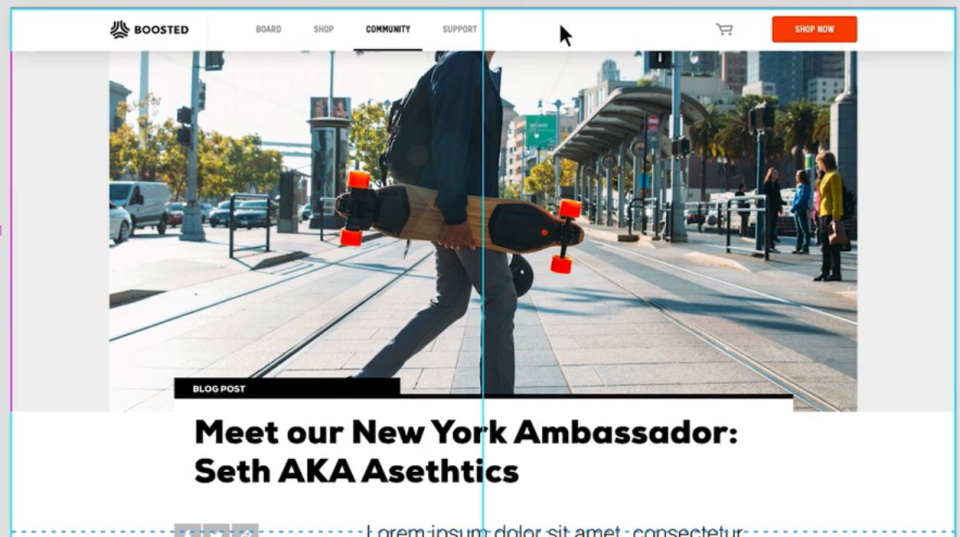
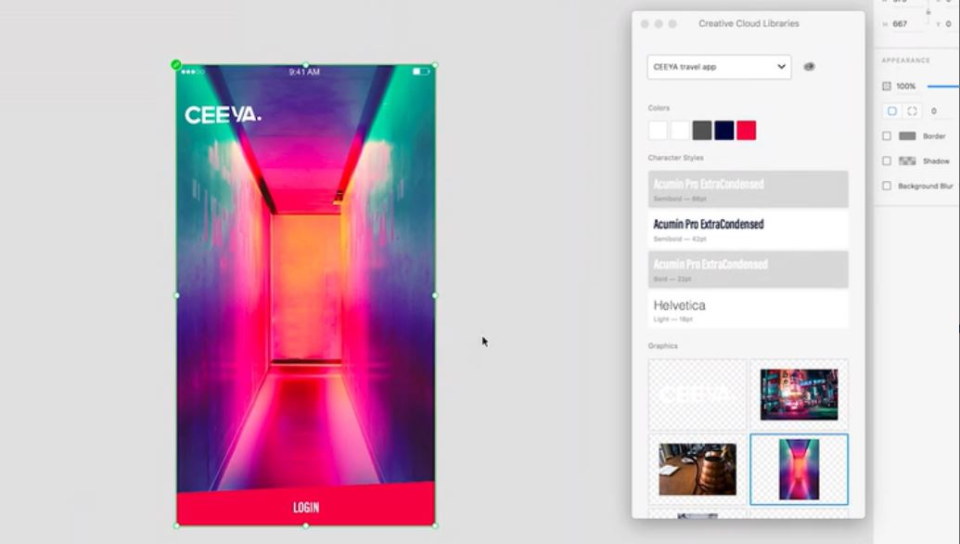
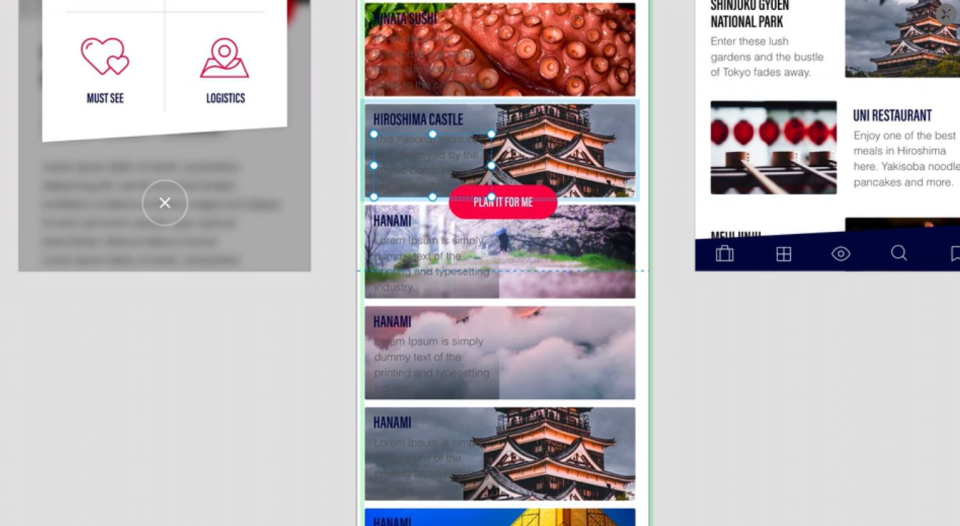
Screenshots
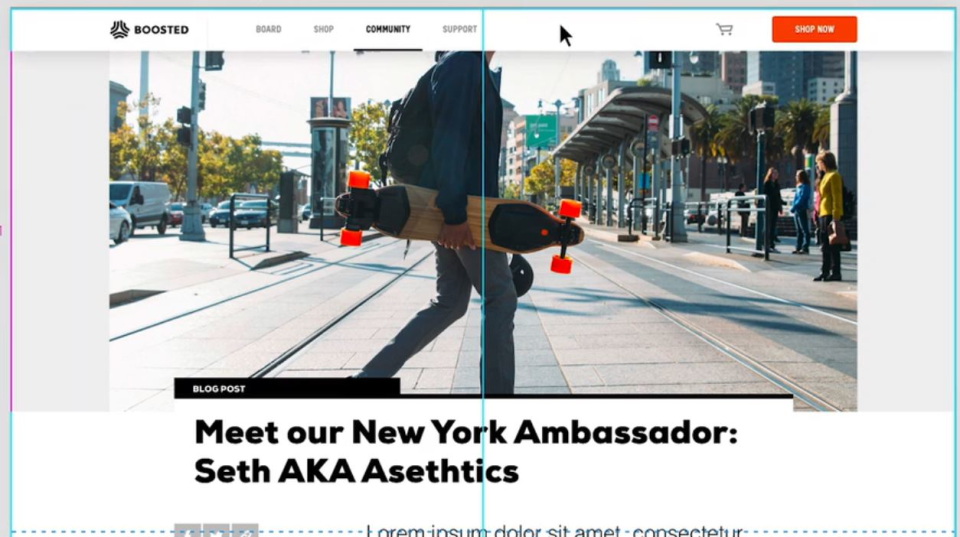
Video
Features
FAQ
The official website of Adobe XD is https://adobexdplatform.com/
Adobe XD belongs to the Animation, Prototyping, Wireframe, App Design category.
Adobe XD offers features such as Animations & Transitions, Media Import, Pre-built Templates, Software Prototyping, Usability Testing, UX Prototyping, Mockup Creation, Wireframe Creation, Prototype Creation.
Adobe XD is used in industries such as Design, Information Technology & Services, Advertising & Marketing.
Adobe XD is built for Small Business, Mid Size Business, Enterprise
Adobe XD supports English, French, German, Japanese, Korean, Chinese
Adobe XD supports Android, Mac, Web-based, iPhone/iPad, Windows devices.
The starting price of Adobe XD is USD 9.99/per month.
No, Adobe XD does not offer a free trial.
Adobe XD was founded in 1982.
Adobe XD has approximately 1000+ employees.
Adobe XD is located in United States.
Adobe XD was founded by Adobe Inc..
Need help choosing this software?
Have questions about features, pricing, integrations, or implementation? Send an enquiry to the vendor and get the information you need.
Pricing
Starting at:
$9.99/per month
Free Trial Available
Vendor Details
- Vendor
- Adobe Inc.
- Founded
- 1982
- Locations
- United States
- Company Size
- 1000+
- Social Media


