FileHold
Secure, scalable document management for teams 10+. Includ: version control, automated workflows, mobile access, MS Office integration.
What is FileHold?
FileHold is a scalable, secure document management solution built for organizations managing thousands of users and millions of documents. Choose flexible deploymenton-premise or in the cloudand work seamlessly within Microsoft Office. Protect sensitive information with enterprise-grade security, including two-factor authentication, role-based access, and e-signatures. Automate review and approval processes with customizable workflows, and access documents securely from any device. FileHold helps you stay organized, compliant, and efficient.
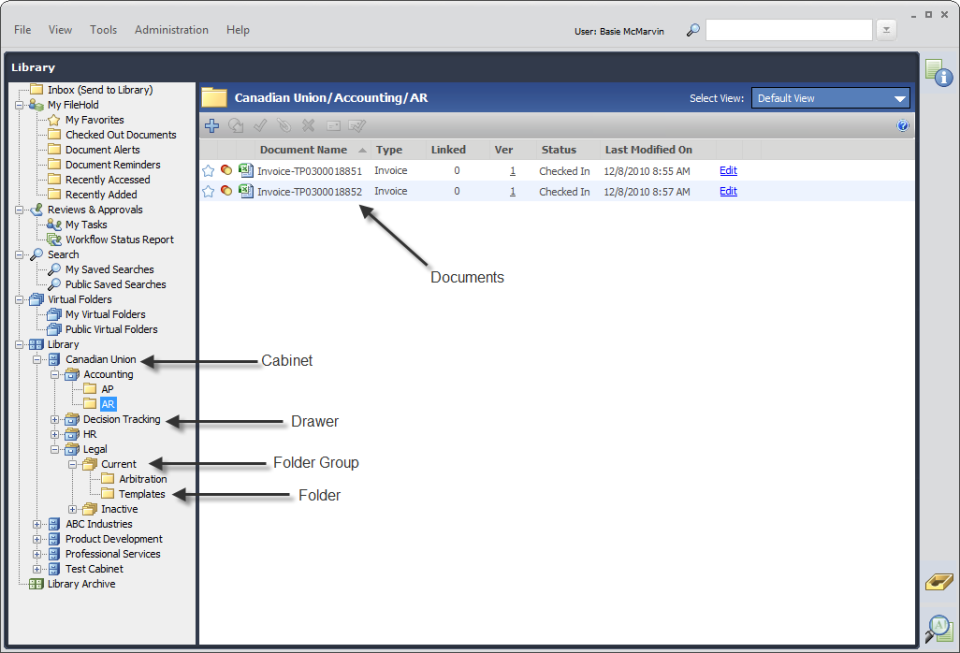
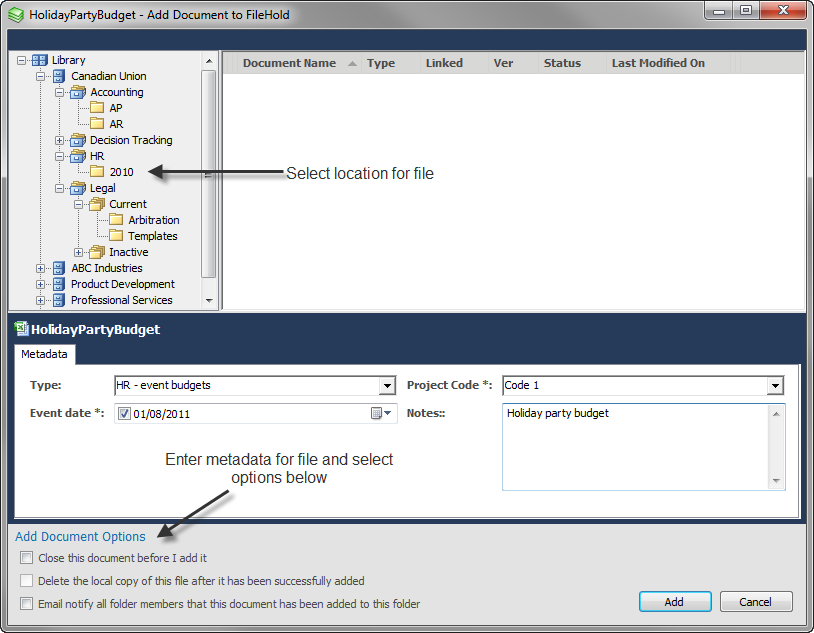
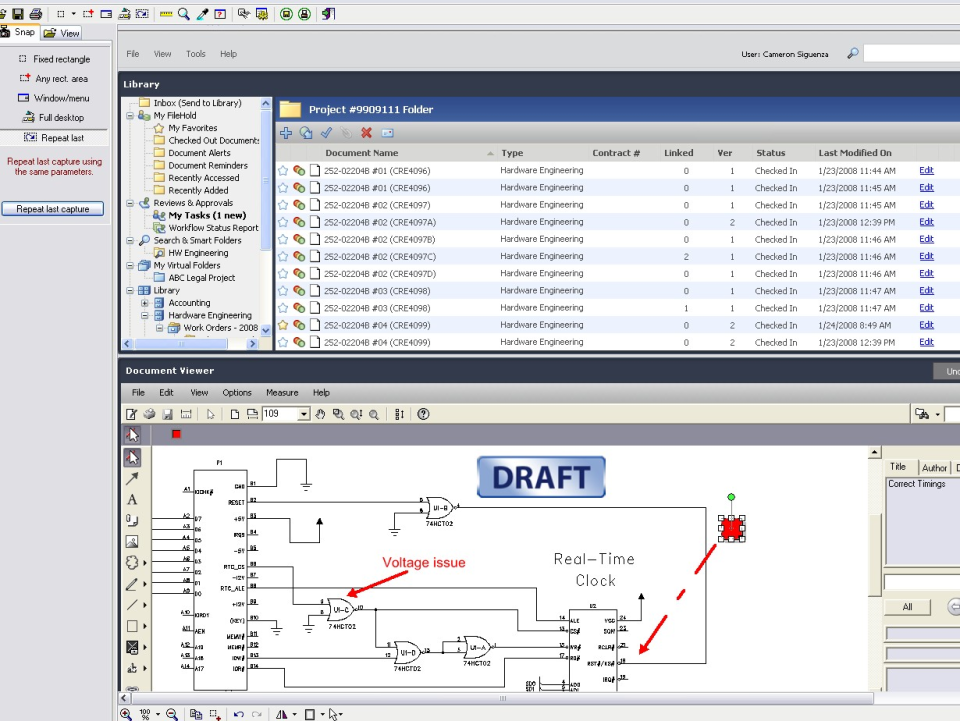
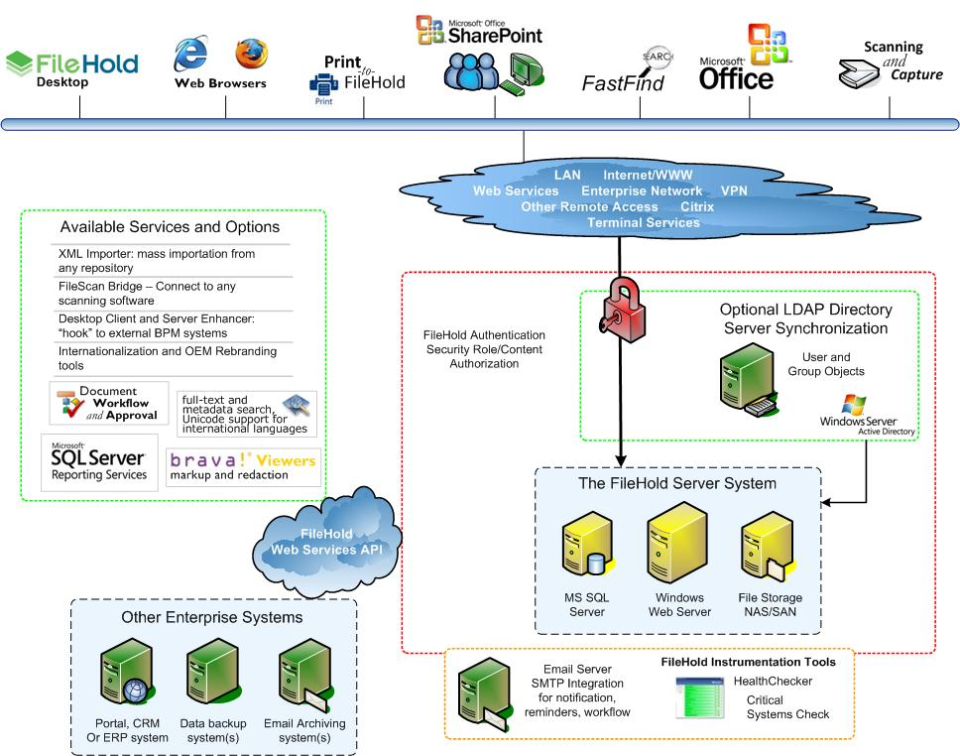
Screenshots


Video
Features
FAQ
The official website of FileHold is https://www.filehold.com/
FileHold is a scalable, secure document management solution built for organizations managing thousands of users and millions of documents. Choose flexible deploymenton-premise or in the cloudand work seamlessly within Microsoft Office. Protect sensitive information with enterprise-grade security, including two-factor authentication, role-based access, and e-signatures. Automate review and approval processes with customizable workflows, and access documents securely from any device. FileHold helps you stay organized, compliant, and efficient.
FileHold belongs to the Archiving, Compliance, Content Management, Document Control, Document Management, Document Version Control, Form Builder, Forms Automation, Janitorial, Virtual Data Room, Workflow Management category.
FileHold offers features such as Compliance Management, Data Import/Export, Data Migration, Data Recovery, Data Retention Management, Disaster Recovery, Document Management, Match & Merge, Storage Management, Access Controls/Permissions, Audit Management, Compliance Tracking, Corrective and Preventive Actions (CAPA), Incident Management, Monitoring, Risk Management, Version Control, Collaboration Tools, Content Publishing Options, Customizable Templates, Search/Filter, SEO Management, Archiving & Retention, Change Management, Electronic Signature, Document Generation, Document Storage, File Sharing, Secure Data Storage, Approval Process Control, Audit Trail, Commenting/Notes, Document Check-in/Check-out, For Engineering Documents, Version Comparison, Version Rollback, Drag & Drop, Forms Management, Process/Workflow Automation, Alerts/Notifications, Content Management, Full Text Search, Knowledge Base Management, Authentication, Bulk Uploading, Multi-Factor Authentication, Secure File Viewer, Business Process Automation, Calendar Management, Mobile Access, Task Management, Third-Party Integrations, Workflow Configuration.
No, FileHold does not offer a free trial.
Pricing
Starting at:
USD 50/per month
Free Trial Available
Reviews(0)
Write a reviewFileHold alternatives

Google Docs
Web-based platform designed to store, create and edit spreadsheets, use templates, create charts, comment on documents, and more.

Google Drive
Google Drive is a cloud-based storage platform that allows users and teams to store, access, and share files in one secure place. Flexible storage options with data loss prevention features are available. Using Google AI, this solution can identify...load more

Dropbox Business
Dropbox Business is the secure file sharing and storage solution that employees love and IT admins trust. Start a free trial today!

Google Workspace
Google Workspace's word processing for teams. Work on a single document with team members or people outside your company. See edits as others type, communicate through built-in chat and ask questions by including comments. Create, edit and share...load more

WordPress
Open source software that is free to use for creating blogs and websites.

Microsoft 365
Microsoft 365 - formerly known as Office 365 - is more than just Word, Excel, PowerPoint, and Outlook. It provides powerful services like business-class email, online storage, and teamwork solutions that you can access from anywhere. Bring teams and...load more

OneDrive
Microsoft OneDrive is a web-based digital asset management solution that allows businesses of all sizes to efficiently manage, collaborate, and share files. Administrators can set up a private or public site for authorized users, who can then create...load more

Google Forms
Google Forms is an online form builder within the Google Workspace suite that enables users to create surveys, questionnaires, and forms for data collection and insights. It offers pre-built templates for various needs that can be customized to...load more

Wix
Wix empowers small businesses to build and manage websites quickly. Most users rely on it for designing, blogging, and marketing. Its drag-and-drop editor and mobile access stand out for ease of use, while limitations in SEO and advanced...load more