
Monitor360
Work Insights That Matter
What is Monitor360?
You cannot improve what you cannot see. Monitor360.io gives you co mplete visibility into how work is actually happening inside your organization.
Whether your team works remotely, in the office, or across multiple locations, Monitor360 shows you exactly how time is spent, which tools are used, and how productive your workforce really is. No guessing. No chasing updates. Just clear, real-time insight.
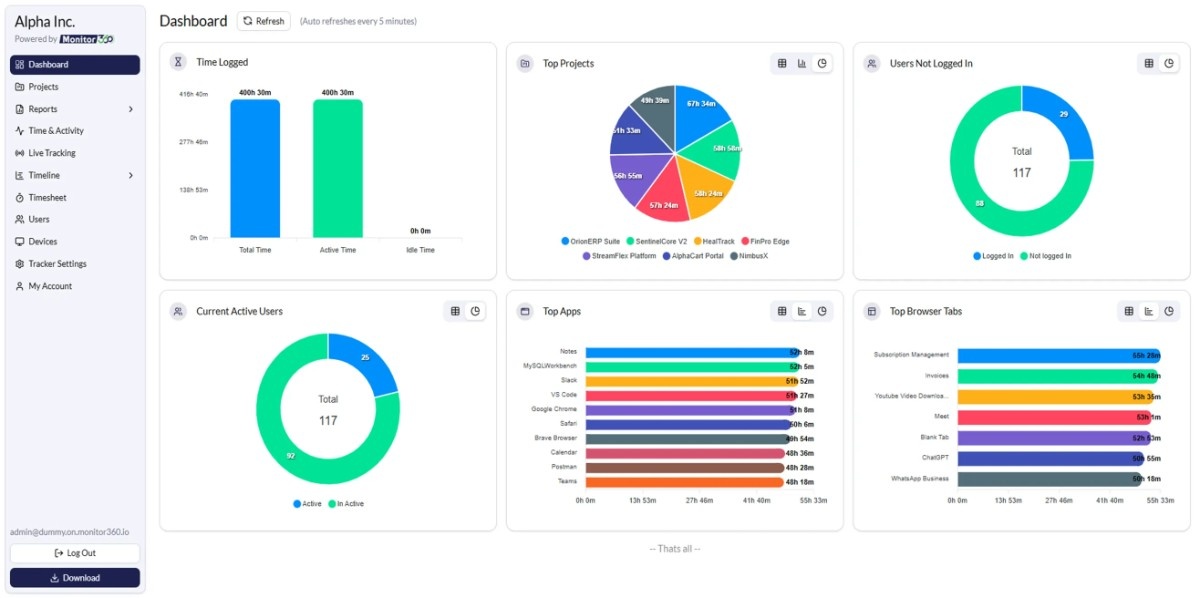
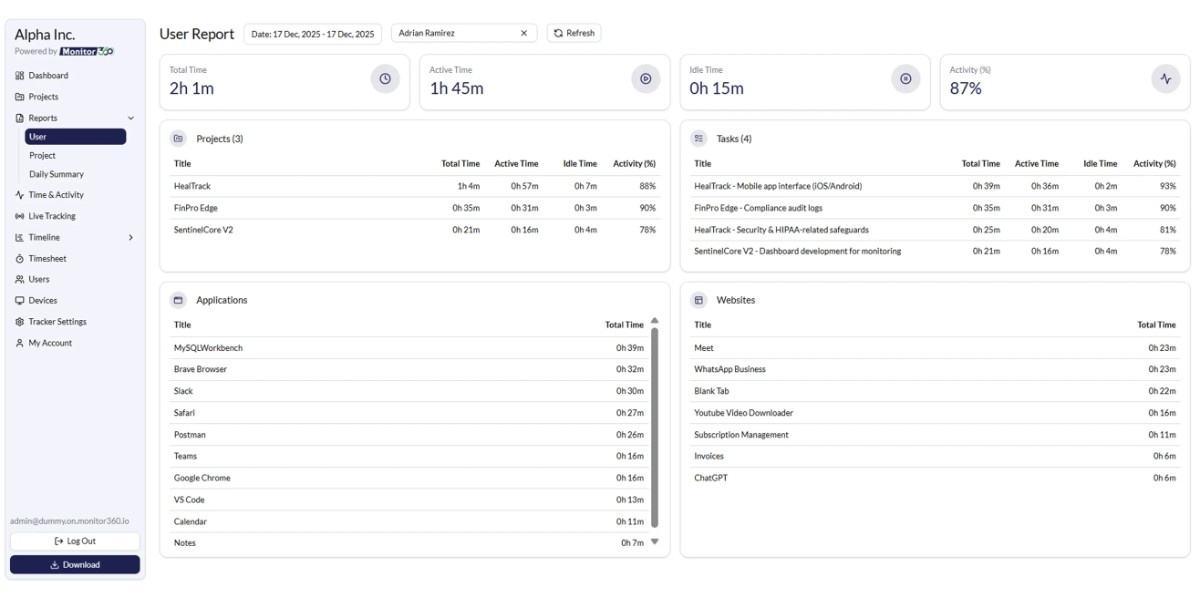
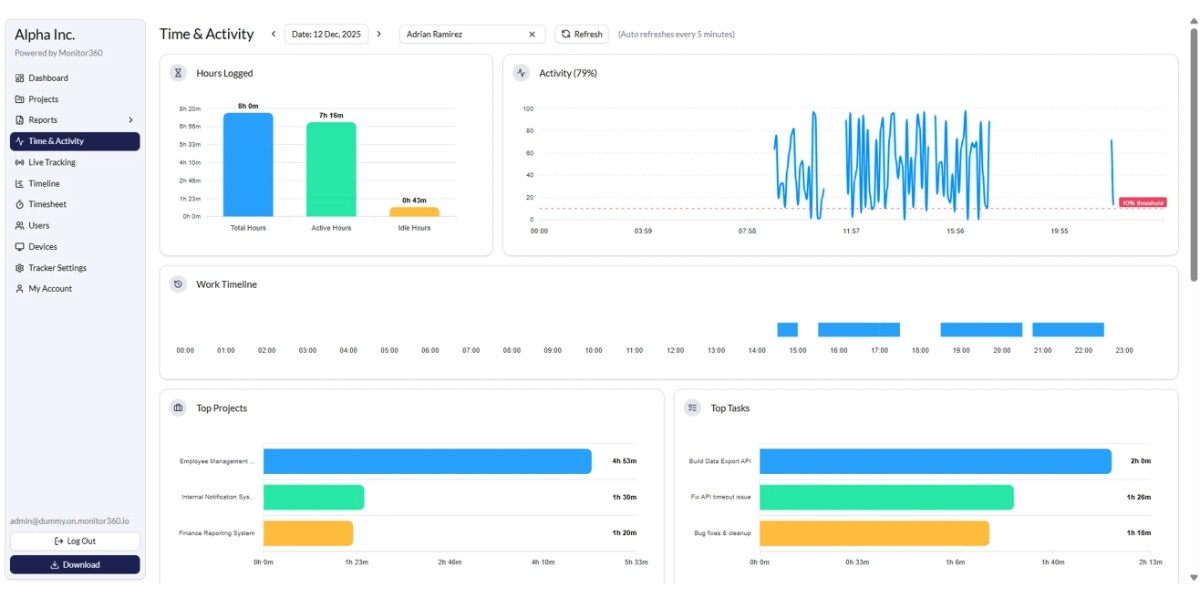
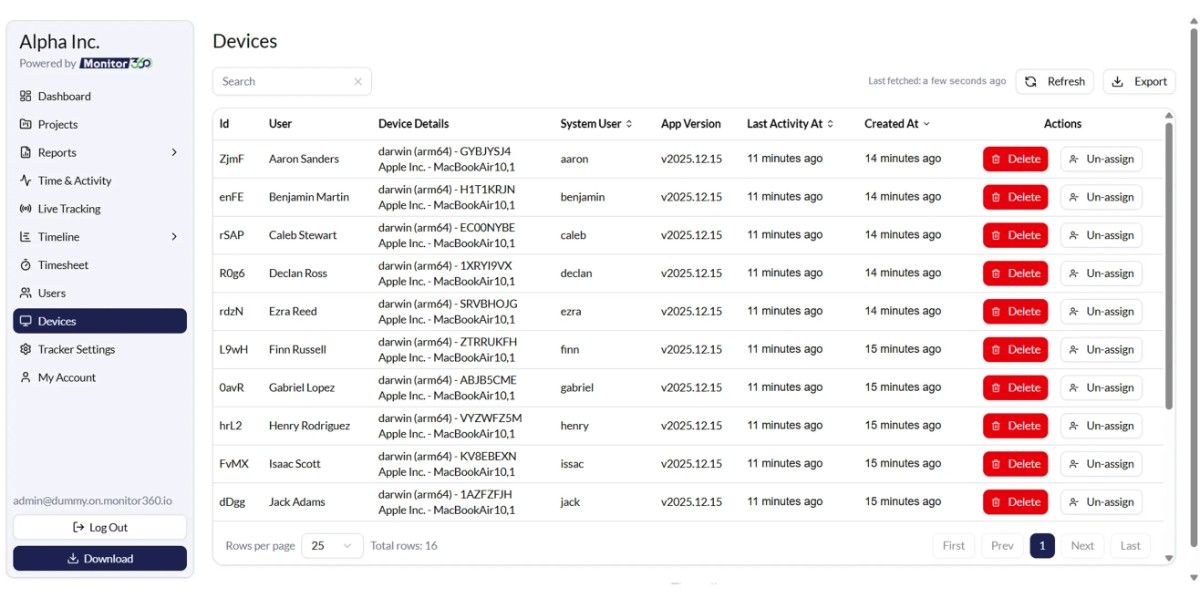
Monitor360 tracks employee activity, work hours, application and website usage, idle time, and task progress through one powerful and easy-to-use dashboard. Managers can instantly see who is working, what they are working on, and how efficiently work is being completed.
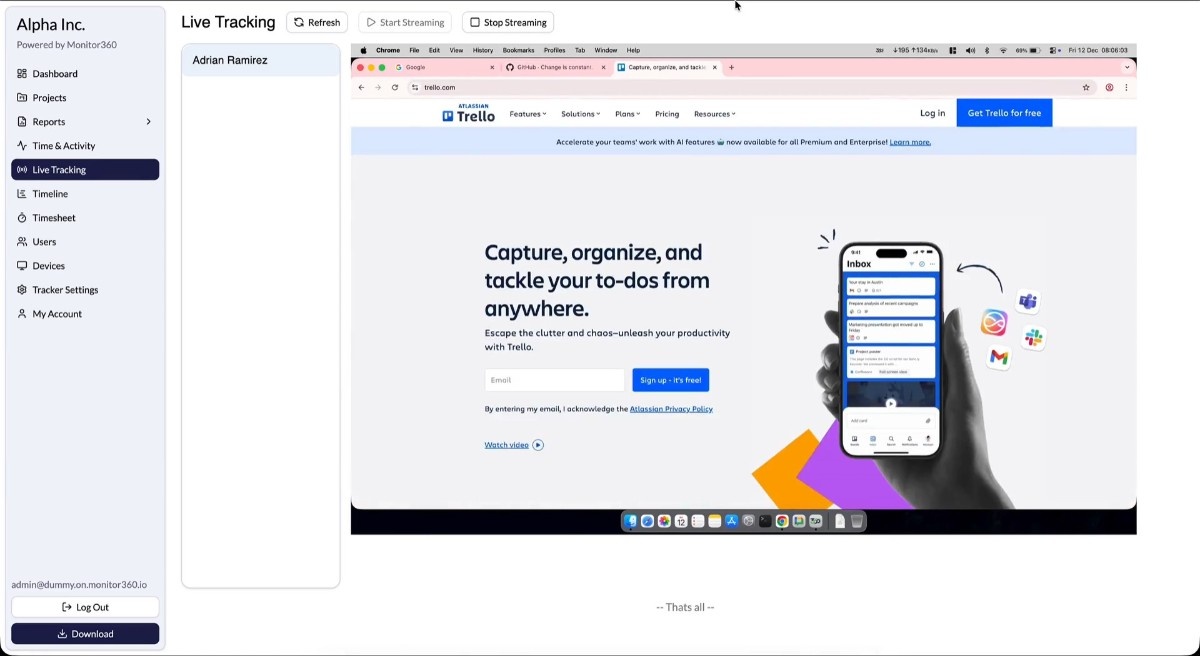
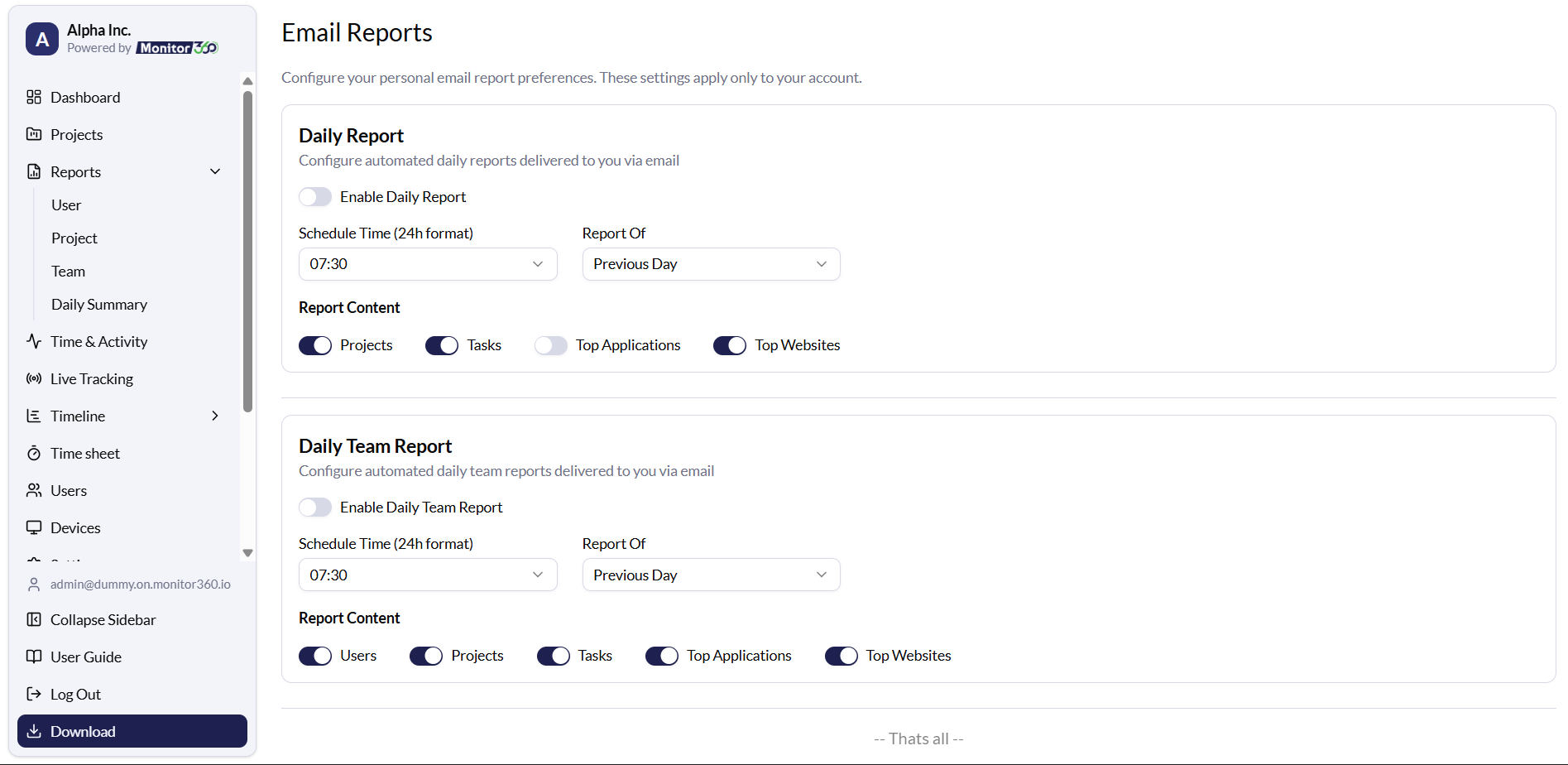
Need deeper visibility? A live screen view lets you see activity in real time. Automated email reports deliver daily, weekly, or monthly performance summaries straight to your inbox. You choose the metrics that matter, so every report is relevant and actionable.
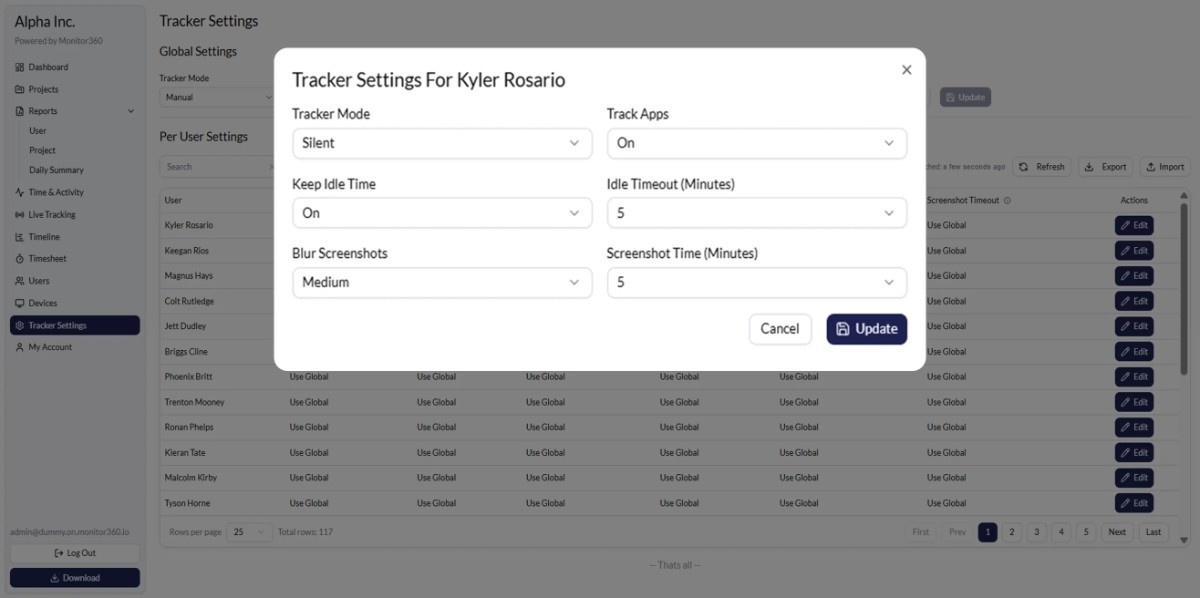
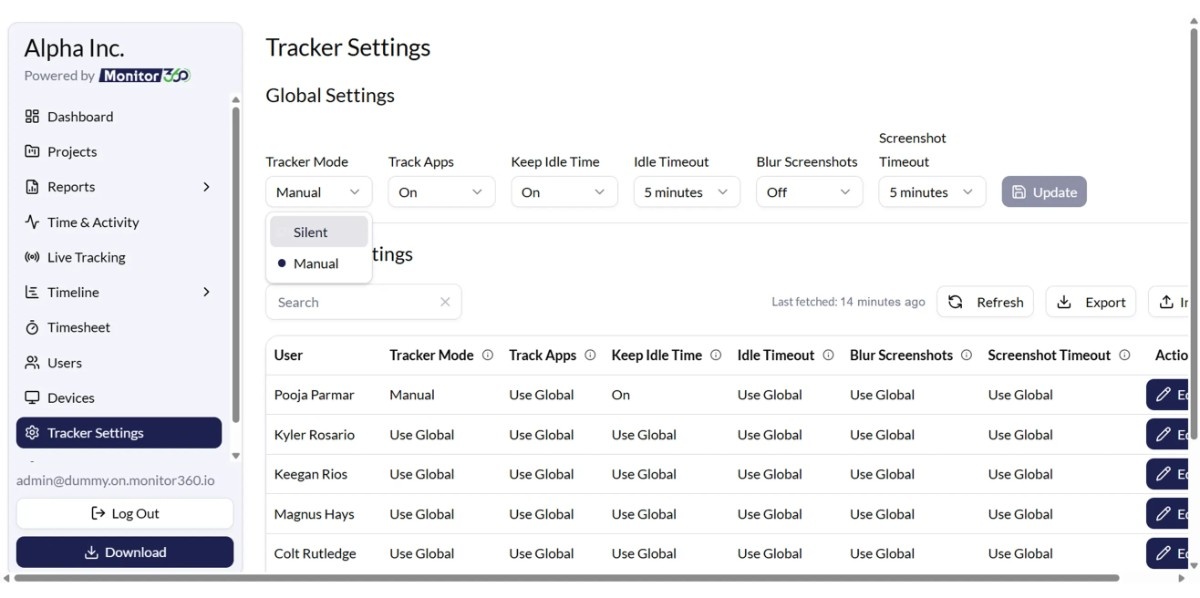
Every team is different, which is why Monitor360 gives you full control over tracking settings. Customize screenshot intervals, define idle time rules, adjust app tracking preferences, and set different monitoring levels for different employees or departments. You decide how monitoring works.
Role-based access control ensures the right people see the right data. Managers only view their teams. Admins control system settings. Everything stays organized and secure.
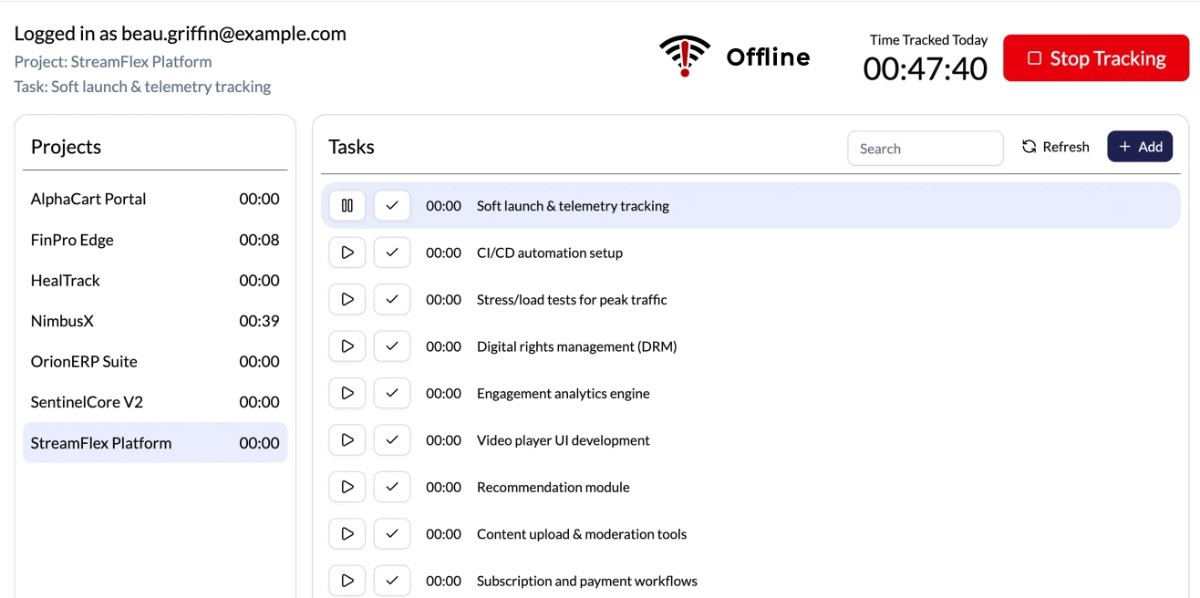
Even if the internet goes offline, Monitor360 continues tracking and automatically syncs data once the connection returns. No gaps. No lost information.
From growing startups to large enterprises, Monitor360 helps reduce wasted time, improve accountability, optimize resources, and turn daily work activity into measurable performance.
When you can see the work clearly, you can manage it confidently.
That is what Monitor360.io delivers.
Screenshots
Categories
Features
FAQ
The official website of Monitor360 is https://monitor360.io/
You cannot improve what you cannot see. Monitor360.io gives you co mplete visibility into how work is actually happening inside your organization.
Whether your team works remotely, in the office, or across multiple locations, Monitor360 shows you exactly how time is spent, which tools are used, and how productive your workforce really is. No guessing. No chasing updates. Just clear, real-time insight.
Monitor360 tracks employee activity, work hours, application and website usage, idle time, and task progress through one powerful and easy-to-use dashboard. Managers can instantly see who is working, what they are working on, and how efficiently work is being completed.
Need deeper visibility? A live screen view lets you see activity in real time. Automated email reports deliver daily, weekly, or monthly performance summaries straight to your inbox. You choose the metrics that matter, so every report is relevant and actionable.
Every team is different, which is why Monitor360 gives you full control over tracking settings. Customize screenshot intervals, define idle time rules, adjust app tracking preferences, and set different monitoring levels for different employees or departments. You decide how monitoring works.
Role-based access control ensures the right people see the right data. Managers only view their teams. Admins control system settings. Everything stays organized and secure.
Even if the internet goes offline, Monitor360 continues tracking and automatically syncs data once the connection returns. No gaps. No lost information.
From growing startups to large enterprises, Monitor360 helps reduce wasted time, improve accountability, optimize resources, and turn daily work activity into measurable performance.
When you can see the work clearly, you can manage it confidently.
That is what Monitor360.io delivers.
Monitor360 belongs to the Employee Monitoring, Time Tracking, Workforce Management, Productivity, Project Tracking category.
Monitor360 offers features such as Billable & Non-Billable Hours, Online Time Tracking, Browsing History, Productivity Analysis, Employee Activity Monitoring, Screen Activity Recording, Project Time Tracking.
Monitor360 is used in industries such as Business Services.
Monitor360 is built for Small Business, Mid Size Business, Enterprise
Monitor360 supports English
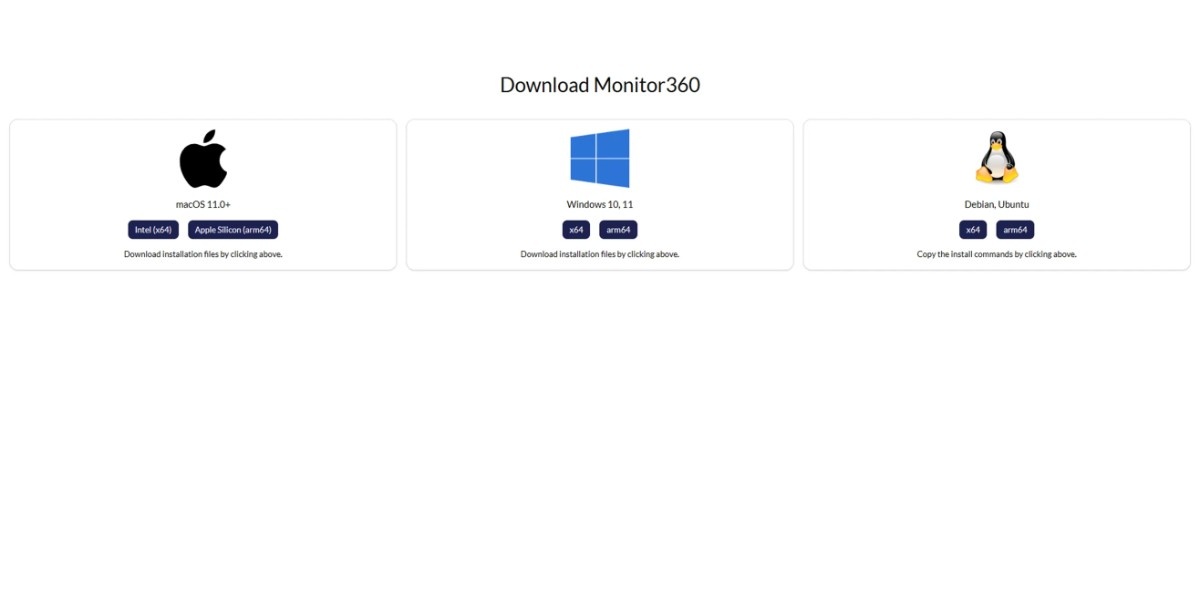
Monitor360 supports Linux, Mac, Windows devices.
The starting price of Monitor360 is USD 1.6/per month.
Yes, Monitor360 offers a free trial.
Monitor360 was founded in 2025.
Monitor360 has approximately 101-500 employees.
Monitor360 is located in India.
Monitor360 was founded by Monitor360.
Pricing
Starting at:
$1.6/per month
Free Trial Available
Vendor Details
- Vendor
- Monitor360
- Founded
- 2025
- Locations
- India
- Company Size
- 101-500
- Social Media


Industries
Customer Segments
Languages
Devices
Reviews(0)
Write a reviewMonitor360 alternatives
Google Docs
Web-based platform designed to store, create and edit spreadsheets, use templates, create charts, comment on documents, and more.

Slack
Slack is where work happens for millions of people everyday. Slack transforms how work happens by bringing AI and automation to where people are already collaborating. Go from chatting with your teams to chatting with apps and data. Break down siloed...load more
Trello
Trello is a visual project management tool favored by small businesses in marketing, IT services, and design. Its intuitive Kanban boards and drag-and-drop tasks make organizing work simple. Users highlight its ease of use and collaboration features,...load more
Dropbox Business
Dropbox Business is the secure file sharing and storage solution that employees love and IT admins trust. Start a free trial today!

Microsoft PowerPoint
PowerPoint is a Microsoft on-premise presentation solution that lets professionals create, edit and share slides with team members, external clients and other stakeholders. Administrators can track changes made by team members and insert embedded ani...load more
Microsoft Excel
Microsoft Excel is a productivity tool for creating spreadsheets, and for performing statistics and analysis. It features over 100 functions and more than 235 built-in formulas, 1D and 2D charting, pivot tables for cross-tabulation analysis, multiple...load more
Salesforce Sales Cloud
Build a customer 360 with a CRM that is deeply integrated across sales, service, marketing, commerce, and more with trusted AI, data, analytics, and collaboration in one integrated solution. Discover how Einstein 1 helps you become an AI Enterprise b...load more

Google Workspace
Google Workspace's word processing for teams. Work on a single document with team members or people outside your company. See edits as others type, communicate through built-in chat and ask questions by including comments. Create, edit and share docs...load more

Jira
Jira is particularly well suited to software development and agile teams. Its versatility, however, extends beyond software development to product management, IT operations, and customer support, and it offers robust issue tracking and task managemen...load more

Zoom Workplace
With Team Chat, Phone, AI Companion, and more, Zoom Workplace is the platform for your best work.