
Softaken TGZ to MSG Converter Tool
Seamless Zimbra to MSG, Zero Data Loss
What is Softaken TGZ to MSG Converter Tool?
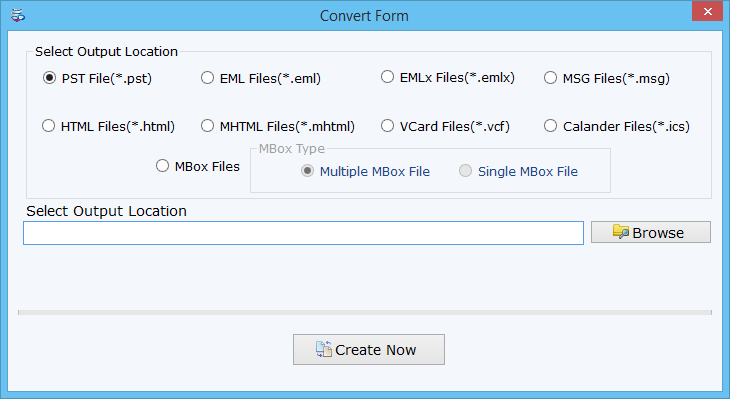
Softaken TGZ to MSG Converter Tool is a specialized email conversion utility designed to help users migrate emails from TGZ archive files into the MSG format used by Microsoft Outlook. TGZ files are commonly generated by email clients such as Zimbra to store compressed mailbox data. However, accessing or managing these files directly in Outlook can be difficult because Outlook does not support TGZ files natively. This tool addresses that challenge by allowing users to convert TGZ email files into MSG format while preserving the original structure, content, and metadata of each message.
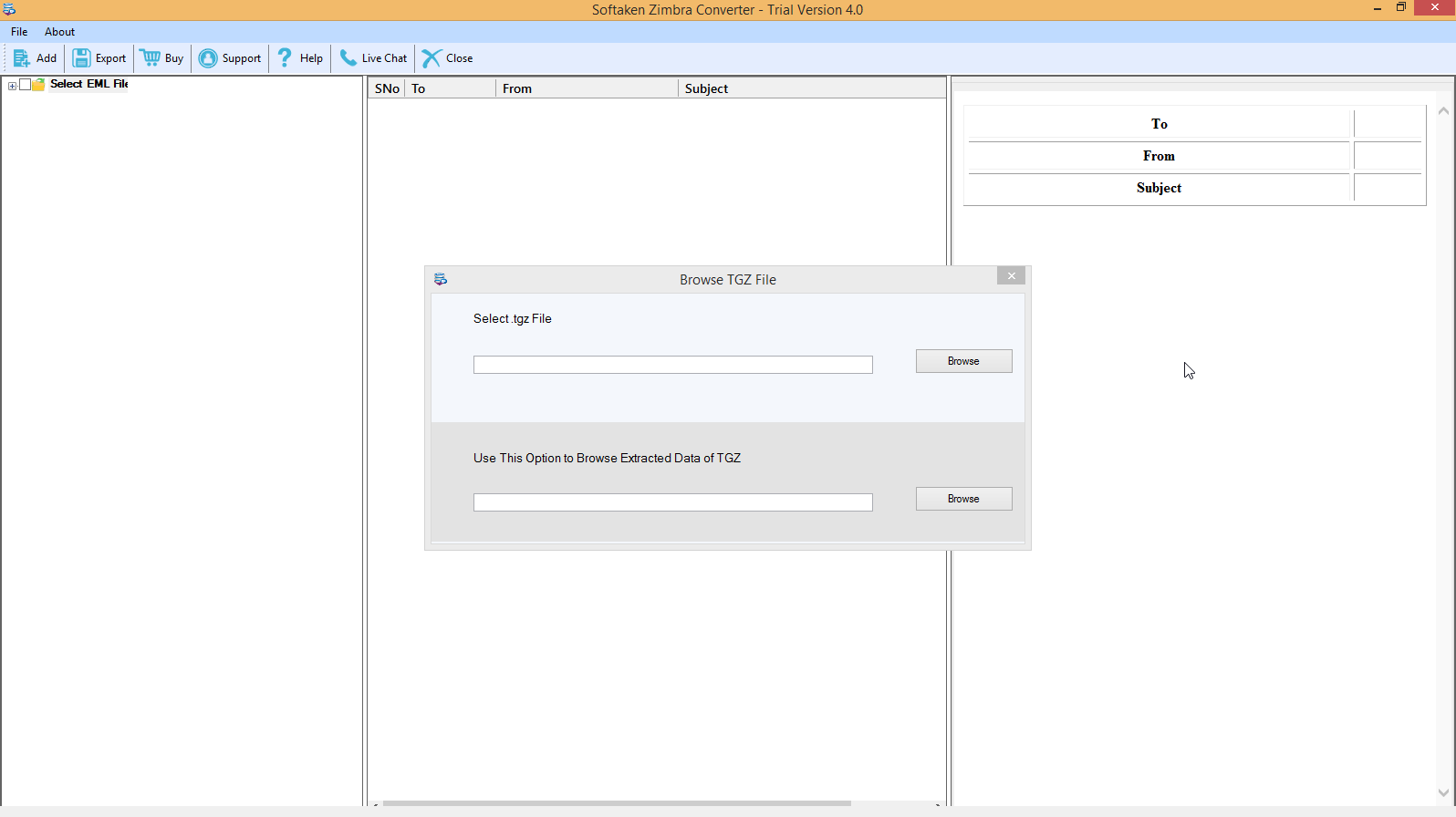
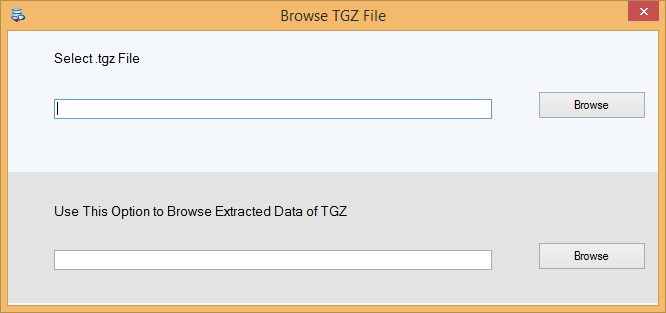
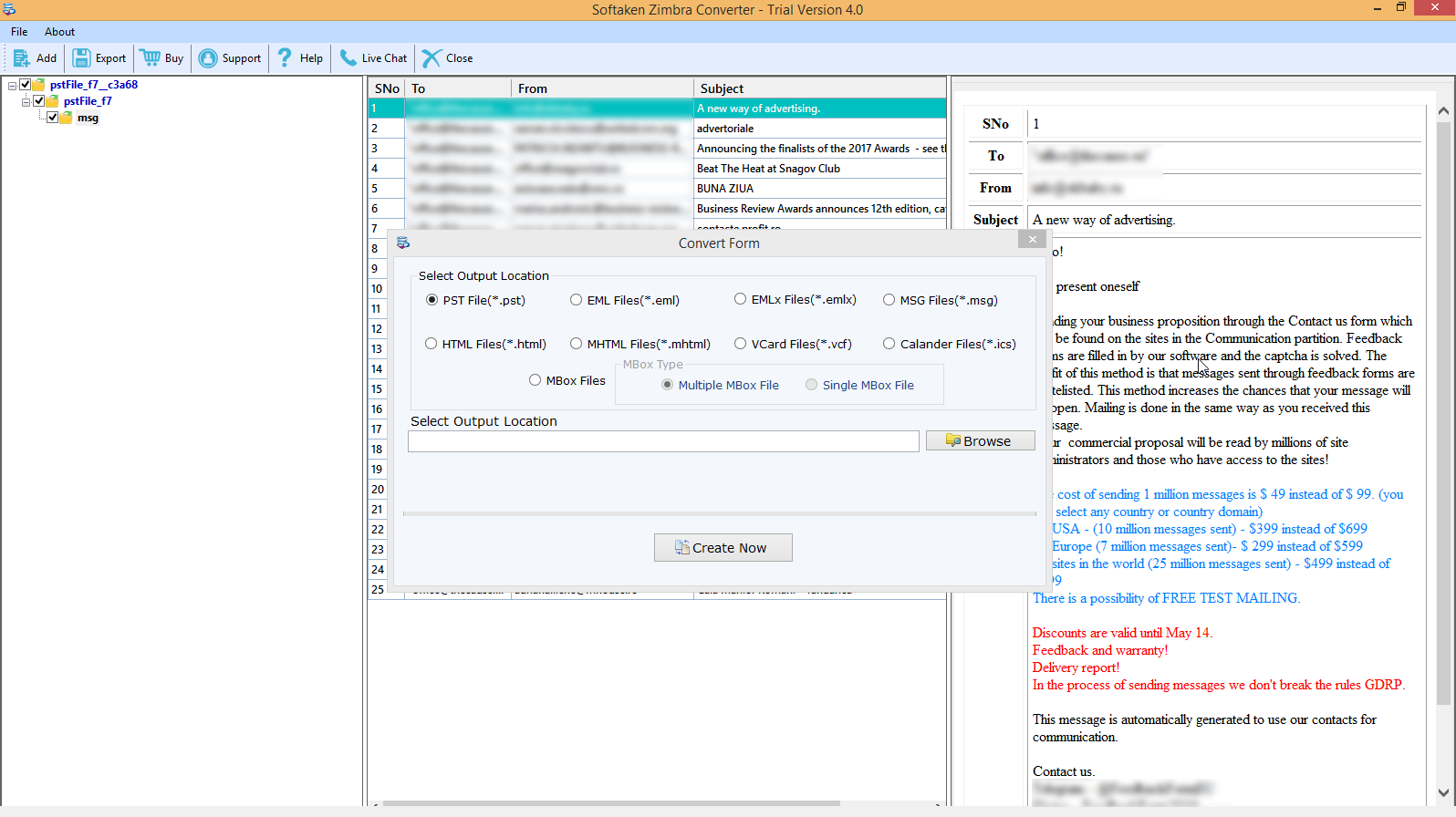
The software works by scanning TGZ files and extracting the email data stored within them. Once the files are loaded into the interface, the tool processes the emails and converts them into individual MSG files that are fully compatible with Microsoft Outlook. During the conversion process, the application maintains essential components such as attachments, subject lines, sender and recipient information, timestamps, and formatting. This ensures that the converted files closely match the original emails without losing important details. The interface is designed to be straightforward, allowing users to load TGZ files, preview their contents, and complete the conversion process without requiring advanced technical knowledge.
One of the main advantages of the Softaken TGZ to MSG Converter Tool is its ability to simplify complex email migrations. Converting TGZ files manually can be time-consuming and often requires multiple steps or third-party configurations. This tool automates the entire process, saving users significant time and reducing the risk of errors during conversion. By maintaining folder hierarchy and message integrity, it ensures that users can organize and access their emails in Outlook exactly as they were stored in the original TGZ archive.
The software can be useful for a variety of users who need to access TGZ email data in Outlook. IT professionals and system administrators may rely on it during email platform migrations, especially when moving data from Zimbra-based systems to Microsoft Outlook environments. Businesses that store archived email backups in TGZ format can use the tool to recover or review specific messages. Individual users who have exported or received TGZ files from older email systems can also convert them into MSG format for easier viewing and management.
Overall, the Softaken TGZ to MSG Converter Tool provides a practical solution for handling TGZ email archives that need to be accessed in Outlook. By offering a simple conversion workflow, preserving important email elements, and reducing the technical complexity of email migration, the software helps users manage their email data more efficiently. For organizations or individuals working with TGZ email backups, it serves as a reliable option for converting and organizing messages in a format that integrates seamlessly with Microsoft Outlook.
Screenshots
Video
FAQ
The official website of Softaken TGZ to MSG Converter Tool is https://www.softaken.com/tgz-to-msg-converter
<p>Softaken TGZ to MSG Converter Tool is a specialized email conversion utility designed to help users migrate emails from TGZ archive files into the MSG format used by Microsoft Outlook. TGZ files are commonly generated by email clients such as Zimbra to store compressed mailbox data. However, accessing or managing these files directly in Outlook can be difficult because Outlook does not support TGZ files natively. This tool addresses that challenge by allowing users to convert TGZ email files into MSG format while preserving the original structure, content, and metadata of each message.</p> <p>The software works by scanning TGZ files and extracting the email data stored within them. Once the files are loaded into the interface, the tool processes the emails and converts them into individual MSG files that are fully compatible with Microsoft Outlook. During the conversion process, the application maintains essential components such as attachments, subject lines, sender and recipient information, timestamps, and formatting. This ensures that the converted files closely match the original emails without losing important details. The interface is designed to be straightforward, allowing users to load TGZ files, preview their contents, and complete the conversion process without requiring advanced technical knowledge.</p> <p>One of the main advantages of the Softaken TGZ to MSG Converter Tool is its ability to simplify complex email migrations. Converting TGZ files manually can be time-consuming and often requires multiple steps or third-party configurations. This tool automates the entire process, saving users significant time and reducing the risk of errors during conversion. By maintaining folder hierarchy and message integrity, it ensures that users can organize and access their emails in Outlook exactly as they were stored in the original TGZ archive.</p> <p>The software can be useful for a variety of users who need to access TGZ email data in Outlook. IT professionals and system administrators may rely on it during email platform migrations, especially when moving data from Zimbra-based systems to Microsoft Outlook environments. Businesses that store archived email backups in TGZ format can use the tool to recover or review specific messages. Individual users who have exported or received TGZ files from older email systems can also convert them into MSG format for easier viewing and management.</p> <p>Overall, the Softaken TGZ to MSG Converter Tool provides a practical solution for handling TGZ email archives that need to be accessed in Outlook. By offering a simple conversion workflow, preserving important email elements, and reducing the technical complexity of email migration, the software helps users manage their email data more efficiently. For organizations or individuals working with TGZ email backups, it serves as a reliable option for converting and organizing messages in a format that integrates seamlessly with Microsoft Outlook. </p>
Softaken TGZ to MSG Converter Tool belongs to the Productivity, Email Archiving, Email Management category.
Softaken TGZ to MSG Converter Tool is used in industries such as Computer Software, Information Technology & Services, Utilities.
Softaken TGZ to MSG Converter Tool is built for Small Business, Mid Size Business, Enterprise
Softaken TGZ to MSG Converter Tool supports English
Softaken TGZ to MSG Converter Tool supports Windows devices.
The starting price of Softaken TGZ to MSG Converter Tool is USD 49/one time.
Yes, Softaken TGZ to MSG Converter Tool offers a free trial.
Softaken TGZ to MSG Converter Tool was founded in 2015.
Softaken TGZ to MSG Converter Tool has approximately 11-50 employees.
Softaken TGZ to MSG Converter Tool is located in Canada.
Softaken TGZ to MSG Converter Tool was founded by Softaken Software.
Pricing
Starting at:
$49/one time
Free Trial Available
Vendor Details
- Vendor
- Softaken Software
- Founded
- 2015
- Locations
- Canada
- Company Size
- 11-50
- Social Media


Industries
Customer Segments
Languages
Devices
Reviews(0)
Write a reviewSoftaken TGZ to MSG Converter Tool alternatives

Google Docs
Web-based platform designed to store, create and edit spreadsheets, use templates, create charts, comment on documents, and more.

Slack
Slack is where work happens for millions of people everyday. Slack transforms how work happens by bringing AI and automation to where people are already collaborating. Go from chatting with your teams to chatting with apps and data. Break down siloed...load more

Trello
Trello is a visual project management tool favored by small businesses in marketing, IT services, and design. Its intuitive Kanban boards and drag-and-drop tasks make organizing work simple. Users highlight its ease of use and collaboration features,...load more

Dropbox Business
Dropbox Business is the secure file sharing and storage solution that employees love and IT admins trust. Start a free trial today!

Microsoft PowerPoint
PowerPoint is a Microsoft on-premise presentation solution that lets professionals create, edit and share slides with team members, external clients and other stakeholders. Administrators can track changes made by team members and insert embedded ani...load more

Microsoft Excel
Microsoft Excel is a productivity tool for creating spreadsheets, and for performing statistics and analysis. It features over 100 functions and more than 235 built-in formulas, 1D and 2D charting, pivot tables for cross-tabulation analysis, multiple...load more

Salesforce Sales Cloud
Build a customer 360 with a CRM that is deeply integrated across sales, service, marketing, commerce, and more with trusted AI, data, analytics, and collaboration in one integrated solution. Discover how Einstein 1 helps you become an AI Enterprise b...load more

Mailchimp
Mailchimp is a marketing platform primarily used by small businesses in marketing and IT services to manage email campaigns and customer outreach. Users value its drag-and-drop editor and real-time analytics for campaign tracking. Its AI growth assis...load more

Google Workspace
Google Workspace's word processing for teams. Work on a single document with team members or people outside your company. See edits as others type, communicate through built-in chat and ask questions by including comments. Create, edit and share docs...load more

Jira
Jira is particularly well suited to software development and agile teams. Its versatility, however, extends beyond software development to product management, IT operations, and customer support, and it offers robust issue tracking and task managemen...load more