Navigation RPA
KEYENCE Navigation RPA is an automation solution designed for the end-user, enabling individuals to automate their tasks independently.
What is Navigation RPA?
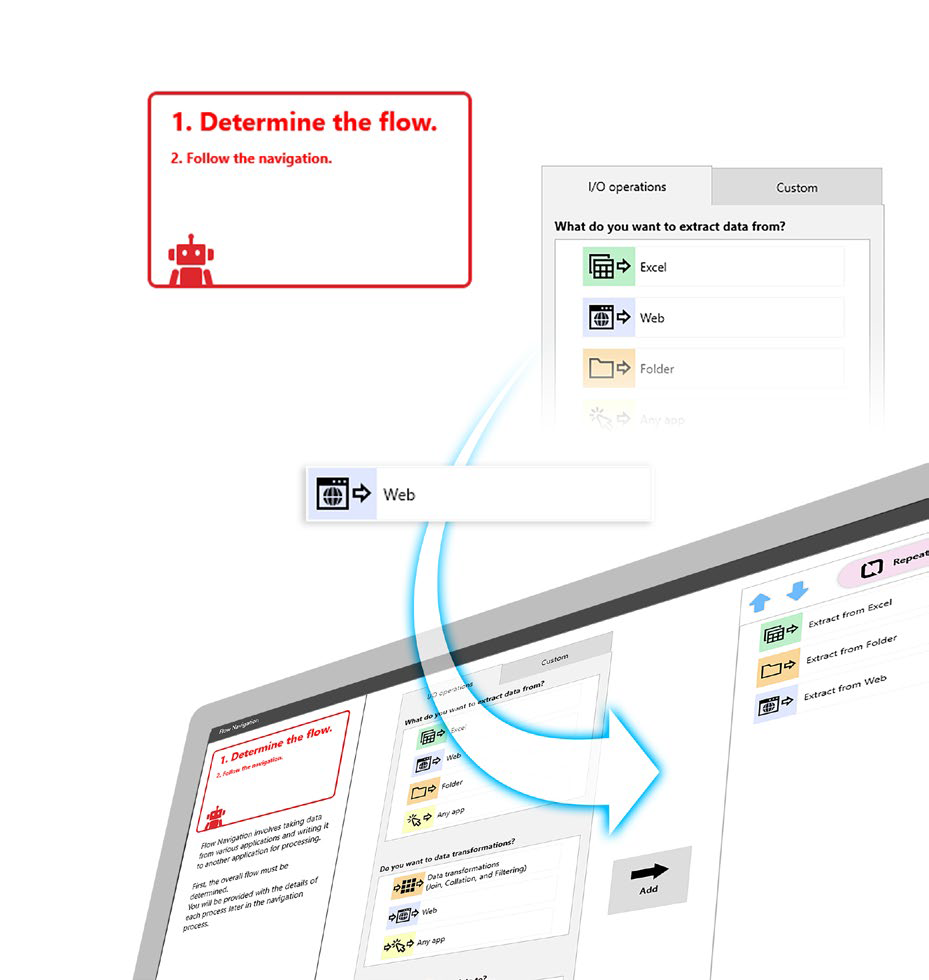
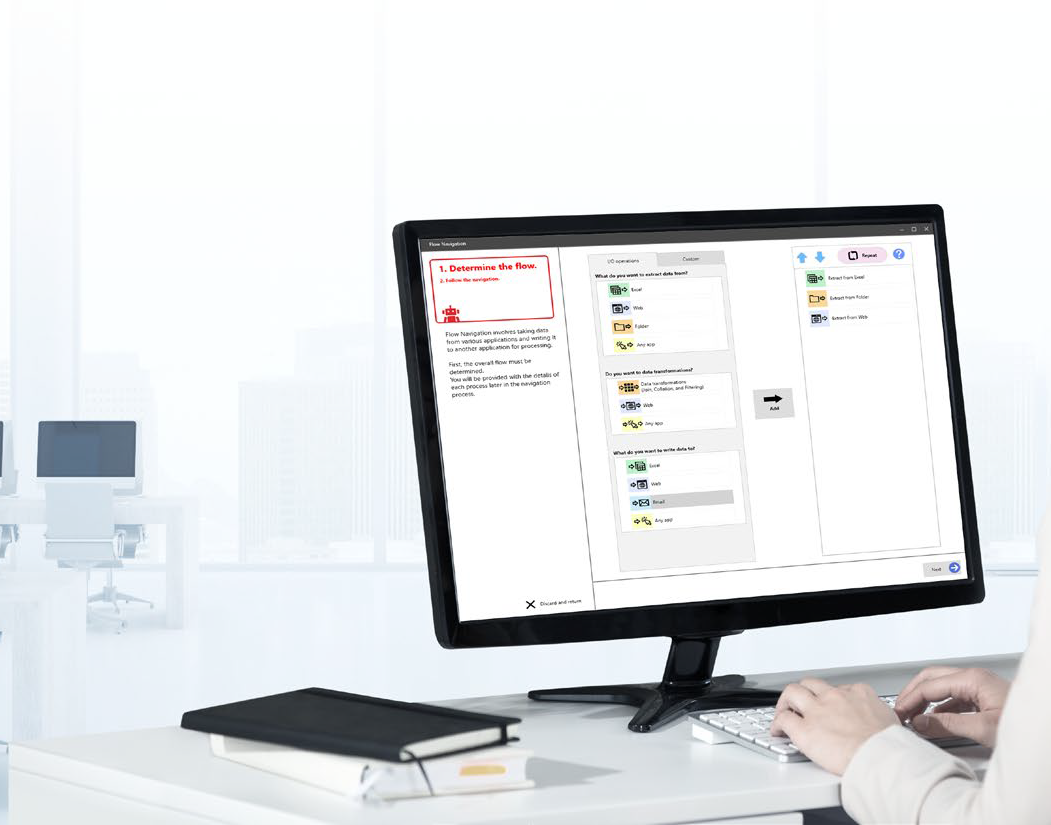
Navigation RPA is a no-code automation solution designed for end-users to automate tasks and processes without need for advanced technical expertise. The software integrates with existing systems and collaborative platforms. Users simply record their computer clicks, execute the sequence, and the task is completed automatically. It can navigate the web, scrape information, enter data into applications/portals, and generate reports. Navigation RPA adheres to user-defined rules and workflows, featuring Smart Process Recording to expedite the creation of automation scenarios. This allows users to perform tasks while the software records each action, constructing an automation scenario in the background for deployment. As an on-premise solution, Navigation RPA includes a floating license structure, enabling entire teams or departments to leverage one license, offload tedious work, and improve overall efficiency.
Screenshots
Video
Categories
Features
FAQ
The official website of Navigation RPA is https://www.keyence.com/
Navigation RPA is a no-code automation solution designed for end-users to automate tasks and processes without need for advanced technical expertise. The software integrates with existing systems and collaborative platforms. Users simply record their computer clicks, execute the sequence, and the task is completed automatically. It can navigate the web, scrape information, enter data into applications/portals, and generate reports. Navigation RPA adheres to user-defined rules and workflows, featuring Smart Process Recording to expedite the creation of automation scenarios. This allows users to perform tasks while the software records each action, constructing an automation scenario in the background for deployment. As an on-premise solution, Navigation RPA includes a floating license structure, enabling entire teams or departments to leverage one license, offload tedious work, and improve overall efficiency.
Navigation RPA belongs to the Business Process Management, Data Collection, Data Entry, Data Extraction, Data Preparation, Productivity category.
Navigation RPA offers features such as Business Process Automation, Collaboration Tools, Data Import/Export, Drag & Drop, Task Management, Third-Party Integrations, Workflow Management, Customizable Templates, Data Capture and Transfer, Forms Management, Multiple Data Sources, Reporting/Analytics, Abbreviation Detection, Customizable Forms, Data Quality Control, Data Replication, Document Management, Image Capture, API, Data Aggregation and Publishing, Data Connectors, Document Extraction, Email Address Extraction, Pricing Extraction, Web Data Extraction, AI/Machine Learning, Data Extraction, Data Integration, ETL, Alerts/Notifications, File Sharing, Search/Filter, Secure Data Storage, Task Scheduling.
No, Navigation RPA does not offer a free trial.
Pricing
Starting at:
$900/per month
Free Trial Available
Reviews(0)
Write a reviewNavigation RPA alternatives

Google Docs
Web-based platform designed to store, create and edit spreadsheets, use templates, create charts, comment on documents, and more.

Slack
Slack is where work happens for millions of people everyday. Slack transforms how work happens by bringing AI and automation to where people are already collaborating. Go from chatting with your teams to chatting with apps and data. Break down siloed...load more

Trello
Trello is a visual project management tool favored by small businesses in marketing, IT services, and design. Its intuitive Kanban boards and drag-and-drop tasks make organizing work simple. Users highlight its ease of use and collaboration features,...load more
Dropbox Business
Dropbox Business is the secure file sharing and storage solution that employees love and IT admins trust. Start a free trial today!

Microsoft PowerPoint
PowerPoint is a Microsoft on-premise presentation solution that lets professionals create, edit and share slides with team members, external clients and other stakeholders. Administrators can track changes made by team members and insert embedded ani...load more

Microsoft Excel
Microsoft Excel is a productivity tool for creating spreadsheets, and for performing statistics and analysis. It features over 100 functions and more than 235 built-in formulas, 1D and 2D charting, pivot tables for cross-tabulation analysis, multiple...load more
Salesforce Sales Cloud
Build a customer 360 with a CRM that is deeply integrated across sales, service, marketing, commerce, and more with trusted AI, data, analytics, and collaboration in one integrated solution. Discover how Einstein 1 helps you become an AI Enterprise b...load more

Google Workspace
Google Workspace's word processing for teams. Work on a single document with team members or people outside your company. See edits as others type, communicate through built-in chat and ask questions by including comments. Create, edit and share docs...load more

Jira
Jira is particularly well suited to software development and agile teams. Its versatility, however, extends beyond software development to product management, IT operations, and customer support, and it offers robust issue tracking and task managemen...load more

Zoom Workplace
With Team Chat, Phone, AI Companion, and more, Zoom Workplace is the platform for your best work.